-7%
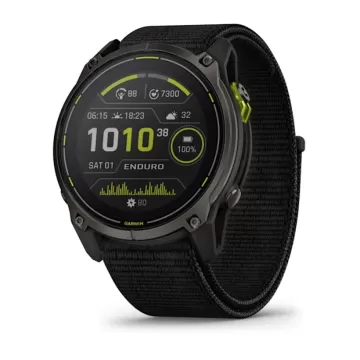
GARMIN Enduro 3 Sapphire Solar
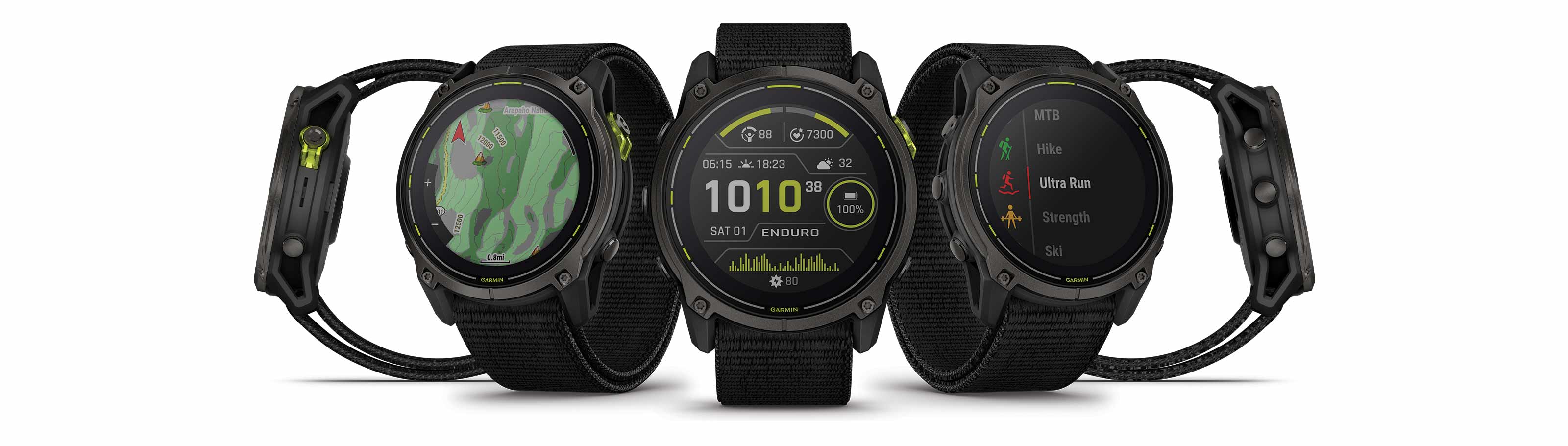
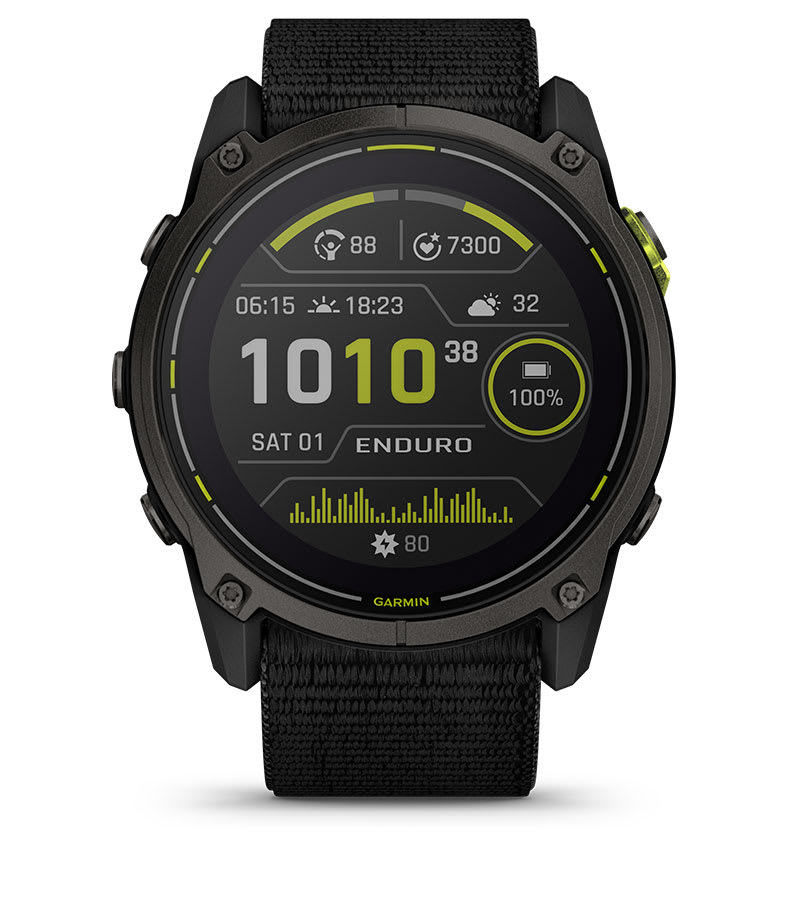
Garmin Enduro 3 - мултифункционален паметен часовник со до 320 часа издржливост на батеријата во GPS режим со соларно полнење.
Достапност :
Бесплатна достава во Македонија. Рок за испорака 10-15 работни дена.
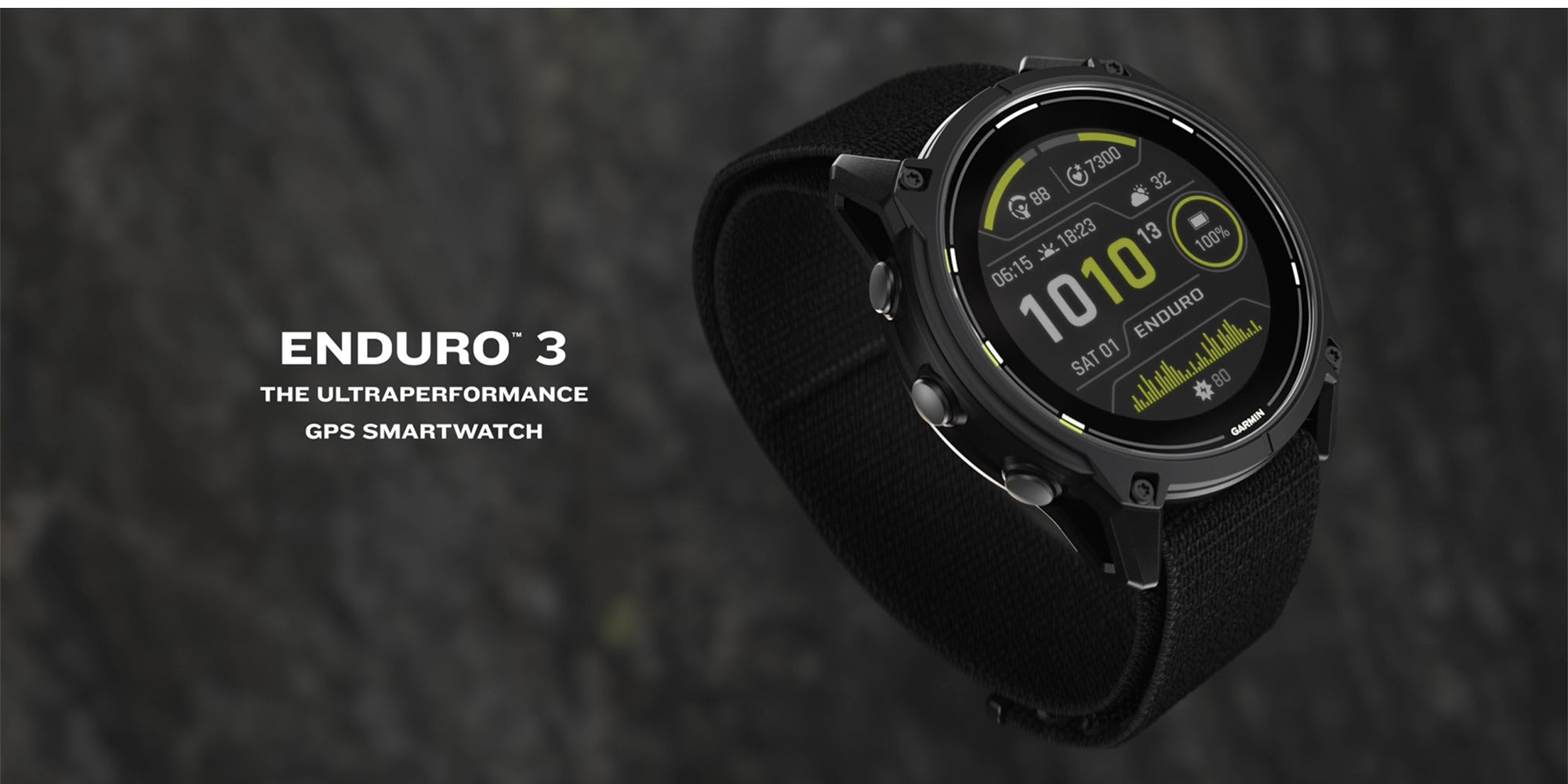
ENDURO™ 3
THE ULTRAPERFORMANCE GPS SMARTWATCH
THEY CALL YOU CRAZY.
FOR THE 4 A.M. STARTS. FOR THE ENDLESS MILES. FOR PUSHING YOUR BODY TO THE BRINK. BUT YOU KNOW THAT THE REWARD OF FINISHING SOMETHING UNTHINKABLE IS LIKE NOTHING ELSE ON EARTH. PEOPLE MIGHT CALL YOU CRAZY. BUT THAT JUST SPURS YOU ON.
BEST-IN-CLASS SOLAR BATTERY LIFE
with UP TO 320 HOURS IN GPS MODE WITH SOLAR CHARGING1
LIGHTWEIGHT DESIGN READY FOR HEAVY USE
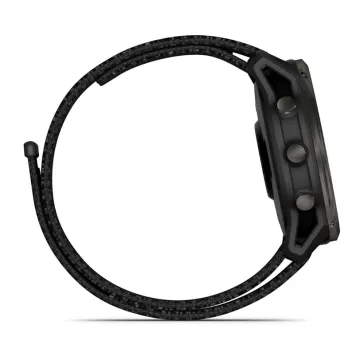
WEIGHING JUST 63 g WITH AN ULTRAFIT NYLON BAND
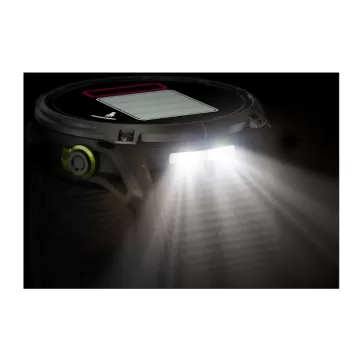
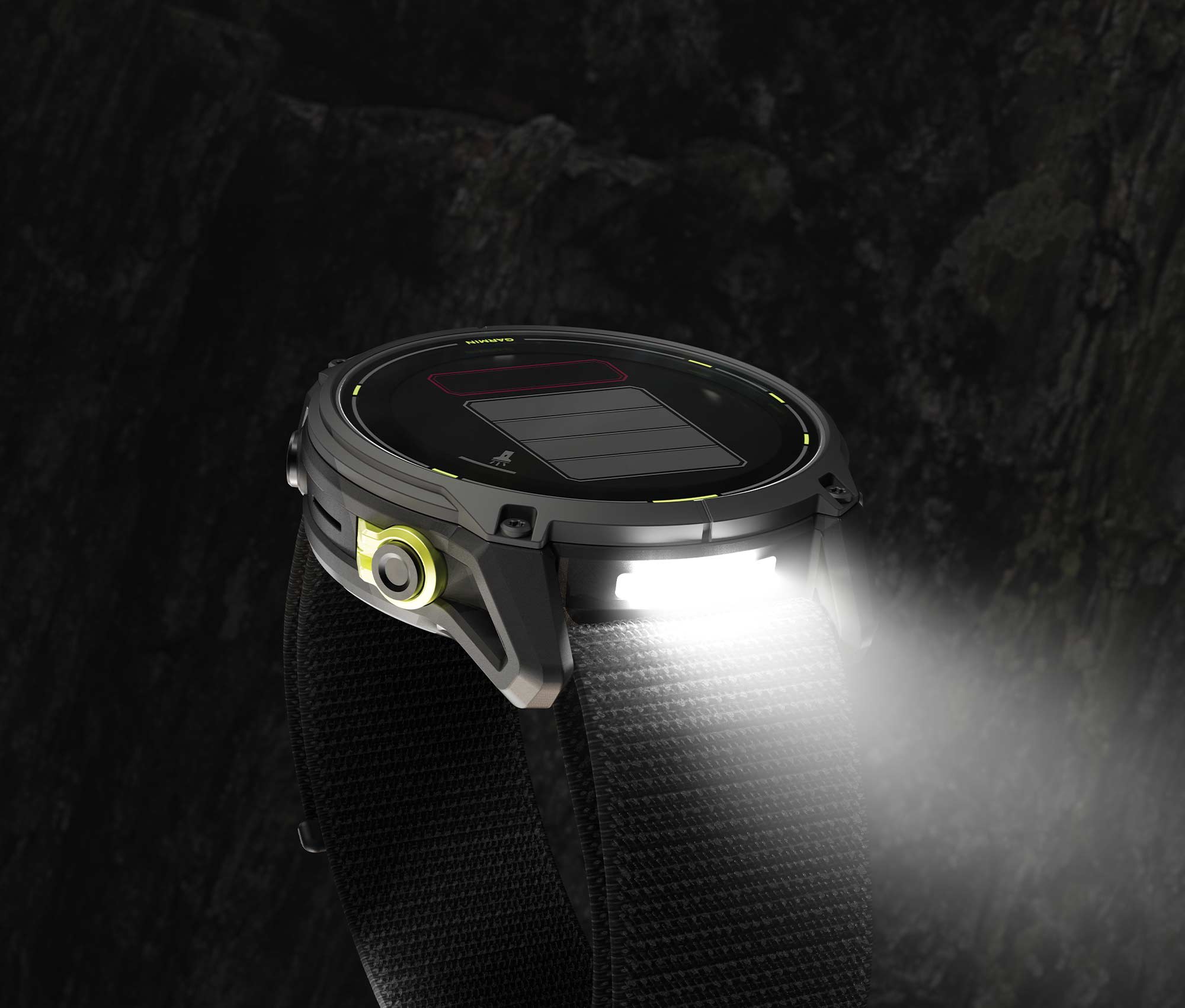
WITH A BUILT-IN LED FLASHLIGHT
STAY ON TRACK
WITH PRELOADED TOPOACTIVE MAPS
LEAVE YOUR LIMITS BEHIND
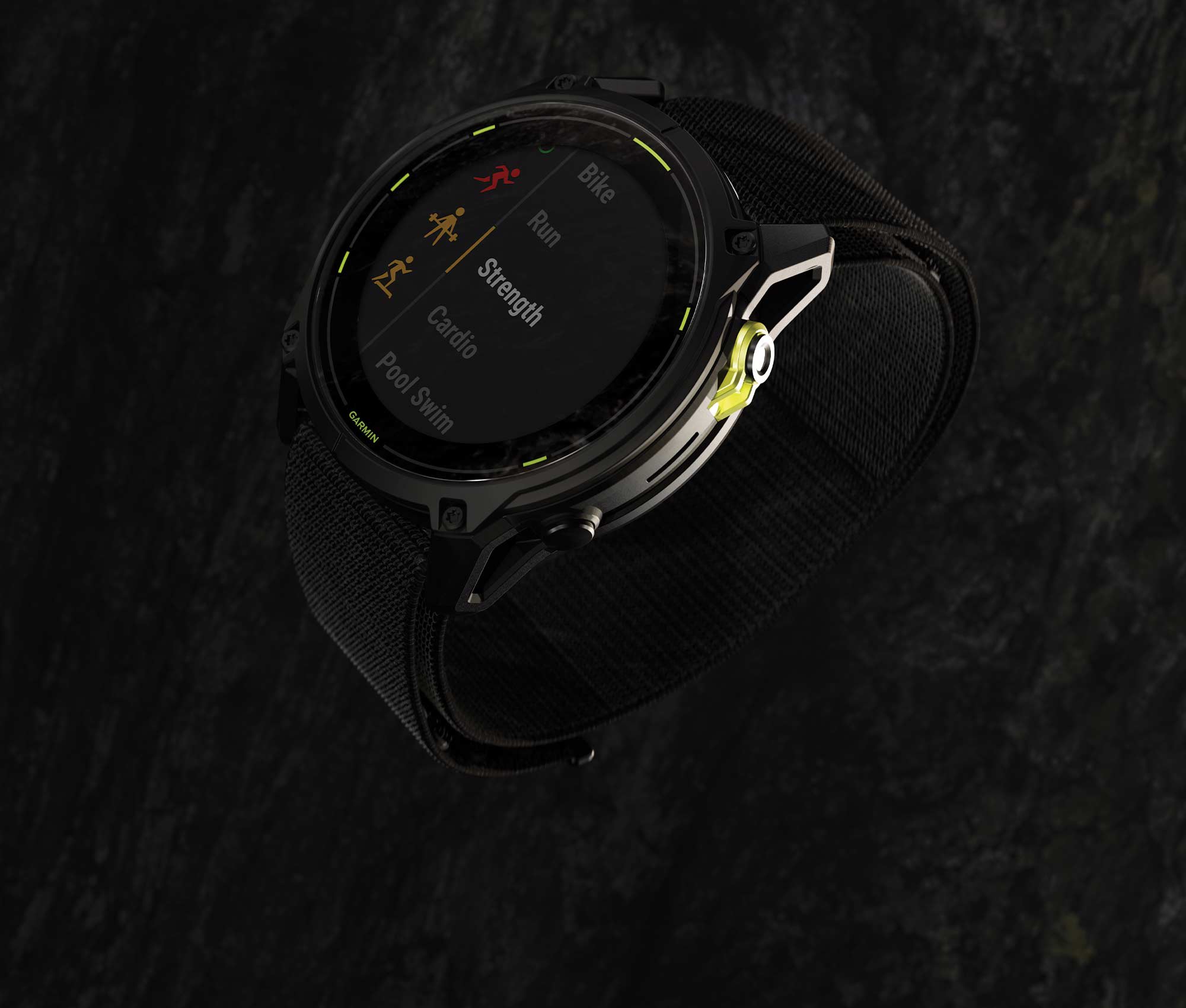
WITH STRENGTH WORKOUTS FOR ULTRARUNNERS, CYCLISTS AND HIKERS
BUILT FOR THE TOUGHEST TESTS
Go beyond your limits, goals and everything you thought possible with Enduro 3 — the ultraperformance GPS smartwatch that’s lighter with a longer battery life.
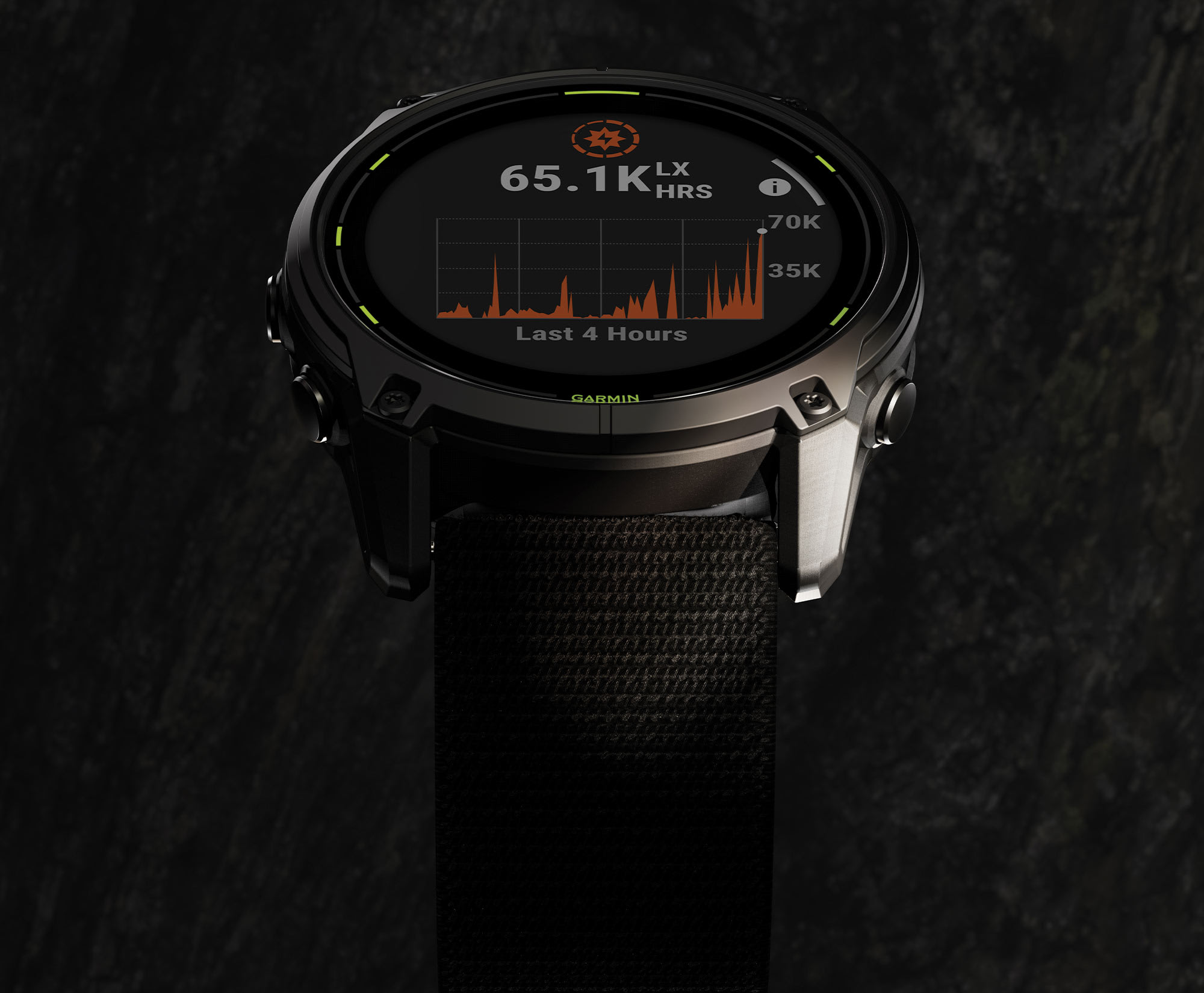
SOLAR POWER PROVIDES EXTREME BATTERY LIFE FOR THE LONGEST RACES
GET UP TO 320 HOURS OF BATTERY LIFE IN GPS MODE1
BUILT-IN LED FLASHLIGHT WILL HELP GUIDE THE ADVENTURE
SATIQ™ TECHNOLOGY AND MULTI-BAND GPS PROVIDE SUPERIOR POSITIONING ACCURACY
DYNAMIC ROUND-TRIP ROUTING GETS YOU BACK HOME ON TIME
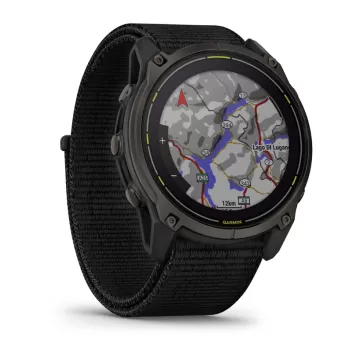
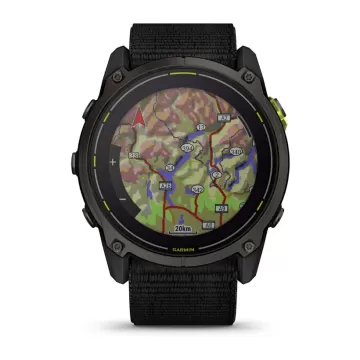
STAY ON COURSE WITH PRELOADED TOPOACTIVE MAPS
BUILT TO ENDURE
Featuring a lightweight design of only 63 g, alongside a titanium bezel and scratch-resistant sapphire lens, you’ll be set to take on the toughest challenges with Enduro 3. An UltraFit nylon band provides long-distance comfort.
INCREDIBLE BATTERY LIFE
Get up to 90 days of battery life in smartwatch mode2 or 320 hours in GPS mode with solar charging1 — all with an always-on display.
LED FLASHLIGHT
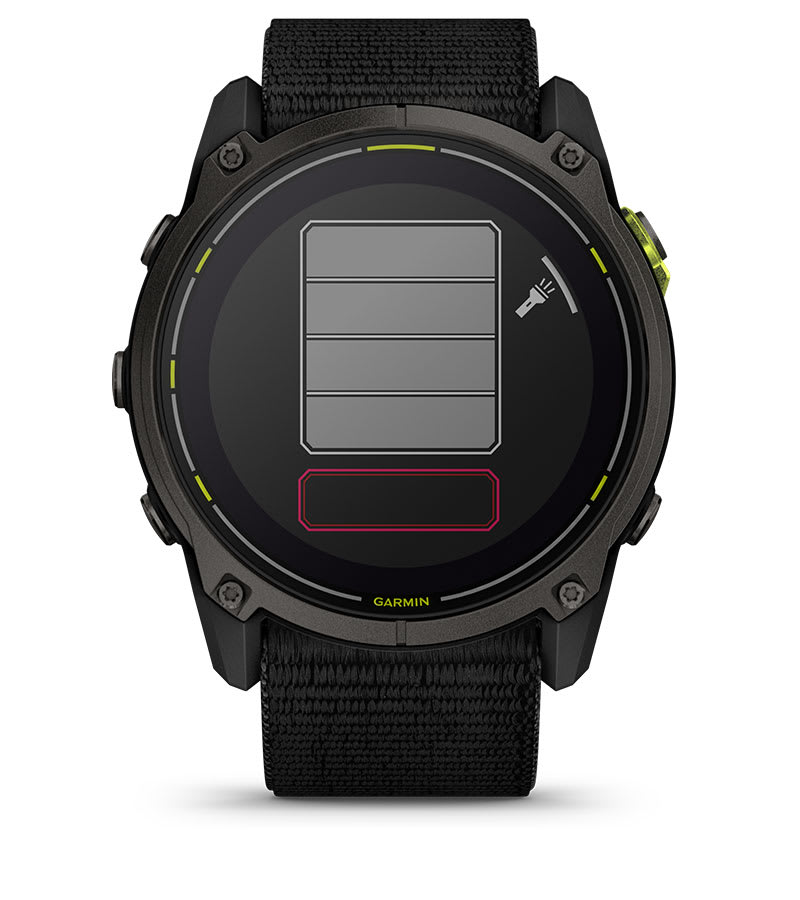
Light up your adventures with a built-in LED flashlight. Its variable light intensities and a red safety light give greater awareness when training in the dark — while strobe mode can even match your running cadence.
READY TO HIT THE TRAILS
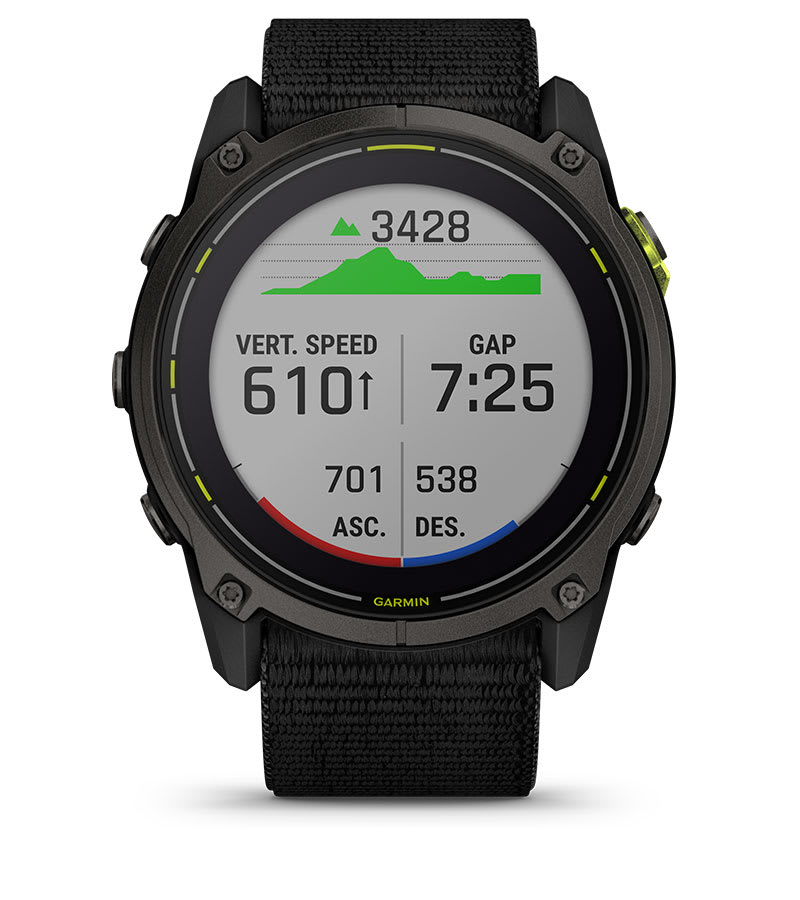
With trail-specific features such as trail run VO2 max, grade-adjusted pace and NextFork™ map guide, the Enduro 3 smartwatch is built to help you crush the toughest trail runs and races.
ENHANCED MAP NAVIGATION
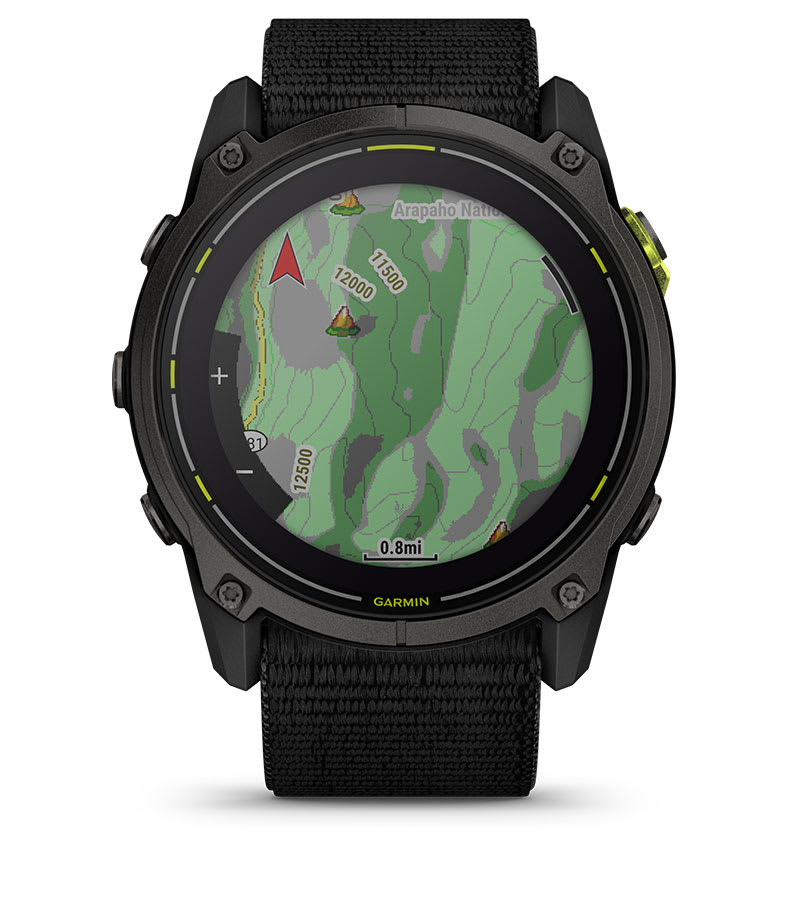
This dynamic round-trip routing feature lets you enter how far you want to go and get suggested routes that will guide you back on time. You can also view terrain contours on preloaded TopoActive maps and access preloaded maps for golf courses and ski resorts around the world.
ADVANCED STRENGTH TRAINING
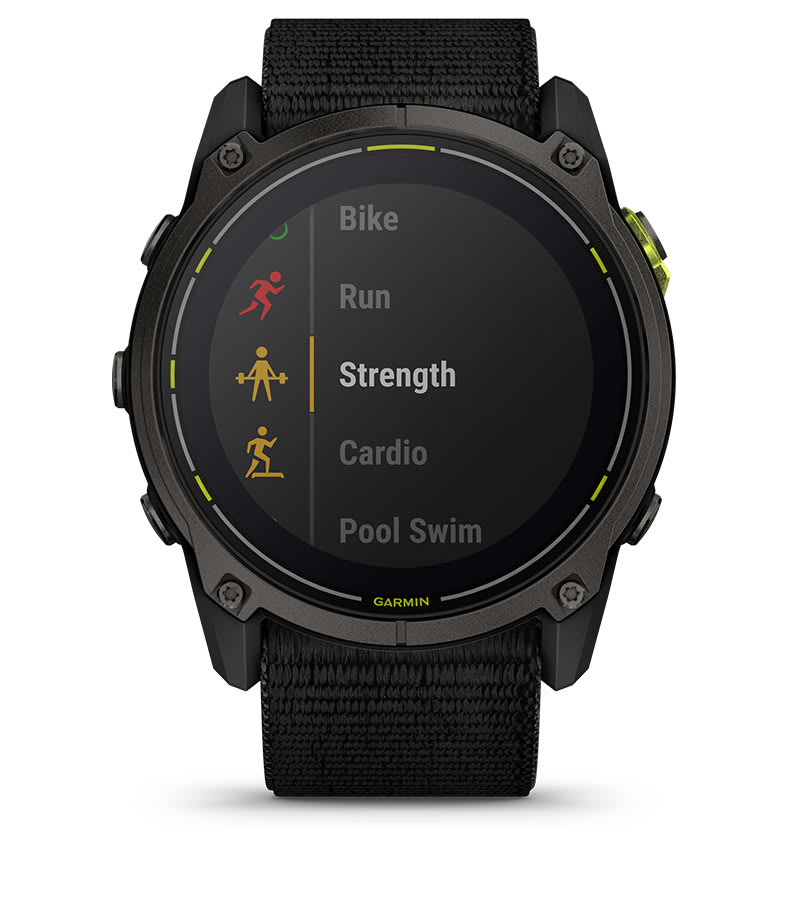
Elevate your body’s performance with targeted strength training plans, real-time stamina tracking, specific workouts for various activity types and a full range of built-in sports apps tailored for ultrarunners, cyclists, hikers and more.
GO TO THE LIMIT. THEN BACK AGAIN.
PERFORMANCE FEATURES
TRAIL RUN VO2 MAX
Estimate VO2 max by adjusting based on the varying trail and terrain conditions that can affect run performance.
ULTRARUN ACTIVITY
Use the ultrarun activity with rest timer, and log the time you spend at aid stations.
ADVENTURE RACING ACTIVITY
See key stats during a race . GPS is recorded but is unavailable for viewing, in keeping with adventure race rules.
PACEPRO™ TECHNOLOGY
Plan race-day strategy with GPS-based pace guidance for a selected course or distance.
GRADE-ADJUSTED PACE
Get your equivalent running pace at the same effort on flat ground or when ascending.
ALTITUDE AND HEAT ACCLIMATION
See how you’re holding up to the current elevation or heat based on your health metrics.
PERFORMANCE METRICS
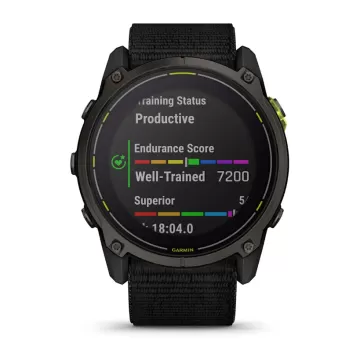
Gauge your performance with advanced training metrics such as VO2 max, training load and more.
AUTOMATIC REST TIMER
Track time spent at an aid station or checkpoint during an ultrarun — so you don’t need to hit pause.
FIND YOUR WAY
OUTDOOR MAPS+
Subscribe to Outdoor Maps+ for premium mapping content, such as satellite imagery and enhanced topographic maps, downloaded directly to your watch.
SATIQ™ TECHNOLOGY
Get superior positioning accuracy with multi-band GPS while optimizing battery life.
MULTICONTINENT TOPO MAPS
Preloaded TopoActive maps from around the world keep your explorations on track.
NEXTFORK™ MAP GUIDE
Navigate with a quick glance, and see the distance to the next intersection and the trail name.
COURSES WITH TURN-BY-TURN DIRECTIONS
Create or find existing courses in the Garmin Connect™ smart-device app , or sync from your favorite third-party platforms and get turn-by-turn directions.
ABC SENSORS
Navigate your next trail with an altimeter, barometer and 3-axis electronic compass.
UP AHEAD FEATURE
Get at-a-glance awareness for selected POI checkpoints ahead — such as aid stations — during a race.
SKIVIEW™ MAPS
View run names and difficulty ratings for more than 2,000 preloaded ski resorts worldwide.
ACTIVITY AND FUNCTION
BUILT-IN SPORTS APPS
Use preloaded activity profiles for trail running, swimming, running, biking, hiking, rowing, skiing, golfing, surfing, indoor climbing and more.
GARMIN COACH
Prepare for your next race, train for a milestone, or simply improve your fitness with Garmin Coach adaptive or prebuilt training plans .
DAILY SUGGESTED WORKOUTS
View your entire week of daily suggested workouts, which adapt after every run or ride.
ANIMATED WORKOUTS
Follow animated workouts for cardio, strength, yoga and Pilates on the watch screen.
BACKCOUNTRY SKI AND SNOWBOARD
Automatically track ascents and descents along with how much time you spend between runs.
XC SKI POWER
Measure exercise load when paired with an HRM-Pro™ Plus chest strap (sold separately).
SURF ACTIVITY
Record waves surfed, maximum speed reached, distance traveled and more. Use Surfline Sessions ™ technology to capture video of waves you ride in front of a Surfline® camera3 .
MTB DYNAMICS
Track the details of your ride with specialized Grit ® and Flow ™ measurements.
HEALTH FEATURES
MORNING REPORT
Get a customizable overview of your sleep, training outlook, HRV status, weather and more as soon as you wake up.
WRIST-BASED HEART RATE
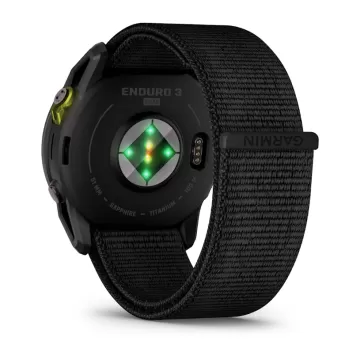
The watch constantly samples your heart rate 4 to help you gauge how hard you work during activities.
GARMIN ECG APP
The ECG app 5 uses sensors to record the electrical signals that control how your heart beats. It analyzes that recording to detect signs of an irregular heart rhythm called atrial fibrillation (AFib).
PULSE OX SENSOR
Track your blood oxygen saturation while you’re awake or asleep, and gain awareness of how you’re adapting to altitude6 .
SLEEP COACH
Get a sleep score and personalized coaching for how much sleep you need. Track sleep stages , and get insights to improve sleep quality 4 .
JET LAG ADVISER
Help to minimize the effects of jet lag with guidance on light exposure, sleep schedule and exercise.
BODY BATTERY™ ENERGY MONITORING
Track your body’s energy levels to find the best times for activity and rest4 .
STRESS TRACKING
See if you’re having a calm, balanced or stressful day .
HEALTH SNAPSHOT™ FEATURE
Log a 2-minute session to record key health stats , then generate a report to share with your health care provider.
CONNECTED FEATURES
SMART NOTIFICATIONS
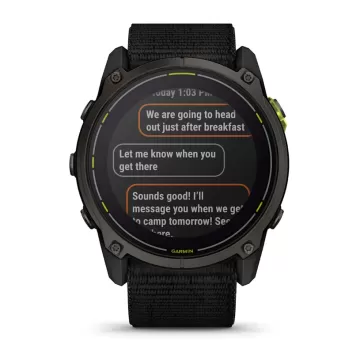
Receive emails, texts and alerts on your smartwatch when paired with your iPhone® or Android™ smartphone.
MUSIC
Download songs plus playlists from your Spotify, Deezer or Amazon Music accounts for phone-free listening.
SAFETY AND TRACKING FEATURES
If you feel unsafe or if your watch senses that an incident occurred, your watch will send a message with your live location7 .
STOCKS TRACKER
Keep track of up to 50 of your favorite stocks8 — right from your wrist.
POWER MANAGER
View how various settings and sensors impact your watch’s battery life.
GARMIN CONNECT APP
See your health and fitness information, connect with friends and more.
TestVar
id: 379
userid: 17
name: GARMIN fenix 8 – 43 mm, AMOLED Sapphire, Soft Gold Fog grey/dark sandstone silicone band
VIP: 0
cat: 46
subcat: 4
subsubcat: 21
manufacturer:
model:
status: 1
image1: 17_2024_60311724760401.webp
image2: 17_2024_77161724760401.webp
image3: 17_2024_97971724760402.webp
image4: 17_2024_43921724760402.webp
image5: 17_2024_34351724760402.webp
image6: 17_2024_59131724760402.webp
image7: 17_2024_46061724760402.webp
image8: 17_2024_89131724760402.webp
image9:
image10:
image11:
image12:
short_description: <p>BE LIMITLESS</p>
<p>За сериозни спортисти и авантуристи кои сакаат да ги надминат своите граници. Овој врвен спортски паметен GPS-часовник е создаден со премиум перформанси - напредни функции за тежински тренинзи, способност за нуркање, внатрешен звучник и микрофон за гласовни функции, вградена LED светилка и многу повеќе.</p>
description: <div style="box-sizing: inherit; margin: 0px; padding: 0px; border: 0px; vertical-align: baseline; font-variant-numeric: inherit; font-variant-east-asian: inherit; font-variant-alternates: inherit; font-variant-position: inherit; font-stretch: inherit; line-height: 20px; font-family: Roboto, 'Noto Sans TC', 'Noto Sans SC', 'Noto Sans JP', 'Noto Sans KR', Prompt, sans-serif; font-optical-sizing: inherit; font-size-adjust: inherit; font-kerning: inherit; font-feature-settings: inherit; font-variation-settings: inherit; font-size: 18px; color: #2c3e50;">
<div class="app__life-style app__life-style--dark" style="box-sizing: inherit; margin: 0px; padding: 0px; border: 0px; vertical-align: baseline; font-style: inherit; font-variant: inherit; font-weight: inherit; font-stretch: inherit; line-height: 20px; font-family: inherit; font-optical-sizing: inherit; font-size-adjust: inherit; font-kerning: inherit; font-feature-settings: inherit; font-variation-settings: inherit; position: relative; background-color: rgba(0, 0, 0, 0);" title="" data-translate="">
<div class="app__life-style__text__con app__life-style__text__con--center app__life-style__text__con--middle app__life-style__text__con__mobile--center app__life-style__text__con__mobile--middle" style="box-sizing: inherit; margin: 0px; padding: 2rem 0px; border: 0px; vertical-align: baseline; font-style: inherit; font-variant: inherit; font-weight: inherit; font-stretch: inherit; line-height: 20px; font-family: Oswald; font-optical-sizing: inherit; font-size-adjust: inherit; font-kerning: inherit; font-feature-settings: inherit; font-variation-settings: inherit; color: #ffffff; text-shadow: #000000 0px 0px 0.5em; text-align: center; width: 631.667px; position: absolute; -webkit-font-smoothing: unset; top: 473.75px; transform: translateY(-50%); left: 315.833px;">
<h2 class="app__headline app__headline--dark app__headline--center app__headline--mobile--center" style="box-sizing: inherit; margin: 0px; padding: 0px; border: 0px; vertical-align: baseline; font-style: inherit; font-variant: inherit; font-weight: 400; font-stretch: inherit; line-height: 1.25; font-family: Oswald, 'Roboto Condensed', Roboto, 'Noto Sans TC', 'Noto Sans SC', 'Noto Sans JP', 'Noto Sans KR', Prompt, sans-serif; font-optical-sizing: inherit; font-size-adjust: inherit; font-kerning: inherit; font-feature-settings: inherit; font-variation-settings: inherit; font-size: 2rem; letter-spacing: 0.05rem; width: 631.667px;"><span class="app__headline__container" style="box-sizing: inherit; margin: 0px; padding: 0rem 0px; border: 0px; vertical-align: baseline; font-style: inherit; font-variant: inherit; font-weight: inherit; font-stretch: inherit; line-height: inherit; font-family: inherit; font-optical-sizing: inherit; font-size-adjust: inherit; font-kerning: inherit; font-feature-settings: inherit; font-variation-settings: inherit; font-size: calc(var(--headlineFontSize)); display: block; --headlinemobiletextsizeadjuster: 2.5; --headlinesecondarytextsizeadjuster: 3; --headlineratio: calc(var(--headlineMobileTextSizeScaler) * var(--headlineMobileTextSizeAdjuster)); --headlinefontsize: calc(1.6vw * var(--headlineTextSizeScaler)); background-color: rgba(0, 0, 0, 0); --headlinetextsizescaler: 2.6; --headlinemobiletextsizescaler: 2.4;"><span class="app__headline__secondary-text" style="box-sizing: inherit; margin: 1.5rem 0px 0px; padding: 0px; border: 0px; vertical-align: baseline; font-style: inherit; font-variant: inherit; font-weight: inherit; font-stretch: inherit; line-height: inherit; font-family: Roboto, 'Noto Sans TC', 'Noto Sans SC', 'Noto Sans JP', 'Noto Sans KR', Prompt, sans-serif; font-optical-sizing: inherit; font-size-adjust: inherit; font-kerning: inherit; font-feature-settings: inherit; font-variation-settings: inherit; font-size: 17.7493px; display: block; text-transform: uppercase; color: inherit;">FĒNIX 8</span></span></h2>
</div>
</div>
<div class="app__life-style app__life-style--dark" style="box-sizing: inherit; margin: 0px; padding: 0px; border: 0px; vertical-align: baseline; font-style: inherit; font-variant: inherit; font-weight: inherit; font-stretch: inherit; line-height: 20px; font-family: inherit; font-optical-sizing: inherit; font-size-adjust: inherit; font-kerning: inherit; font-feature-settings: inherit; font-variation-settings: inherit; position: relative; background-color: rgba(0, 0, 0, 0);" title="" data-translate="">
<div class="app__img-banner app__life-style__img-con" style="box-sizing: inherit; margin: 0px; padding: 0px; border: 0px; vertical-align: baseline; font-style: inherit; font-variant: inherit; font-weight: inherit; font-stretch: inherit; line-height: 20px; font-family: inherit; font-optical-sizing: inherit; font-size-adjust: inherit; font-kerning: inherit; font-feature-settings: inherit; font-variation-settings: inherit; background-color: #000000;"><img class="app__img-banner__img app__img-banner__img--desktop" style="box-sizing: inherit; margin: 0px; padding: 0px; border-style: none; vertical-align: middle; font-style: inherit; font-variant: inherit; font-weight: inherit; font-stretch: inherit; line-height: inherit; font-family: inherit; font-optical-sizing: inherit; font-size-adjust: inherit; font-kerning: inherit; font-feature-settings: inherit; font-variation-settings: inherit; width: 1263.33px; display: block; max-width: 100%; height: auto;" src="https://res.garmin.com/en/products/010-02903-00/g/66911-2-D.jpg" alt="" /></div>
<div class="app__life-style__text__con app__life-style__text__con--center app__life-style__text__con--top app__life-style__text__con__mobile--center app__life-style__text__con__mobile--top" style="box-sizing: inherit; margin: 0px; padding: 2rem 0px; border: 0px; vertical-align: baseline; font-style: inherit; font-variant: inherit; font-weight: inherit; font-stretch: inherit; line-height: 20px; font-family: Oswald; font-optical-sizing: inherit; font-size-adjust: inherit; font-kerning: inherit; font-feature-settings: inherit; font-variation-settings: inherit; color: #ffffff; text-shadow: #000000 0px 0px 0.5em; text-align: center; width: 631.667px; position: absolute; -webkit-font-smoothing: unset; top: 0px; left: 315.833px;">
<h2 class="app__headline app__headline--dark app__headline--center app__headline--mobile--center" style="box-sizing: inherit; margin: 0px; padding: 0px; border: 0px; vertical-align: baseline; font-style: inherit; font-variant: inherit; font-weight: 400; font-stretch: inherit; line-height: 1.25; font-family: Oswald, 'Roboto Condensed', Roboto, 'Noto Sans TC', 'Noto Sans SC', 'Noto Sans JP', 'Noto Sans KR', Prompt, sans-serif; font-optical-sizing: inherit; font-size-adjust: inherit; font-kerning: inherit; font-feature-settings: inherit; font-variation-settings: inherit; font-size: 2rem; letter-spacing: 0.05rem; width: 631.667px;"><span class="app__headline__container" style="box-sizing: inherit; margin: 0px; padding: 0rem 0px; border: 0px; vertical-align: baseline; font-style: inherit; font-variant: inherit; font-weight: inherit; font-stretch: inherit; line-height: inherit; font-family: inherit; font-optical-sizing: inherit; font-size-adjust: inherit; font-kerning: inherit; font-feature-settings: inherit; font-variation-settings: inherit; font-size: calc(var(--headlineFontSize)); display: block; --headlinemobiletextsizeadjuster: 2.5; --headlinesecondarytextsizeadjuster: 3; --headlineratio: calc(var(--headlineMobileTextSizeScaler) * var(--headlineMobileTextSizeAdjuster)); --headlinefontsize: calc(1.6vw * var(--headlineTextSizeScaler)); background-color: rgba(0, 0, 0, 0); --headlinetextsizescaler: 2.6; --headlinemobiletextsizescaler: 2.4;"><span class="app__headline__primary-text" style="box-sizing: inherit; margin: 0px; padding: 0px; border: 0px; vertical-align: baseline; font-style: inherit; font-variant: inherit; font-weight: inherit; font-stretch: inherit; line-height: inherit; font-family: inherit; font-optical-sizing: inherit; font-size-adjust: inherit; font-kerning: inherit; font-feature-settings: inherit; font-variation-settings: inherit; font-size: 53.248px; display: block;">FĒNIX HAS EVOLVED</span><span class="app__headline__secondary-text" style="box-sizing: inherit; margin: 1.5rem 0px 0px; padding: 0px; border: 0px; vertical-align: baseline; font-style: inherit; font-variant: inherit; font-weight: inherit; font-stretch: inherit; line-height: inherit; font-family: Roboto, 'Noto Sans TC', 'Noto Sans SC', 'Noto Sans JP', 'Noto Sans KR', Prompt, sans-serif; font-optical-sizing: inherit; font-size-adjust: inherit; font-kerning: inherit; font-feature-settings: inherit; font-variation-settings: inherit; font-size: 17.7493px; display: block; text-transform: uppercase; color: inherit;">BRIGHT AMOLED DISPLAY | DIVE RATED | SENSOR GUARD</span></span></h2>
</div>
</div>
<div class="app__life-style app__life-style--dark" style="box-sizing: inherit; margin: 0px; padding: 0px; border: 0px; vertical-align: baseline; font-style: inherit; font-variant: inherit; font-weight: inherit; font-stretch: inherit; line-height: 20px; font-family: inherit; font-optical-sizing: inherit; font-size-adjust: inherit; font-kerning: inherit; font-feature-settings: inherit; font-variation-settings: inherit; position: relative; background-color: rgba(0, 0, 0, 0);" title="" data-translate="">
<div class="app__img-banner app__life-style__img-con" style="box-sizing: inherit; margin: 0px; padding: 0px; border: 0px; vertical-align: baseline; font-style: inherit; font-variant: inherit; font-weight: inherit; font-stretch: inherit; line-height: 20px; font-family: inherit; font-optical-sizing: inherit; font-size-adjust: inherit; font-kerning: inherit; font-feature-settings: inherit; font-variation-settings: inherit; background-color: #000000;"><img class="app__img-banner__img app__img-banner__img--desktop" style="box-sizing: inherit; margin: 0px; padding: 0px; border-style: none; vertical-align: middle; font-style: inherit; font-variant: inherit; font-weight: inherit; font-stretch: inherit; line-height: inherit; font-family: inherit; font-optical-sizing: inherit; font-size-adjust: inherit; font-kerning: inherit; font-feature-settings: inherit; font-variation-settings: inherit; width: 1263.33px; display: block; max-width: 100%; height: auto;" src="https://res.garmin.com/en/products/010-02903-00/g/66911-3-D.jpg" alt="" /></div>
<div class="app__life-style__text__con app__life-style__text__con--center app__life-style__text__con--middle app__life-style__text__con__mobile--center app__life-style__text__con__mobile--middle" style="box-sizing: inherit; margin: 0px; padding: 2rem 0px; border: 0px; vertical-align: baseline; font-style: inherit; font-variant: inherit; font-weight: inherit; font-stretch: inherit; line-height: 20px; font-family: Oswald; font-optical-sizing: inherit; font-size-adjust: inherit; font-kerning: inherit; font-feature-settings: inherit; font-variation-settings: inherit; color: #ffffff; text-shadow: #000000 0px 0px 0.5em; text-align: center; width: 631.667px; position: absolute; -webkit-font-smoothing: unset; top: 473.75px; transform: translateY(-50%); left: 315.833px;">
<h2 class="app__headline app__headline--dark app__headline--center app__headline--mobile--center" style="box-sizing: inherit; margin: 0px; padding: 0px; border: 0px; vertical-align: baseline; font-style: inherit; font-variant: inherit; font-weight: 400; font-stretch: inherit; line-height: 1.25; font-family: Oswald, 'Roboto Condensed', Roboto, 'Noto Sans TC', 'Noto Sans SC', 'Noto Sans JP', 'Noto Sans KR', Prompt, sans-serif; font-optical-sizing: inherit; font-size-adjust: inherit; font-kerning: inherit; font-feature-settings: inherit; font-variation-settings: inherit; font-size: 2rem; letter-spacing: 0.05rem; width: 631.667px;"><span class="app__headline__container" style="box-sizing: inherit; margin: 0px; padding: 0rem 0px; border: 0px; vertical-align: baseline; font-style: inherit; font-variant: inherit; font-weight: inherit; font-stretch: inherit; line-height: inherit; font-family: inherit; font-optical-sizing: inherit; font-size-adjust: inherit; font-kerning: inherit; font-feature-settings: inherit; font-variation-settings: inherit; font-size: calc(var(--headlineFontSize)); display: block; --headlinemobiletextsizeadjuster: 2.5; --headlinesecondarytextsizeadjuster: 3; --headlineratio: calc(var(--headlineMobileTextSizeScaler) * var(--headlineMobileTextSizeAdjuster)); --headlinefontsize: calc(1.6vw * var(--headlineTextSizeScaler)); background-color: rgba(0, 0, 0, 0); --headlinetextsizescaler: 2.6; --headlinemobiletextsizescaler: 2.4;"><span class="app__headline__primary-text" style="box-sizing: inherit; margin: 0px; padding: 0px; border: 0px; vertical-align: baseline; font-style: inherit; font-variant: inherit; font-weight: inherit; font-stretch: inherit; line-height: inherit; font-family: inherit; font-optical-sizing: inherit; font-size-adjust: inherit; font-kerning: inherit; font-feature-settings: inherit; font-variation-settings: inherit; font-size: 53.248px; display: block;">GO BEYOND YOUR CAPABILITIES</span><span class="app__headline__secondary-text" style="box-sizing: inherit; margin: 1.5rem 0px 0px; padding: 0px; border: 0px; vertical-align: baseline; font-style: inherit; font-variant: inherit; font-weight: inherit; font-stretch: inherit; line-height: inherit; font-family: Roboto, 'Noto Sans TC', 'Noto Sans SC', 'Noto Sans JP', 'Noto Sans KR', Prompt, sans-serif; font-optical-sizing: inherit; font-size-adjust: inherit; font-kerning: inherit; font-feature-settings: inherit; font-variation-settings: inherit; font-size: 17.7493px; display: block; text-transform: uppercase; color: inherit;">SPORT-SPECIFIC WORKOUTS FOR LIMITLESS POTENTIAL</span></span></h2>
</div>
</div>
<div class="app__life-style app__life-style--dark" style="box-sizing: inherit; margin: 0px; padding: 0px; border: 0px; vertical-align: baseline; font-style: inherit; font-variant: inherit; font-weight: inherit; font-stretch: inherit; line-height: 20px; font-family: inherit; font-optical-sizing: inherit; font-size-adjust: inherit; font-kerning: inherit; font-feature-settings: inherit; font-variation-settings: inherit; position: relative; background-color: rgba(0, 0, 0, 0);" title="" data-translate="">
<div class="app__img-banner app__life-style__img-con" style="box-sizing: inherit; margin: 0px; padding: 0px; border: 0px; vertical-align: baseline; font-style: inherit; font-variant: inherit; font-weight: inherit; font-stretch: inherit; line-height: 20px; font-family: inherit; font-optical-sizing: inherit; font-size-adjust: inherit; font-kerning: inherit; font-feature-settings: inherit; font-variation-settings: inherit; background-color: #000000;"><img class="app__img-banner__img app__img-banner__img--desktop" style="box-sizing: inherit; margin: 0px; padding: 0px; border-style: none; vertical-align: middle; font-style: inherit; font-variant: inherit; font-weight: inherit; font-stretch: inherit; line-height: inherit; font-family: inherit; font-optical-sizing: inherit; font-size-adjust: inherit; font-kerning: inherit; font-feature-settings: inherit; font-variation-settings: inherit; width: 1263.33px; display: block; max-width: 100%; height: auto;" src="https://res.garmin.com/en/products/010-02903-00/g/66911-4-D.jpg" alt="" /></div>
<div class="app__life-style__text__con app__life-style__text__con--center app__life-style__text__con--top app__life-style__text__con__mobile--center app__life-style__text__con__mobile--top" style="box-sizing: inherit; margin: 0px; padding: 2rem 0px; border: 0px; vertical-align: baseline; font-style: inherit; font-variant: inherit; font-weight: inherit; font-stretch: inherit; line-height: 20px; font-family: Oswald; font-optical-sizing: inherit; font-size-adjust: inherit; font-kerning: inherit; font-feature-settings: inherit; font-variation-settings: inherit; color: #ffffff; text-shadow: #000000 0px 0px 0.5em; text-align: center; width: 631.667px; position: absolute; -webkit-font-smoothing: unset; top: 0px; left: 315.833px;">
<h2 class="app__headline app__headline--dark app__headline--center app__headline--mobile--center" style="box-sizing: inherit; margin: 0px; padding: 0px; border: 0px; vertical-align: baseline; font-style: inherit; font-variant: inherit; font-weight: 400; font-stretch: inherit; line-height: 1.25; font-family: Oswald, 'Roboto Condensed', Roboto, 'Noto Sans TC', 'Noto Sans SC', 'Noto Sans JP', 'Noto Sans KR', Prompt, sans-serif; font-optical-sizing: inherit; font-size-adjust: inherit; font-kerning: inherit; font-feature-settings: inherit; font-variation-settings: inherit; font-size: 2rem; letter-spacing: 0.05rem; width: 631.667px;"><span class="app__headline__container" style="box-sizing: inherit; margin: 0px; padding: 0rem 0px; border: 0px; vertical-align: baseline; font-style: inherit; font-variant: inherit; font-weight: inherit; font-stretch: inherit; line-height: inherit; font-family: inherit; font-optical-sizing: inherit; font-size-adjust: inherit; font-kerning: inherit; font-feature-settings: inherit; font-variation-settings: inherit; font-size: calc(var(--headlineFontSize)); display: block; --headlinemobiletextsizeadjuster: 2.5; --headlinesecondarytextsizeadjuster: 3; --headlineratio: calc(var(--headlineMobileTextSizeScaler) * var(--headlineMobileTextSizeAdjuster)); --headlinefontsize: calc(1.6vw * var(--headlineTextSizeScaler)); background-color: rgba(0, 0, 0, 0); --headlinetextsizescaler: 2.6; --headlinemobiletextsizescaler: 2.4;"><span class="app__headline__primary-text" style="box-sizing: inherit; margin: 0px; padding: 0px; border: 0px; vertical-align: baseline; font-style: inherit; font-variant: inherit; font-weight: inherit; font-stretch: inherit; line-height: inherit; font-family: inherit; font-optical-sizing: inherit; font-size-adjust: inherit; font-kerning: inherit; font-feature-settings: inherit; font-variation-settings: inherit; font-size: 53.248px; display: block;">TAKE COMMAND WITH YOUR VOICE</span><span class="app__headline__secondary-text" style="box-sizing: inherit; margin: 1.5rem 0px 0px; padding: 0px; border: 0px; vertical-align: baseline; font-style: inherit; font-variant: inherit; font-weight: inherit; font-stretch: inherit; line-height: inherit; font-family: Roboto, 'Noto Sans TC', 'Noto Sans SC', 'Noto Sans JP', 'Noto Sans KR', Prompt, sans-serif; font-optical-sizing: inherit; font-size-adjust: inherit; font-kerning: inherit; font-feature-settings: inherit; font-variation-settings: inherit; font-size: 17.7493px; display: block; text-transform: uppercase; color: inherit;">BUILT-IN SPEAKER AND MICROPHONE | OFFLINE VOICE COMMANDS</span></span></h2>
</div>
</div>
<div class="app__life-style app__life-style--dark" style="box-sizing: inherit; margin: 0px; padding: 0px; border: 0px; vertical-align: baseline; font-style: inherit; font-variant: inherit; font-weight: inherit; font-stretch: inherit; line-height: 20px; font-family: inherit; font-optical-sizing: inherit; font-size-adjust: inherit; font-kerning: inherit; font-feature-settings: inherit; font-variation-settings: inherit; position: relative; background-color: rgba(0, 0, 0, 0);" title="" data-translate="">
<div class="app__img-banner app__life-style__img-con" style="box-sizing: inherit; margin: 0px; padding: 0px; border: 0px; vertical-align: baseline; font-style: inherit; font-variant: inherit; font-weight: inherit; font-stretch: inherit; line-height: 20px; font-family: inherit; font-optical-sizing: inherit; font-size-adjust: inherit; font-kerning: inherit; font-feature-settings: inherit; font-variation-settings: inherit; background-color: #000000;"><img class="app__img-banner__img app__img-banner__img--desktop" style="box-sizing: inherit; margin: 0px; padding: 0px; border-style: none; vertical-align: middle; font-style: inherit; font-variant: inherit; font-weight: inherit; font-stretch: inherit; line-height: inherit; font-family: inherit; font-optical-sizing: inherit; font-size-adjust: inherit; font-kerning: inherit; font-feature-settings: inherit; font-variation-settings: inherit; width: 1263.33px; display: block; max-width: 100%; height: auto;" src="https://res.garmin.com/en/products/010-02903-00/g/66911-5-D.jpg" alt="" /></div>
<div class="app__life-style__text__con app__life-style__text__con--center app__life-style__text__con--middle app__life-style__text__con__mobile--center app__life-style__text__con__mobile--middle" style="box-sizing: inherit; margin: 0px; padding: 2rem 0px; border: 0px; vertical-align: baseline; font-style: inherit; font-variant: inherit; font-weight: inherit; font-stretch: inherit; line-height: 20px; font-family: Oswald; font-optical-sizing: inherit; font-size-adjust: inherit; font-kerning: inherit; font-feature-settings: inherit; font-variation-settings: inherit; color: #ffffff; text-shadow: #000000 0px 0px 0.5em; text-align: center; width: 631.667px; position: absolute; -webkit-font-smoothing: unset; top: 489.542px; transform: translateY(-50%); left: 315.833px;">
<h2 class="app__headline app__headline--dark app__headline--center app__headline--mobile--center" style="box-sizing: inherit; margin: 0px; padding: 0px; border: 0px; vertical-align: baseline; font-style: inherit; font-variant: inherit; font-weight: 400; font-stretch: inherit; line-height: 1.25; font-family: Oswald, 'Roboto Condensed', Roboto, 'Noto Sans TC', 'Noto Sans SC', 'Noto Sans JP', 'Noto Sans KR', Prompt, sans-serif; font-optical-sizing: inherit; font-size-adjust: inherit; font-kerning: inherit; font-feature-settings: inherit; font-variation-settings: inherit; font-size: 2rem; letter-spacing: 0.05rem; width: 631.667px;"><span class="app__headline__container" style="box-sizing: inherit; margin: 0px; padding: 0rem 0px; border: 0px; vertical-align: baseline; font-style: inherit; font-variant: inherit; font-weight: inherit; font-stretch: inherit; line-height: inherit; font-family: inherit; font-optical-sizing: inherit; font-size-adjust: inherit; font-kerning: inherit; font-feature-settings: inherit; font-variation-settings: inherit; font-size: calc(var(--headlineFontSize)); display: block; --headlinemobiletextsizeadjuster: 2.5; --headlinesecondarytextsizeadjuster: 3; --headlineratio: calc(var(--headlineMobileTextSizeScaler) * var(--headlineMobileTextSizeAdjuster)); --headlinefontsize: calc(1.6vw * var(--headlineTextSizeScaler)); background-color: rgba(0, 0, 0, 0); --headlinetextsizescaler: 2.6; --headlinemobiletextsizescaler: 2.4;"><span class="app__headline__primary-text" style="box-sizing: inherit; margin: 0px; padding: 0px; border: 0px; vertical-align: baseline; font-style: inherit; font-variant: inherit; font-weight: inherit; font-stretch: inherit; line-height: inherit; font-family: inherit; font-optical-sizing: inherit; font-size-adjust: inherit; font-kerning: inherit; font-feature-settings: inherit; font-variation-settings: inherit; font-size: 53.248px; display: block;">LIGHT YOUR WAY</span><span class="app__headline__secondary-text" style="box-sizing: inherit; margin: 1.5rem 0px 0px; padding: 0px; border: 0px; vertical-align: baseline; font-style: inherit; font-variant: inherit; font-weight: inherit; font-stretch: inherit; line-height: inherit; font-family: Roboto, 'Noto Sans TC', 'Noto Sans SC', 'Noto Sans JP', 'Noto Sans KR', Prompt, sans-serif; font-optical-sizing: inherit; font-size-adjust: inherit; font-kerning: inherit; font-feature-settings: inherit; font-variation-settings: inherit; font-size: 17.7493px; display: block; text-transform: uppercase; color: inherit;">BUILT-IN LED FLASHLIGHT</span></span></h2>
</div>
</div>
<div class="app__life-style app__life-style--dark" style="box-sizing: inherit; margin: 0px; padding: 0px; border: 0px; vertical-align: baseline; font-style: inherit; font-variant: inherit; font-weight: inherit; font-stretch: inherit; line-height: 20px; font-family: inherit; font-optical-sizing: inherit; font-size-adjust: inherit; font-kerning: inherit; font-feature-settings: inherit; font-variation-settings: inherit; position: relative; background-color: rgba(0, 0, 0, 0);" title="" data-translate="">
<div class="app__img-banner app__life-style__img-con" style="box-sizing: inherit; margin: 0px; padding: 0px; border: 0px; vertical-align: baseline; font-style: inherit; font-variant: inherit; font-weight: inherit; font-stretch: inherit; line-height: 20px; font-family: inherit; font-optical-sizing: inherit; font-size-adjust: inherit; font-kerning: inherit; font-feature-settings: inherit; font-variation-settings: inherit; background-color: #000000;"><img class="app__img-banner__img app__img-banner__img--desktop" style="box-sizing: inherit; margin: 0px; padding: 0px; border-style: none; vertical-align: middle; font-style: inherit; font-variant: inherit; font-weight: inherit; font-stretch: inherit; line-height: inherit; font-family: inherit; font-optical-sizing: inherit; font-size-adjust: inherit; font-kerning: inherit; font-feature-settings: inherit; font-variation-settings: inherit; width: 1263.33px; display: block; max-width: 100%; height: auto;" src="https://res.garmin.com/en/products/010-02903-00/g/EMEA_66911-6-D.jpg" alt="" /></div>
<div class="app__life-style__text__con app__life-style__text__con--center app__life-style__text__con--top app__life-style__text__con__mobile--center app__life-style__text__con__mobile--top" style="box-sizing: inherit; margin: 0px; padding: 2rem 0px; border: 0px; vertical-align: baseline; font-style: inherit; font-variant: inherit; font-weight: inherit; font-stretch: inherit; line-height: 20px; font-family: Oswald; font-optical-sizing: inherit; font-size-adjust: inherit; font-kerning: inherit; font-feature-settings: inherit; font-variation-settings: inherit; color: #ffffff; text-shadow: #000000 0px 0px 0.5em; text-align: center; width: 631.667px; position: absolute; -webkit-font-smoothing: unset; top: 0px; left: 315.833px;">
<h2 class="app__headline app__headline--dark app__headline--center app__headline--mobile--center" style="box-sizing: inherit; margin: 0px; padding: 0px; border: 0px; vertical-align: baseline; font-style: inherit; font-variant: inherit; font-weight: 400; font-stretch: inherit; line-height: 1.25; font-family: Oswald, 'Roboto Condensed', Roboto, 'Noto Sans TC', 'Noto Sans SC', 'Noto Sans JP', 'Noto Sans KR', Prompt, sans-serif; font-optical-sizing: inherit; font-size-adjust: inherit; font-kerning: inherit; font-feature-settings: inherit; font-variation-settings: inherit; font-size: 2rem; letter-spacing: 0.05rem; width: 631.667px;"><span class="app__headline__container" style="box-sizing: inherit; margin: 0px; padding: 0rem 0px; border: 0px; vertical-align: baseline; font-style: inherit; font-variant: inherit; font-weight: inherit; font-stretch: inherit; line-height: inherit; font-family: inherit; font-optical-sizing: inherit; font-size-adjust: inherit; font-kerning: inherit; font-feature-settings: inherit; font-variation-settings: inherit; font-size: calc(var(--headlineFontSize)); display: block; --headlinemobiletextsizeadjuster: 2.5; --headlinesecondarytextsizeadjuster: 3; --headlineratio: calc(var(--headlineMobileTextSizeScaler) * var(--headlineMobileTextSizeAdjuster)); --headlinefontsize: calc(1.6vw * var(--headlineTextSizeScaler)); background-color: rgba(0, 0, 0, 0); --headlinetextsizescaler: 2.6; --headlinemobiletextsizescaler: 2.4;"><span class="app__headline__primary-text" style="box-sizing: inherit; margin: 0px; padding: 0px; border: 0px; vertical-align: baseline; font-style: inherit; font-variant: inherit; font-weight: inherit; font-stretch: inherit; line-height: inherit; font-family: inherit; font-optical-sizing: inherit; font-size-adjust: inherit; font-kerning: inherit; font-feature-settings: inherit; font-variation-settings: inherit; font-size: 53.248px; display: block;">THE ULTIMATE GPS SMARTWATCH</span></span></h2>
</div>
</div>
<div class="app__video-banner app__video-banner--dark" style="box-sizing: inherit; margin: 0px; padding: 0px; border: 0px; vertical-align: baseline; font-style: inherit; font-variant: inherit; font-weight: inherit; font-stretch: inherit; line-height: 20px; font-family: inherit; font-optical-sizing: inherit; font-size-adjust: inherit; font-kerning: inherit; font-feature-settings: inherit; font-variation-settings: inherit; position: relative; background-color: #000000;" data-translate="">
<div class="app__img-banner" style="box-sizing: inherit; margin: 0px; padding: 0px; border: 0px; vertical-align: baseline; font-style: inherit; font-variant: inherit; font-weight: inherit; font-stretch: inherit; line-height: 20px; font-family: inherit; font-optical-sizing: inherit; font-size-adjust: inherit; font-kerning: inherit; font-feature-settings: inherit; font-variation-settings: inherit;"><img class="app__img-banner__img app__img-banner__img--desktop" style="box-sizing: inherit; margin: 0px; padding: 0px; border-style: none; vertical-align: middle; font-style: inherit; font-variant: inherit; font-weight: inherit; font-stretch: inherit; line-height: inherit; font-family: inherit; font-optical-sizing: inherit; font-size-adjust: inherit; font-kerning: inherit; font-feature-settings: inherit; font-variation-settings: inherit; width: 1263.33px; display: block; max-width: 100%; height: auto;" src="https://res.garmin.com/en/products/010-02903-00/g/66911-VID-D.jpg" alt="video" /></div>
<div class="app__video-banner__video__play-bt app__video-banner__video__play-bt--light" style="box-sizing: inherit; margin: 0px; padding: 0px; border: 0px; vertical-align: baseline; font-style: inherit; font-variant: inherit; font-weight: inherit; font-stretch: inherit; line-height: 20px; font-family: inherit; font-optical-sizing: inherit; font-size-adjust: inherit; font-kerning: inherit; font-feature-settings: inherit; font-variation-settings: inherit; font-size: 1.8rem; opacity: 0.5; transition: opacity 0.2s; cursor: pointer; position: absolute; top: 315.833px; left: 631.667px; transform: translate(-50%, -50%); filter: brightness(0) invert(1);" data-test="app__video-banner__video__play-bt"> </div>
</div>
<div class="app__life-style app__life-style--light" style="box-sizing: inherit; margin: 0px; padding: 0px; border: 0px; vertical-align: baseline; font-style: inherit; font-variant: inherit; font-weight: inherit; font-stretch: inherit; line-height: 20px; font-family: inherit; font-optical-sizing: inherit; font-size-adjust: inherit; font-kerning: inherit; font-feature-settings: inherit; font-variation-settings: inherit; position: relative; background-color: rgba(0, 0, 0, 0);" title="" data-translate="">
<div class="app__img-banner app__life-style__img-con" style="box-sizing: inherit; margin: 0px; padding: 0px; border: 0px; vertical-align: baseline; font-style: inherit; font-variant: inherit; font-weight: inherit; font-stretch: inherit; line-height: 20px; font-family: inherit; font-optical-sizing: inherit; font-size-adjust: inherit; font-kerning: inherit; font-feature-settings: inherit; font-variation-settings: inherit; background-color: #000000;"><img class="app__img-banner__img app__img-banner__img--desktop" style="box-sizing: inherit; margin: 0px; padding: 0px; border-style: none; vertical-align: middle; font-style: inherit; font-variant: inherit; font-weight: inherit; font-stretch: inherit; line-height: inherit; font-family: inherit; font-optical-sizing: inherit; font-size-adjust: inherit; font-kerning: inherit; font-feature-settings: inherit; font-variation-settings: inherit; width: 1263.33px; display: block; max-width: 100%; height: auto;" src="https://res.garmin.com/en/products/010-02903-00/g/EMEA_66911-FAN-D.jpg" alt="" /></div>
<div class="app__life-style__text__con app__life-style__text__con--right app__life-style__text__con--middle app__life-style__text__con__mobile--center app__life-style__text__con__mobile--middle" style="box-sizing: inherit; margin: 0px; padding: 2rem 4rem 2rem 0px; border: 0px; vertical-align: baseline; font-style: inherit; font-variant: inherit; font-weight: inherit; font-stretch: inherit; line-height: 20px; font-family: Oswald; font-optical-sizing: inherit; font-size-adjust: inherit; font-kerning: inherit; font-feature-settings: inherit; font-variation-settings: inherit; color: #000000; text-shadow: #ffffff 0px 0px 0.5em; text-align: right; width: 442.167px; position: absolute; -webkit-font-smoothing: unset; top: 179.625px; transform: translateY(-50%); right: 0px;"> </div>
</div>
<div class="app__overview__intro" style="box-sizing: inherit; margin: 0px; padding: 0px; border: 0px; vertical-align: baseline; font-style: inherit; font-variant: inherit; font-weight: inherit; font-stretch: inherit; line-height: 20px; font-family: inherit; font-optical-sizing: inherit; font-size-adjust: inherit; font-kerning: inherit; font-feature-settings: inherit; font-variation-settings: inherit;" data-translate="">
<div class="app__layout-container app__layout-container--small app__layout-container--light" style="box-sizing: inherit; margin: 0px; padding: 3rem 2rem; border: 0px; vertical-align: baseline; font-style: inherit; font-variant: inherit; font-weight: inherit; font-stretch: inherit; line-height: 20px; font-family: inherit; font-optical-sizing: inherit; font-size-adjust: inherit; font-kerning: inherit; font-feature-settings: inherit; font-variation-settings: inherit; width: 1263.33px; color: #000000;">
<h2 style="box-sizing: inherit; margin: 0px auto 1.5rem; padding: 0px; border: 0px; vertical-align: baseline; font-style: inherit; font-variant: inherit; font-weight: 400; font-stretch: inherit; line-height: 1.25; font-family: Oswald, 'Roboto Condensed', Roboto, 'Noto Sans TC', 'Noto Sans SC', 'Noto Sans JP', 'Noto Sans KR', Prompt, sans-serif; font-optical-sizing: inherit; font-size-adjust: inherit; font-kerning: inherit; font-feature-settings: inherit; font-variation-settings: inherit; font-size: 2rem; letter-spacing: 0.05rem; max-width: 900px; text-transform: uppercase;">BE LIMITLESS</h2>
<div class="app__overview__intro__description" style="box-sizing: inherit; margin: 0px auto 3rem; padding: 0px; border: 0px; vertical-align: baseline; font-style: inherit; font-variant: inherit; font-weight: inherit; font-stretch: inherit; line-height: 20px; font-family: inherit; font-optical-sizing: inherit; font-size-adjust: inherit; font-kerning: inherit; font-feature-settings: inherit; font-variation-settings: inherit; max-width: 900px; text-align: center;">
<p style="box-sizing: inherit; margin: 0px 0px 16px; padding: 0px; border: 0px; vertical-align: baseline; font-style: inherit; font-variant: inherit; font-weight: inherit; font-stretch: inherit; line-height: 20px; font-family: inherit; font-optical-sizing: inherit; font-size-adjust: inherit; font-kerning: inherit; font-feature-settings: inherit; font-variation-settings: inherit;">For serious athletes and adventurers who want to push beyond their limits, this premium sports GPS smartwatch is built to perform — with advanced strength training features, dive capability, an internal speaker and mic for voice features, a built-in LED flashlight and compact styling for smaller wrists.</p>
</div>
<div class="app__column-layout app__column-layout__column--6 app__column-layout__column__mobile--2 app__overview__intro__icons" style="box-sizing: inherit; margin: 0px auto; padding: 0px; border: 0px; vertical-align: baseline; font-style: inherit; font-variant: inherit; font-weight: inherit; font-stretch: inherit; line-height: 20px; font-family: inherit; font-optical-sizing: inherit; font-size-adjust: inherit; font-kerning: inherit; font-feature-settings: inherit; font-variation-settings: inherit; display: flex; flex-flow: wrap; justify-content: center; gap: 3rem 1rem; max-width: 1200px;">
<div class="app__feature__card" style="box-sizing: inherit; margin: 0px; padding: 0px; border: 0px; vertical-align: baseline; font-style: inherit; font-variant: inherit; font-weight: inherit; font-stretch: inherit; line-height: 20px; font-family: inherit; font-optical-sizing: inherit; font-size-adjust: inherit; font-kerning: inherit; font-feature-settings: inherit; font-variation-settings: inherit; flex: 0 0 calc(16.6667% - 0.833333rem); text-align: center;" data-translate=""><img class="app__feature__card__image" style="box-sizing: inherit; margin: 0px 0px 0.5rem; padding: 0px; border-style: none; vertical-align: middle; font-style: inherit; font-variant: inherit; font-weight: inherit; font-stretch: inherit; line-height: inherit; font-family: inherit; font-optical-sizing: inherit; font-size-adjust: inherit; font-kerning: inherit; font-feature-settings: inherit; font-variation-settings: inherit; display: inline; max-width: 100%; height: auto; width: 50px;" src="https://static.garmincdn.com/gdc/Product_Pages/ICONS/AMOLED_Display.svg" alt="" />
<p class="app__feature__card__description app__feature__card__description--left" style="box-sizing: inherit; margin: 0px; padding: 0px; border: 0px; vertical-align: baseline; font-style: inherit; font-variant: inherit; font-weight: inherit; font-stretch: inherit; line-height: 19px; font-optical-sizing: inherit; font-size-adjust: inherit; font-kerning: inherit; font-feature-settings: inherit; font-variation-settings: inherit; font-size: 0.875rem; letter-spacing: 0px;">BRIGHT, CRISP AMOLED DISPLAY</p>
</div>
<div class="app__feature__card" style="box-sizing: inherit; margin: 0px; padding: 0px; border: 0px; vertical-align: baseline; font-style: inherit; font-variant: inherit; font-weight: inherit; font-stretch: inherit; line-height: 20px; font-family: inherit; font-optical-sizing: inherit; font-size-adjust: inherit; font-kerning: inherit; font-feature-settings: inherit; font-variation-settings: inherit; flex: 0 0 calc(16.6667% - 0.833333rem); text-align: center;" data-translate=""><img class="app__feature__card__image" style="box-sizing: inherit; margin: 0px 0px 0.5rem; padding: 0px; border-style: none; vertical-align: middle; font-style: inherit; font-variant: inherit; font-weight: inherit; font-stretch: inherit; line-height: inherit; font-family: inherit; font-optical-sizing: inherit; font-size-adjust: inherit; font-kerning: inherit; font-feature-settings: inherit; font-variation-settings: inherit; display: inline; max-width: 100%; height: auto; width: 50px;" src="https://static.garmincdn.com/gdc/Product_Pages/ICONS/Battery_Life.svg" alt="" />
<p class="app__feature__card__description app__feature__card__description--left" style="box-sizing: inherit; margin: 0px; padding: 0px; border: 0px; vertical-align: baseline; font-style: inherit; font-variant: inherit; font-weight: inherit; font-stretch: inherit; line-height: 19px; font-optical-sizing: inherit; font-size-adjust: inherit; font-kerning: inherit; font-feature-settings: inherit; font-variation-settings: inherit; font-size: 0.875rem; letter-spacing: 0px;">UP TO 10 DAYS OF BATTERY LIFE IN SMARTWATCH MODE</p>
</div>
<div class="app__feature__card" style="box-sizing: inherit; margin: 0px; padding: 0px; border: 0px; vertical-align: baseline; font-style: inherit; font-variant: inherit; font-weight: inherit; font-stretch: inherit; line-height: 20px; font-family: inherit; font-optical-sizing: inherit; font-size-adjust: inherit; font-kerning: inherit; font-feature-settings: inherit; font-variation-settings: inherit; flex: 0 0 calc(16.6667% - 0.833333rem); text-align: center;" data-translate=""><img class="app__feature__card__image" style="box-sizing: inherit; margin: 0px 0px 0.5rem; padding: 0px; border-style: none; vertical-align: middle; font-style: inherit; font-variant: inherit; font-weight: inherit; font-stretch: inherit; line-height: inherit; font-family: inherit; font-optical-sizing: inherit; font-size-adjust: inherit; font-kerning: inherit; font-feature-settings: inherit; font-variation-settings: inherit; display: inline; max-width: 100%; height: auto; width: 50px;" src="https://static.garmincdn.com/gdc/Product_Pages/ICONS/Text-And-Voice-Messaging.svg" alt="" />
<p class="app__feature__card__description app__feature__card__description--left" style="box-sizing: inherit; margin: 0px; padding: 0px; border: 0px; vertical-align: baseline; font-style: inherit; font-variant: inherit; font-weight: inherit; font-stretch: inherit; line-height: 19px; font-optical-sizing: inherit; font-size-adjust: inherit; font-kerning: inherit; font-feature-settings: inherit; font-variation-settings: inherit; font-size: 0.875rem; letter-spacing: 0px;">SPEAKER AND MICROPHONE FOR VOICE MESSAGING<sup style="box-sizing: inherit; margin: 0px; padding: 0px; border: 0px; font-style: inherit; font-variant: inherit; font-weight: inherit; font-stretch: inherit; line-height: 0.4; font-family: inherit; font-optical-sizing: inherit; font-size-adjust: inherit; font-kerning: inherit; font-feature-settings: inherit; font-variation-settings: inherit; font-size: max(0.5rem, 0.4em); position: relative; top: 0px;">1</sup> AND CONTROL</p>
</div>
<div class="app__feature__card" style="box-sizing: inherit; margin: 0px; padding: 0px; border: 0px; vertical-align: baseline; font-style: inherit; font-variant: inherit; font-weight: inherit; font-stretch: inherit; line-height: 20px; font-family: inherit; font-optical-sizing: inherit; font-size-adjust: inherit; font-kerning: inherit; font-feature-settings: inherit; font-variation-settings: inherit; flex: 0 0 calc(16.6667% - 0.833333rem); text-align: center;" data-translate=""><img class="app__feature__card__image" style="box-sizing: inherit; margin: 0px 0px 0.5rem; padding: 0px; border-style: none; vertical-align: middle; font-style: inherit; font-variant: inherit; font-weight: inherit; font-stretch: inherit; line-height: inherit; font-family: inherit; font-optical-sizing: inherit; font-size-adjust: inherit; font-kerning: inherit; font-feature-settings: inherit; font-variation-settings: inherit; display: inline; max-width: 100%; height: auto; width: 50px;" src="https://static.garmincdn.com/gdc/Product_Pages/ICONS/FLASHLIGHT.svg" alt="" />
<p class="app__feature__card__description app__feature__card__description--left" style="box-sizing: inherit; margin: 0px; padding: 0px; border: 0px; vertical-align: baseline; font-style: inherit; font-variant: inherit; font-weight: inherit; font-stretch: inherit; line-height: 19px; font-optical-sizing: inherit; font-size-adjust: inherit; font-kerning: inherit; font-feature-settings: inherit; font-variation-settings: inherit; font-size: 0.875rem; letter-spacing: 0px;">BRIGHT BUILT-IN LED FLASHLIGHT</p>
</div>
<div class="app__feature__card" style="box-sizing: inherit; margin: 0px; padding: 0px; border: 0px; vertical-align: baseline; font-style: inherit; font-variant: inherit; font-weight: inherit; font-stretch: inherit; line-height: 20px; font-family: inherit; font-optical-sizing: inherit; font-size-adjust: inherit; font-kerning: inherit; font-feature-settings: inherit; font-variation-settings: inherit; flex: 0 0 calc(16.6667% - 0.833333rem); text-align: center;" data-translate=""><img class="app__feature__card__image" style="box-sizing: inherit; margin: 0px 0px 0.5rem; padding: 0px; border-style: none; vertical-align: middle; font-style: inherit; font-variant: inherit; font-weight: inherit; font-stretch: inherit; line-height: inherit; font-family: inherit; font-optical-sizing: inherit; font-size-adjust: inherit; font-kerning: inherit; font-feature-settings: inherit; font-variation-settings: inherit; display: inline; max-width: 100%; height: auto; width: 50px;" src="https://static.garmincdn.com/gdc/Product_Pages/ICONS/strength-training.svg" alt="" />
<p class="app__feature__card__description app__feature__card__description--left" style="box-sizing: inherit; margin: 0px; padding: 0px; border: 0px; vertical-align: baseline; font-style: inherit; font-variant: inherit; font-weight: inherit; font-stretch: inherit; line-height: 19px; font-optical-sizing: inherit; font-size-adjust: inherit; font-kerning: inherit; font-feature-settings: inherit; font-variation-settings: inherit; font-size: 0.875rem; letter-spacing: 0px;">SPORT-SPECIFIC STRENGTH WORKOUTS</p>
</div>
<div class="app__feature__card" style="box-sizing: inherit; margin: 0px; padding: 0px; border: 0px; vertical-align: baseline; font-style: inherit; font-variant: inherit; font-weight: inherit; font-stretch: inherit; line-height: 20px; font-family: inherit; font-optical-sizing: inherit; font-size-adjust: inherit; font-kerning: inherit; font-feature-settings: inherit; font-variation-settings: inherit; flex: 0 0 calc(16.6667% - 0.833333rem); text-align: center;" data-translate=""><img class="app__feature__card__image" style="box-sizing: inherit; margin: 0px 0px 0.5rem; padding: 0px; border-style: none; vertical-align: middle; font-style: inherit; font-variant: inherit; font-weight: inherit; font-stretch: inherit; line-height: inherit; font-family: inherit; font-optical-sizing: inherit; font-size-adjust: inherit; font-kerning: inherit; font-feature-settings: inherit; font-variation-settings: inherit; display: inline; max-width: 100%; height: auto; width: 50px;" src="https://static.garmincdn.com/gdc/Product_Pages/ICONS/Heart_Rate_Sensors.svg" alt="" />
<p class="app__feature__card__description app__feature__card__description--left" style="box-sizing: inherit; margin: 0px; padding: 0px; border: 0px; vertical-align: baseline; font-style: inherit; font-variant: inherit; font-weight: inherit; font-stretch: inherit; line-height: 19px; font-optical-sizing: inherit; font-size-adjust: inherit; font-kerning: inherit; font-feature-settings: inherit; font-variation-settings: inherit; font-size: 0.875rem; letter-spacing: 0px;">24/7 HEALTH AND WELLNESS FEATURES</p>
</div>
</div>
</div>
</div>
<div class="app__layout-container app__layout-container--small app__layout-container--light" style="box-sizing: inherit; margin: 0px; padding: 3rem 2rem; border: 0px; vertical-align: baseline; font-style: inherit; font-variant: inherit; font-weight: inherit; font-stretch: inherit; line-height: 20px; font-family: inherit; font-optical-sizing: inherit; font-size-adjust: inherit; font-kerning: inherit; font-feature-settings: inherit; font-variation-settings: inherit; width: 1263.33px; color: #000000;">
<div class="app__column-layout app__column-layout__column--1 app__column-layout__column__mobile--1" style="box-sizing: inherit; margin: 0px auto; padding: 0px; border: 0px; vertical-align: baseline; font-style: inherit; font-variant: inherit; font-weight: inherit; font-stretch: inherit; line-height: 20px; font-family: inherit; font-optical-sizing: inherit; font-size-adjust: inherit; font-kerning: inherit; font-feature-settings: inherit; font-variation-settings: inherit; display: flex; flex-flow: wrap; justify-content: center; gap: 0px 1rem; max-width: 1200px;">
<h2 class="app__headline app__headline--dark app__headline--center app__headline--mobile--center" style="box-sizing: inherit; margin: 0px; padding: 0px; border: 0px; vertical-align: baseline; font-style: inherit; font-variant: inherit; font-weight: 400; font-stretch: inherit; line-height: 1.25; font-family: Oswald, 'Roboto Condensed', Roboto, 'Noto Sans TC', 'Noto Sans SC', 'Noto Sans JP', 'Noto Sans KR', Prompt, sans-serif; font-optical-sizing: inherit; font-size-adjust: inherit; font-kerning: inherit; font-feature-settings: inherit; font-variation-settings: inherit; font-size: 2rem; letter-spacing: 0.05rem; flex: 0 0 100%; color: #ffffff; width: 1199.33px; text-align: center;" data-translate=""><span class="app__headline__container" style="box-sizing: inherit; margin: 0px; padding: 3rem 2rem; border: 0px; vertical-align: baseline; font-style: inherit; font-variant: inherit; font-weight: inherit; font-stretch: inherit; line-height: inherit; font-family: inherit; font-optical-sizing: inherit; font-size-adjust: inherit; font-kerning: inherit; font-feature-settings: inherit; font-variation-settings: inherit; font-size: calc(var(--headlineFontSize)); display: block; --headlinemobiletextsizeadjuster: 2.5; --headlinesecondarytextsizeadjuster: 3; --headlineratio: calc(var(--headlineMobileTextSizeScaler) * var(--headlineMobileTextSizeAdjuster)); --headlinefontsize: calc(1.6vw * var(--headlineTextSizeScaler)); background-color: #000000; --headlinetextsizescaler: 2.6; --headlinemobiletextsizescaler: 2.4;"><span class="app__headline__primary-text" style="box-sizing: inherit; margin: 0px; padding: 0px; border: 0px; vertical-align: baseline; font-style: inherit; font-variant: inherit; font-weight: inherit; font-stretch: inherit; line-height: inherit; font-family: inherit; font-optical-sizing: inherit; font-size-adjust: inherit; font-kerning: inherit; font-feature-settings: inherit; font-variation-settings: inherit; font-size: 53.248px; display: block;">WHAT YOU'LL LOVE</span></span></h2>
</div>
</div>
<div class="app__layout-container app__layout-container--small app__layout-container--light" style="box-sizing: inherit; margin: 0px; padding: 3rem 2rem; border: 0px; vertical-align: baseline; font-style: inherit; font-variant: inherit; font-weight: inherit; font-stretch: inherit; line-height: 20px; font-family: inherit; font-optical-sizing: inherit; font-size-adjust: inherit; font-kerning: inherit; font-feature-settings: inherit; font-variation-settings: inherit; width: 1263.33px; color: #000000;">
<div class="app__column-layout app__column-layout__column--3 app__column-layout__column__mobile--1" style="box-sizing: inherit; margin: 0px auto; padding: 0px; border: 0px; vertical-align: baseline; font-style: inherit; font-variant: inherit; font-weight: inherit; font-stretch: inherit; line-height: 20px; font-family: inherit; font-optical-sizing: inherit; font-size-adjust: inherit; font-kerning: inherit; font-feature-settings: inherit; font-variation-settings: inherit; display: flex; flex-flow: wrap; justify-content: center; gap: 0px 1rem; max-width: 1200px;">
<div class="app__feature__card" style="box-sizing: inherit; margin: 0px; padding: 0px; border: 0px; vertical-align: baseline; font-style: inherit; font-variant: inherit; font-weight: inherit; font-stretch: inherit; line-height: 20px; font-family: inherit; font-optical-sizing: inherit; font-size-adjust: inherit; font-kerning: inherit; font-feature-settings: inherit; font-variation-settings: inherit; flex: 0 0 calc(33.3333% - 0.666667rem); text-align: center;" data-translate=""><img class="app__feature__card__image" style="box-sizing: inherit; margin: 0px 0px 0.5rem; padding: 0px; border-style: none; vertical-align: middle; font-style: inherit; font-variant: inherit; font-weight: inherit; font-stretch: inherit; line-height: inherit; font-family: inherit; font-optical-sizing: inherit; font-size-adjust: inherit; font-kerning: inherit; font-feature-settings: inherit; font-variation-settings: inherit; display: inline; max-width: 100%; height: auto;" src="https://res.garmin.com/en/products/010-02903-00/g/66911-1.jpg" alt="" />
<h3 style="box-sizing: inherit; margin: 1rem 0px; padding: 0px; border: 0px; vertical-align: baseline; font-style: inherit; font-variant: inherit; font-weight: 400; font-stretch: inherit; line-height: 1.25; font-family: Oswald, 'Roboto Condensed', Roboto, 'Noto Sans TC', 'Noto Sans SC', 'Noto Sans JP', 'Noto Sans KR', Prompt, sans-serif; font-optical-sizing: inherit; font-size-adjust: inherit; font-kerning: inherit; font-feature-settings: inherit; font-variation-settings: inherit; font-size: 1.5rem; letter-spacing: 0.05rem;">RUGGED BY DESIGN</h3>
<p class="app__feature__card__description app__feature__card__description--left" style="box-sizing: inherit; margin: 0px; padding: 0px; border: 0px; vertical-align: baseline; font-style: inherit; font-variant: inherit; font-weight: inherit; font-stretch: inherit; line-height: 19px; font-optical-sizing: inherit; font-size-adjust: inherit; font-kerning: inherit; font-feature-settings: inherit; font-variation-settings: inherit; font-size: 0.875rem; letter-spacing: 0px; text-align: left;">Built to endure, this premium design is dive-rated and features leakproof buttons, a metal sensor guard cover and bright 1.3″ AMOLED display with options for a scratch-resistant lens and titanium bezel. It’s tested to U.S. military standards for thermal, shock and water resistance.</p>
</div>
<div class="app__feature__card" style="box-sizing: inherit; margin: 0px; padding: 0px; border: 0px; vertical-align: baseline; font-style: inherit; font-variant: inherit; font-weight: inherit; font-stretch: inherit; line-height: 20px; font-family: inherit; font-optical-sizing: inherit; font-size-adjust: inherit; font-kerning: inherit; font-feature-settings: inherit; font-variation-settings: inherit; flex: 0 0 calc(33.3333% - 0.666667rem); text-align: center;" data-translate=""><img class="app__feature__card__image" style="box-sizing: inherit; margin: 0px 0px 0.5rem; padding: 0px; border-style: none; vertical-align: middle; font-style: inherit; font-variant: inherit; font-weight: inherit; font-stretch: inherit; line-height: inherit; font-family: inherit; font-optical-sizing: inherit; font-size-adjust: inherit; font-kerning: inherit; font-feature-settings: inherit; font-variation-settings: inherit; display: inline; max-width: 100%; height: auto;" src="https://res.garmin.com/en/products/010-02903-00/g/66911-2.jpg" alt="" />
<h3 style="box-sizing: inherit; margin: 1rem 0px; padding: 0px; border: 0px; vertical-align: baseline; font-style: inherit; font-variant: inherit; font-weight: 400; font-stretch: inherit; line-height: 1.25; font-family: Oswald, 'Roboto Condensed', Roboto, 'Noto Sans TC', 'Noto Sans SC', 'Noto Sans JP', 'Noto Sans KR', Prompt, sans-serif; font-optical-sizing: inherit; font-size-adjust: inherit; font-kerning: inherit; font-feature-settings: inherit; font-variation-settings: inherit; font-size: 1.5rem; letter-spacing: 0.05rem;">BUILT-IN SPEAKER AND MICROPHONE</h3>
<p class="app__feature__card__description app__feature__card__description--left" style="box-sizing: inherit; margin: 0px; padding: 0px; border: 0px; vertical-align: baseline; font-style: inherit; font-variant: inherit; font-weight: inherit; font-stretch: inherit; line-height: 19px; font-optical-sizing: inherit; font-size-adjust: inherit; font-kerning: inherit; font-feature-settings: inherit; font-variation-settings: inherit; font-size: 0.875rem; letter-spacing: 0px; text-align: left;">Make and take phone calls from your sports watch when it’s paired to your smartphone. Plus, control watch functions with off-grid voice commands — or use your smartphone’s voice assistant to respond to text messages and more.</p>
</div>
<div class="app__feature__card" style="box-sizing: inherit; margin: 0px; padding: 0px; border: 0px; vertical-align: baseline; font-style: inherit; font-variant: inherit; font-weight: inherit; font-stretch: inherit; line-height: 20px; font-family: inherit; font-optical-sizing: inherit; font-size-adjust: inherit; font-kerning: inherit; font-feature-settings: inherit; font-variation-settings: inherit; flex: 0 0 calc(33.3333% - 0.666667rem); text-align: center;" data-translate=""><img class="app__feature__card__image" style="box-sizing: inherit; margin: 0px 0px 0.5rem; padding: 0px; border-style: none; vertical-align: middle; font-style: inherit; font-variant: inherit; font-weight: inherit; font-stretch: inherit; line-height: inherit; font-family: inherit; font-optical-sizing: inherit; font-size-adjust: inherit; font-kerning: inherit; font-feature-settings: inherit; font-variation-settings: inherit; display: inline; max-width: 100%; height: auto;" src="https://res.garmin.com/en/products/010-02903-00/g/66911-3.jpg" alt="" />
<h3 style="box-sizing: inherit; margin: 1rem 0px; padding: 0px; border: 0px; vertical-align: baseline; font-style: inherit; font-variant: inherit; font-weight: 400; font-stretch: inherit; line-height: 1.25; font-family: Oswald, 'Roboto Condensed', Roboto, 'Noto Sans TC', 'Noto Sans SC', 'Noto Sans JP', 'Noto Sans KR', Prompt, sans-serif; font-optical-sizing: inherit; font-size-adjust: inherit; font-kerning: inherit; font-feature-settings: inherit; font-variation-settings: inherit; font-size: 1.5rem; letter-spacing: 0.05rem;">BUILT-IN LED FLASHLIGHT</h3>
<p class="app__feature__card__description app__feature__card__description--left" style="box-sizing: inherit; margin: 0px; padding: 0px; border: 0px; vertical-align: baseline; font-style: inherit; font-variant: inherit; font-weight: inherit; font-stretch: inherit; line-height: 19px; font-optical-sizing: inherit; font-size-adjust: inherit; font-kerning: inherit; font-feature-settings: inherit; font-variation-settings: inherit; font-size: 0.875rem; letter-spacing: 0px; text-align: left;">A true integrated flashlight with variable light intensities and a red safety light gives you greater awareness in the dark, providing convenient illumination when you need it. Strobe mode can even match your running cadence.</p>
</div>
</div>
<div class="app__column-layout app__column-layout__column--3 app__column-layout__column__mobile--1" style="box-sizing: inherit; margin: 4rem auto 0px; padding: 0px; border: 0px; vertical-align: baseline; font-style: inherit; font-variant: inherit; font-weight: inherit; font-stretch: inherit; line-height: 20px; font-family: inherit; font-optical-sizing: inherit; font-size-adjust: inherit; font-kerning: inherit; font-feature-settings: inherit; font-variation-settings: inherit; display: flex; flex-flow: wrap; justify-content: center; gap: 0px 1rem; max-width: 1200px;">
<div class="app__feature__card" style="box-sizing: inherit; margin: 0px; padding: 0px; border: 0px; vertical-align: baseline; font-style: inherit; font-variant: inherit; font-weight: inherit; font-stretch: inherit; line-height: 20px; font-family: inherit; font-optical-sizing: inherit; font-size-adjust: inherit; font-kerning: inherit; font-feature-settings: inherit; font-variation-settings: inherit; flex: 0 0 calc(33.3333% - 0.666667rem); text-align: center;" data-translate=""><img class="app__feature__card__image" style="box-sizing: inherit; margin: 0px 0px 0.5rem; padding: 0px; border-style: none; vertical-align: middle; font-style: inherit; font-variant: inherit; font-weight: inherit; font-stretch: inherit; line-height: inherit; font-family: inherit; font-optical-sizing: inherit; font-size-adjust: inherit; font-kerning: inherit; font-feature-settings: inherit; font-variation-settings: inherit; display: inline; max-width: 100%; height: auto;" src="https://res.garmin.com/en/products/010-02903-00/g/66911-4.jpg" alt="" />
<h3 style="box-sizing: inherit; margin: 1rem 0px; padding: 0px; border: 0px; vertical-align: baseline; font-style: inherit; font-variant: inherit; font-weight: 400; font-stretch: inherit; line-height: 1.25; font-family: Oswald, 'Roboto Condensed', Roboto, 'Noto Sans TC', 'Noto Sans SC', 'Noto Sans JP', 'Noto Sans KR', Prompt, sans-serif; font-optical-sizing: inherit; font-size-adjust: inherit; font-kerning: inherit; font-feature-settings: inherit; font-variation-settings: inherit; font-size: 1.5rem; letter-spacing: 0.05rem;">ADVANCED STRENGTH TRAINING</h3>
<p class="app__feature__card__description app__feature__card__description--left" style="box-sizing: inherit; margin: 0px; padding: 0px; border: 0px; vertical-align: baseline; font-style: inherit; font-variant: inherit; font-weight: inherit; font-stretch: inherit; line-height: 19px; font-optical-sizing: inherit; font-size-adjust: inherit; font-kerning: inherit; font-feature-settings: inherit; font-variation-settings: inherit; font-size: 0.875rem; letter-spacing: 0px; text-align: left;">Elevate your body’s performance with targeted strength training plans and sport-specific workouts for athletes of all types.</p>
</div>
<div class="app__feature__card" style="box-sizing: inherit; margin: 0px; padding: 0px; border: 0px; vertical-align: baseline; font-style: inherit; font-variant: inherit; font-weight: inherit; font-stretch: inherit; line-height: 20px; font-family: inherit; font-optical-sizing: inherit; font-size-adjust: inherit; font-kerning: inherit; font-feature-settings: inherit; font-variation-settings: inherit; flex: 0 0 calc(33.3333% - 0.666667rem); text-align: center;" data-translate=""><img class="app__feature__card__image" style="box-sizing: inherit; margin: 0px 0px 0.5rem; padding: 0px; border-style: none; vertical-align: middle; font-style: inherit; font-variant: inherit; font-weight: inherit; font-stretch: inherit; line-height: inherit; font-family: inherit; font-optical-sizing: inherit; font-size-adjust: inherit; font-kerning: inherit; font-feature-settings: inherit; font-variation-settings: inherit; display: inline; max-width: 100%; height: auto;" src="https://res.garmin.com/en/products/010-02903-00/g/66911-5.jpg" alt="" />
<h3 style="box-sizing: inherit; margin: 1rem 0px; padding: 0px; border: 0px; vertical-align: baseline; font-style: inherit; font-variant: inherit; font-weight: 400; font-stretch: inherit; line-height: 1.25; font-family: Oswald, 'Roboto Condensed', Roboto, 'Noto Sans TC', 'Noto Sans SC', 'Noto Sans JP', 'Noto Sans KR', Prompt, sans-serif; font-optical-sizing: inherit; font-size-adjust: inherit; font-kerning: inherit; font-feature-settings: inherit; font-variation-settings: inherit; font-size: 1.5rem; letter-spacing: 0.05rem;">KNOWLEDGE IS POWER</h3>
<p class="app__feature__card__description app__feature__card__description--left" style="box-sizing: inherit; margin: 0px; padding: 0px; border: 0px; vertical-align: baseline; font-style: inherit; font-variant: inherit; font-weight: inherit; font-stretch: inherit; line-height: 19px; font-optical-sizing: inherit; font-size-adjust: inherit; font-kerning: inherit; font-feature-settings: inherit; font-variation-settings: inherit; font-size: 0.875rem; letter-spacing: 0px; text-align: left;">Begin each day with a customisable morning report offering a summary of health and wellness information. Use the <a style="box-sizing: inherit; margin: 0px; padding: 0px; border: 0px; vertical-align: baseline; font-style: inherit; font-variant: inherit; font-weight: inherit; font-stretch: inherit; line-height: inherit; font-family: inherit; font-optical-sizing: inherit; font-size-adjust: inherit; font-kerning: inherit; font-feature-settings: inherit; font-variation-settings: inherit; color: #000000; background-color: transparent; transition: color 0.2s;" href="https://www.garmin.com/garmin-technology/running-science/physiological-measurements/training-readiness/">training readiness</a> feature, which looks at a variety of health metrics, to maximise your training efficiency and recovery<sup style="box-sizing: inherit; margin: 0px; padding: 0px; border: 0px; font-style: inherit; font-variant: inherit; font-weight: inherit; font-stretch: inherit; line-height: 0.4; font-family: inherit; font-optical-sizing: inherit; font-size-adjust: inherit; font-kerning: inherit; font-feature-settings: inherit; font-variation-settings: inherit; font-size: max(0.5rem, 0.4em); position: relative; top: 0px;">2</sup> — to help prevent burnout.</p>
</div>
<div class="app__feature__card" style="box-sizing: inherit; margin: 0px; padding: 0px; border: 0px; vertical-align: baseline; font-style: inherit; font-variant: inherit; font-weight: inherit; font-stretch: inherit; line-height: 20px; font-family: inherit; font-optical-sizing: inherit; font-size-adjust: inherit; font-kerning: inherit; font-feature-settings: inherit; font-variation-settings: inherit; flex: 0 0 calc(33.3333% - 0.666667rem); text-align: center;" data-translate=""><img class="app__feature__card__image" style="box-sizing: inherit; margin: 0px 0px 0.5rem; padding: 0px; border-style: none; vertical-align: middle; font-style: inherit; font-variant: inherit; font-weight: inherit; font-stretch: inherit; line-height: inherit; font-family: inherit; font-optical-sizing: inherit; font-size-adjust: inherit; font-kerning: inherit; font-feature-settings: inherit; font-variation-settings: inherit; display: inline; max-width: 100%; height: auto;" src="https://res.garmin.com/en/products/010-02903-00/g/EMEA_66911-6.jpg" alt="" />
<h3 style="box-sizing: inherit; margin: 1rem 0px; padding: 0px; border: 0px; vertical-align: baseline; font-style: inherit; font-variant: inherit; font-weight: 400; font-stretch: inherit; line-height: 1.25; font-family: Oswald, 'Roboto Condensed', Roboto, 'Noto Sans TC', 'Noto Sans SC', 'Noto Sans JP', 'Noto Sans KR', Prompt, sans-serif; font-optical-sizing: inherit; font-size-adjust: inherit; font-kerning: inherit; font-feature-settings: inherit; font-variation-settings: inherit; font-size: 1.5rem; letter-spacing: 0.05rem;">ENHANCED MAP NAVIGATION</h3>
<p class="app__feature__card__description app__feature__card__description--left" style="box-sizing: inherit; margin: 0px; padding: 0px; border: 0px; vertical-align: baseline; font-style: inherit; font-variant: inherit; font-weight: inherit; font-stretch: inherit; line-height: 19px; font-optical-sizing: inherit; font-size-adjust: inherit; font-kerning: inherit; font-feature-settings: inherit; font-variation-settings: inherit; font-size: 0.875rem; letter-spacing: 0px; text-align: left;">A dynamic round-trip routing feature lets you enter how far you want to go — and get suggested routes that will guide you back on time. You can also view terrain contours on <a style="box-sizing: inherit; margin: 0px; padding: 0px; border: 0px; vertical-align: baseline; font-style: inherit; font-variant: inherit; font-weight: inherit; font-stretch: inherit; line-height: inherit; font-family: inherit; font-optical-sizing: inherit; font-size-adjust: inherit; font-kerning: inherit; font-feature-settings: inherit; font-variation-settings: inherit; color: #000000; background-color: transparent; transition: color 0.2s;" href="https://www.garmin.com/en-GB/p/586905/">TopoActive maps<sup style="box-sizing: inherit; margin: 0px; padding: 0px; border: 0px; font-style: inherit; font-variant: inherit; font-weight: inherit; font-stretch: inherit; line-height: 0.4; font-family: inherit; font-optical-sizing: inherit; font-size-adjust: inherit; font-kerning: inherit; font-feature-settings: inherit; font-variation-settings: inherit; font-size: max(0.5rem, 0.4em); position: relative; top: 0px;">3</sup></a> and access preloaded maps for golf courses and ski resorts around the world.</p>
</div>
</div>
</div>
<div class="app__layout-container app__layout-container--small app__layout-container--light" style="box-sizing: inherit; margin: 0px; padding: 3rem 2rem; border: 0px; vertical-align: baseline; font-style: inherit; font-variant: inherit; font-weight: inherit; font-stretch: inherit; line-height: 20px; font-family: inherit; font-optical-sizing: inherit; font-size-adjust: inherit; font-kerning: inherit; font-feature-settings: inherit; font-variation-settings: inherit; width: 1263.33px; color: #000000;">
<div class="app__column-layout app__column-layout__column--1 app__column-layout__column__mobile--1" style="box-sizing: inherit; margin: 0px auto; padding: 0px; border: 0px; vertical-align: baseline; font-style: inherit; font-variant: inherit; font-weight: inherit; font-stretch: inherit; line-height: 20px; font-family: inherit; font-optical-sizing: inherit; font-size-adjust: inherit; font-kerning: inherit; font-feature-settings: inherit; font-variation-settings: inherit; display: flex; flex-flow: wrap; justify-content: center; gap: 0px 1rem; max-width: 1200px;">
<h2 class="app__headline app__headline--dark app__headline--center app__headline--mobile--center" style="box-sizing: inherit; margin: 0px; padding: 0px; border: 0px; vertical-align: baseline; font-style: inherit; font-variant: inherit; font-weight: 400; font-stretch: inherit; line-height: 1.25; font-family: Oswald, 'Roboto Condensed', Roboto, 'Noto Sans TC', 'Noto Sans SC', 'Noto Sans JP', 'Noto Sans KR', Prompt, sans-serif; font-optical-sizing: inherit; font-size-adjust: inherit; font-kerning: inherit; font-feature-settings: inherit; font-variation-settings: inherit; font-size: 2rem; letter-spacing: 0.05rem; flex: 0 0 100%; color: #ffffff; width: 1199.33px; text-align: center;" data-translate=""><span class="app__headline__container" style="box-sizing: inherit; margin: 0px; padding: 3rem 2rem; border: 0px; vertical-align: baseline; font-style: inherit; font-variant: inherit; font-weight: inherit; font-stretch: inherit; line-height: inherit; font-family: inherit; font-optical-sizing: inherit; font-size-adjust: inherit; font-kerning: inherit; font-feature-settings: inherit; font-variation-settings: inherit; font-size: calc(var(--headlineFontSize)); display: block; --headlinemobiletextsizeadjuster: 2.5; --headlinesecondarytextsizeadjuster: 3; --headlineratio: calc(var(--headlineMobileTextSizeScaler) * var(--headlineMobileTextSizeAdjuster)); --headlinefontsize: calc(1.6vw * var(--headlineTextSizeScaler)); background-color: #000000; --headlinetextsizescaler: 2.6; --headlinemobiletextsizescaler: 2.4;"><span class="app__headline__primary-text" style="box-sizing: inherit; margin: 0px; padding: 0px; border: 0px; vertical-align: baseline; font-style: inherit; font-variant: inherit; font-weight: inherit; font-stretch: inherit; line-height: inherit; font-family: inherit; font-optical-sizing: inherit; font-size-adjust: inherit; font-kerning: inherit; font-feature-settings: inherit; font-variation-settings: inherit; font-size: 53.248px; display: block;">UNLEASH A STRONGER YOU</span></span></h2>
</div>
</div>
<div class="app__layout-container app__layout-container--small app__layout-container--light" style="box-sizing: inherit; margin: 0px; padding: 3rem 2rem; border: 0px; vertical-align: baseline; font-style: inherit; font-variant: inherit; font-weight: inherit; font-stretch: inherit; line-height: 20px; font-family: inherit; font-optical-sizing: inherit; font-size-adjust: inherit; font-kerning: inherit; font-feature-settings: inherit; font-variation-settings: inherit; width: 1263.33px; color: #000000;">
<div class="app__product__copy app__product__copy--" style="box-sizing: inherit; margin: 0px auto; padding: 0px; border: 0px; vertical-align: baseline; font-style: inherit; font-variant: inherit; font-weight: inherit; font-stretch: inherit; line-height: 20px; font-family: inherit; font-optical-sizing: inherit; font-size-adjust: inherit; font-kerning: inherit; font-feature-settings: inherit; font-variation-settings: inherit; max-width: 1200px;" data-translate="">
<h2 style="box-sizing: inherit; margin: 1.5rem 0px; padding: 0px; border: 0px; vertical-align: baseline; font-style: inherit; font-variant: inherit; font-weight: 400; font-stretch: inherit; line-height: 1.25; font-family: Oswald, 'Roboto Condensed', Roboto, 'Noto Sans TC', 'Noto Sans SC', 'Noto Sans JP', 'Noto Sans KR', Prompt, sans-serif; font-optical-sizing: inherit; font-size-adjust: inherit; font-kerning: inherit; font-feature-settings: inherit; font-variation-settings: inherit; font-size: 2rem; letter-spacing: 0.05rem;">PERFORMANCE FEATURES</h2>
</div>
<div class="app__line-divider" style="box-sizing: inherit; margin: -1rem auto 2rem; padding: 0px; border: 0px; vertical-align: baseline; font-style: inherit; font-variant: inherit; font-weight: inherit; font-stretch: inherit; line-height: 20px; font-family: inherit; font-optical-sizing: inherit; font-size-adjust: inherit; font-kerning: inherit; font-feature-settings: inherit; font-variation-settings: inherit; max-width: 1200px;" data-v-2b6f8b64=""><hr class="app__line-divider__horizontalRule app__line-divider__horizontalRule--center" style="box-sizing: content-box; margin: 0px auto; height: 1px; background: url('../p/assets/images/1x1.png?selector=hr') #000000; border: none; color: #dddddd; overflow: visible; padding: 0px; width: 1199.33px;" data-v-2b6f8b64="" /></div>
<div class="app__column-layout app__column-layout__column--5 app__column-layout__column__mobile--2" style="box-sizing: inherit; margin: 0px auto; padding: 0px; border: 0px; vertical-align: baseline; font-style: inherit; font-variant: inherit; font-weight: inherit; font-stretch: inherit; line-height: 20px; font-family: inherit; font-optical-sizing: inherit; font-size-adjust: inherit; font-kerning: inherit; font-feature-settings: inherit; font-variation-settings: inherit; display: flex; flex-flow: wrap; justify-content: center; gap: 0px 1rem; max-width: 1200px;">
<div class="app__feature__card" style="box-sizing: inherit; margin: 0px; padding: 0px; border: 0px; vertical-align: baseline; font-style: inherit; font-variant: inherit; font-weight: inherit; font-stretch: inherit; line-height: 20px; font-family: inherit; font-optical-sizing: inherit; font-size-adjust: inherit; font-kerning: inherit; font-feature-settings: inherit; font-variation-settings: inherit; flex: 0 0 calc(20% - 0.8rem); text-align: center;" data-translate=""><img class="app__feature__card__image" style="box-sizing: inherit; margin: 0px 0px 0.5rem; padding: 0px; border-style: none; vertical-align: middle; font-style: inherit; font-variant: inherit; font-weight: inherit; font-stretch: inherit; line-height: inherit; font-family: inherit; font-optical-sizing: inherit; font-size-adjust: inherit; font-kerning: inherit; font-feature-settings: inherit; font-variation-settings: inherit; display: inline; max-width: 100%; height: auto;" src="https://static.garmincdn.com/gdc/Product_Pages/ICONS/ENDURANCE-SCORE.svg" alt="" />
<h3 style="box-sizing: inherit; margin: 1rem 0px; padding: 0px; border: 0px; vertical-align: baseline; font-style: inherit; font-variant: inherit; font-weight: 400; font-stretch: inherit; line-height: 1.25; font-family: Oswald, 'Roboto Condensed', Roboto, 'Noto Sans TC', 'Noto Sans SC', 'Noto Sans JP', 'Noto Sans KR', Prompt, sans-serif; font-optical-sizing: inherit; font-size-adjust: inherit; font-kerning: inherit; font-feature-settings: inherit; font-variation-settings: inherit; font-size: 1.5rem; letter-spacing: 0.05rem;">ENDURANCE SCORE</h3>
<p class="app__feature__card__description app__feature__card__description--center" style="box-sizing: inherit; margin: 0px; padding: 0px; border: 0px; vertical-align: baseline; font-style: inherit; font-variant: inherit; font-weight: inherit; font-stretch: inherit; line-height: 19px; font-optical-sizing: inherit; font-size-adjust: inherit; font-kerning: inherit; font-feature-settings: inherit; font-variation-settings: inherit; font-size: 0.875rem; letter-spacing: 0px;">Using your VO2 max, training loads and other factors, this feature helps gauge your ability to <a style="box-sizing: inherit; margin: 0px; padding: 0px; border: 0px; vertical-align: baseline; font-style: inherit; font-variant: inherit; font-weight: inherit; font-stretch: inherit; line-height: inherit; font-family: inherit; font-optical-sizing: inherit; font-size-adjust: inherit; font-kerning: inherit; font-feature-settings: inherit; font-variation-settings: inherit; color: #000000; background-color: transparent; transition: color 0.2s;" href="https://www.garmin.com/garmin-technology/running-science/physiological-measurements/endurance-score/">sustain prolonged effort.</a></p>
</div>
<div class="app__feature__card" style="box-sizing: inherit; margin: 0px; padding: 0px; border: 0px; vertical-align: baseline; font-style: inherit; font-variant: inherit; font-weight: inherit; font-stretch: inherit; line-height: 20px; font-family: inherit; font-optical-sizing: inherit; font-size-adjust: inherit; font-kerning: inherit; font-feature-settings: inherit; font-variation-settings: inherit; flex: 0 0 calc(20% - 0.8rem); text-align: center;" data-translate=""><img class="app__feature__card__image" style="box-sizing: inherit; margin: 0px 0px 0.5rem; padding: 0px; border-style: none; vertical-align: middle; font-style: inherit; font-variant: inherit; font-weight: inherit; font-stretch: inherit; line-height: inherit; font-family: inherit; font-optical-sizing: inherit; font-size-adjust: inherit; font-kerning: inherit; font-feature-settings: inherit; font-variation-settings: inherit; display: inline; max-width: 100%; height: auto;" src="https://static.garmincdn.com/gdc/Product_Pages/ICONS/Race-Predictor.svg" alt="" />
<h3 style="box-sizing: inherit; margin: 1rem 0px; padding: 0px; border: 0px; vertical-align: baseline; font-style: inherit; font-variant: inherit; font-weight: 400; font-stretch: inherit; line-height: 1.25; font-family: Oswald, 'Roboto Condensed', Roboto, 'Noto Sans TC', 'Noto Sans SC', 'Noto Sans JP', 'Noto Sans KR', Prompt, sans-serif; font-optical-sizing: inherit; font-size-adjust: inherit; font-kerning: inherit; font-feature-settings: inherit; font-variation-settings: inherit; font-size: 1.5rem; letter-spacing: 0.05rem;">VISUAL RACE PREDICTOR</h3>
<p class="app__feature__card__description app__feature__card__description--center" style="box-sizing: inherit; margin: 0px; padding: 0px; border: 0px; vertical-align: baseline; font-style: inherit; font-variant: inherit; font-weight: inherit; font-stretch: inherit; line-height: 19px; font-optical-sizing: inherit; font-size-adjust: inherit; font-kerning: inherit; font-feature-settings: inherit; font-variation-settings: inherit; font-size: 0.875rem; letter-spacing: 0px;">Get an <a style="box-sizing: inherit; margin: 0px; padding: 0px; border: 0px; vertical-align: baseline; font-style: inherit; font-variant: inherit; font-weight: inherit; font-stretch: inherit; line-height: inherit; font-family: inherit; font-optical-sizing: inherit; font-size-adjust: inherit; font-kerning: inherit; font-feature-settings: inherit; font-variation-settings: inherit; color: #000000; background-color: transparent; transition: color 0.2s;" href="https://www.garmin.com/garmin-technology/running-science/physiological-measurements/race-time-prediction/">estimate of what your pace could be</a> for a 5K, 10K, half-marathon and marathon.</p>
</div>
<div class="app__feature__card" style="box-sizing: inherit; margin: 0px; padding: 0px; border: 0px; vertical-align: baseline; font-style: inherit; font-variant: inherit; font-weight: inherit; font-stretch: inherit; line-height: 20px; font-family: inherit; font-optical-sizing: inherit; font-size-adjust: inherit; font-kerning: inherit; font-feature-settings: inherit; font-variation-settings: inherit; flex: 0 0 calc(20% - 0.8rem); text-align: center;" data-translate=""><img class="app__feature__card__image" style="box-sizing: inherit; margin: 0px 0px 0.5rem; padding: 0px; border-style: none; vertical-align: middle; font-style: inherit; font-variant: inherit; font-weight: inherit; font-stretch: inherit; line-height: inherit; font-family: inherit; font-optical-sizing: inherit; font-size-adjust: inherit; font-kerning: inherit; font-feature-settings: inherit; font-variation-settings: inherit; display: inline; max-width: 100%; height: auto;" src="https://static.garmincdn.com/gdc/Product_Pages/ICONS/Dynamic_PacePro.svg" alt="" />
<h3 style="box-sizing: inherit; margin: 1rem 0px; padding: 0px; border: 0px; vertical-align: baseline; font-style: inherit; font-variant: inherit; font-weight: 400; font-stretch: inherit; line-height: 1.25; font-family: Oswald, 'Roboto Condensed', Roboto, 'Noto Sans TC', 'Noto Sans SC', 'Noto Sans JP', 'Noto Sans KR', Prompt, sans-serif; font-optical-sizing: inherit; font-size-adjust: inherit; font-kerning: inherit; font-feature-settings: inherit; font-variation-settings: inherit; font-size: 1.5rem; letter-spacing: 0.05rem;">PACEPRO<sup class="tm-symbol" style="box-sizing: inherit; margin: 0px; padding: 0px; border: 0px; font-style: inherit; font-variant: inherit; font-weight: inherit; font-stretch: inherit; line-height: 0.4; font-family: inherit; font-optical-sizing: inherit; font-size-adjust: inherit; font-kerning: inherit; font-feature-settings: inherit; font-variation-settings: inherit; font-size: max(0.6875rem, 0.4em); position: relative; top: -0.1rem;">™</sup> TECHNOLOGY</h3>
<p class="app__feature__card__description app__feature__card__description--center" style="box-sizing: inherit; margin: 0px; padding: 0px; border: 0px; vertical-align: baseline; font-style: inherit; font-variant: inherit; font-weight: inherit; font-stretch: inherit; line-height: 19px; font-optical-sizing: inherit; font-size-adjust: inherit; font-kerning: inherit; font-feature-settings: inherit; font-variation-settings: inherit; font-size: 0.875rem; letter-spacing: 0px;">Plan <a style="box-sizing: inherit; margin: 0px; padding: 0px; border: 0px; vertical-align: baseline; font-style: inherit; font-variant: inherit; font-weight: inherit; font-stretch: inherit; line-height: inherit; font-family: inherit; font-optical-sizing: inherit; font-size-adjust: inherit; font-kerning: inherit; font-feature-settings: inherit; font-variation-settings: inherit; color: #000000; background-color: transparent; transition: color 0.2s;" href="https://www.garmin.com/garmin-technology/wearable-maps/pacepro/">race-day strategy</a> with GPS-based pace guidance for a selected course or distance.</p>
</div>
<div class="app__feature__card" style="box-sizing: inherit; margin: 0px; padding: 0px; border: 0px; vertical-align: baseline; font-style: inherit; font-variant: inherit; font-weight: inherit; font-stretch: inherit; line-height: 20px; font-family: inherit; font-optical-sizing: inherit; font-size-adjust: inherit; font-kerning: inherit; font-feature-settings: inherit; font-variation-settings: inherit; flex: 0 0 calc(20% - 0.8rem); text-align: center;" data-translate=""><img class="app__feature__card__image" style="box-sizing: inherit; margin: 0px 0px 0.5rem; padding: 0px; border-style: none; vertical-align: middle; font-style: inherit; font-variant: inherit; font-weight: inherit; font-stretch: inherit; line-height: inherit; font-family: inherit; font-optical-sizing: inherit; font-size-adjust: inherit; font-kerning: inherit; font-feature-settings: inherit; font-variation-settings: inherit; display: inline; max-width: 100%; height: auto;" src="https://static.garmincdn.com/gdc/Product_Pages/ICONS/Simulate_Inclines.svg" alt="" />
<h3 style="box-sizing: inherit; margin: 1rem 0px; padding: 0px; border: 0px; vertical-align: baseline; font-style: inherit; font-variant: inherit; font-weight: 400; font-stretch: inherit; line-height: 1.25; font-family: Oswald, 'Roboto Condensed', Roboto, 'Noto Sans TC', 'Noto Sans SC', 'Noto Sans JP', 'Noto Sans KR', Prompt, sans-serif; font-optical-sizing: inherit; font-size-adjust: inherit; font-kerning: inherit; font-feature-settings: inherit; font-variation-settings: inherit; font-size: 1.5rem; letter-spacing: 0.05rem;">CLIMBPRO FEATURE</h3>
<p class="app__feature__card__description app__feature__card__description--center" style="box-sizing: inherit; margin: 0px; padding: 0px; border: 0px; vertical-align: baseline; font-style: inherit; font-variant: inherit; font-weight: inherit; font-stretch: inherit; line-height: 19px; font-optical-sizing: inherit; font-size-adjust: inherit; font-kerning: inherit; font-feature-settings: inherit; font-variation-settings: inherit; font-size: 0.875rem; letter-spacing: 0px;">See <a style="box-sizing: inherit; margin: 0px; padding: 0px; border: 0px; vertical-align: baseline; font-style: inherit; font-variant: inherit; font-weight: inherit; font-stretch: inherit; line-height: inherit; font-family: inherit; font-optical-sizing: inherit; font-size-adjust: inherit; font-kerning: inherit; font-feature-settings: inherit; font-variation-settings: inherit; color: #000000; background-color: transparent; transition: color 0.2s;" href="https://www.garmin.com/garmin-technology/cycling-science/physiological-measurements/climbpro/">real-time information</a> on your current and upcoming climbs on downloaded courses.</p>
</div>
<div class="app__feature__card" style="box-sizing: inherit; margin: 0px; padding: 0px; border: 0px; vertical-align: baseline; font-style: inherit; font-variant: inherit; font-weight: inherit; font-stretch: inherit; line-height: 20px; font-family: inherit; font-optical-sizing: inherit; font-size-adjust: inherit; font-kerning: inherit; font-feature-settings: inherit; font-variation-settings: inherit; flex: 0 0 calc(20% - 0.8rem); text-align: center;" data-translate=""><img class="app__feature__card__image" style="box-sizing: inherit; margin: 0px 0px 0.5rem; padding: 0px; border-style: none; vertical-align: middle; font-style: inherit; font-variant: inherit; font-weight: inherit; font-stretch: inherit; line-height: inherit; font-family: inherit; font-optical-sizing: inherit; font-size-adjust: inherit; font-kerning: inherit; font-feature-settings: inherit; font-variation-settings: inherit; display: inline; max-width: 100%; height: auto;" src="https://static.garmincdn.com/gdc/Product_Pages/ICONS/GRADE-ADJUSTED-PACE.svg" alt="" />
<h3 style="box-sizing: inherit; margin: 1rem 0px; padding: 0px; border: 0px; vertical-align: baseline; font-style: inherit; font-variant: inherit; font-weight: 400; font-stretch: inherit; line-height: 1.25; font-family: Oswald, 'Roboto Condensed', Roboto, 'Noto Sans TC', 'Noto Sans SC', 'Noto Sans JP', 'Noto Sans KR', Prompt, sans-serif; font-optical-sizing: inherit; font-size-adjust: inherit; font-kerning: inherit; font-feature-settings: inherit; font-variation-settings: inherit; font-size: 1.5rem; letter-spacing: 0.05rem;">GRADE-ADJUSTED PACE</h3>
<p class="app__feature__card__description app__feature__card__description--center" style="box-sizing: inherit; margin: 0px; padding: 0px; border: 0px; vertical-align: baseline; font-style: inherit; font-variant: inherit; font-weight: inherit; font-stretch: inherit; line-height: 19px; font-optical-sizing: inherit; font-size-adjust: inherit; font-kerning: inherit; font-feature-settings: inherit; font-variation-settings: inherit; font-size: 0.875rem; letter-spacing: 0px;">Get your equivalent running pace at the same effort on flat ground or when ascending.</p>
</div>
<div class="app__feature__card" style="box-sizing: inherit; margin: 0px; padding: 0px; border: 0px; vertical-align: baseline; font-style: inherit; font-variant: inherit; font-weight: inherit; font-stretch: inherit; line-height: 20px; font-family: inherit; font-optical-sizing: inherit; font-size-adjust: inherit; font-kerning: inherit; font-feature-settings: inherit; font-variation-settings: inherit; flex: 0 0 calc(20% - 0.8rem); text-align: center;"> </div>
</div>
<div class="app__column-layout app__column-layout__column--5 app__column-layout__column__mobile--2" style="box-sizing: inherit; margin: 4rem auto 0px; padding: 0px; border: 0px; vertical-align: baseline; font-style: inherit; font-variant: inherit; font-weight: inherit; font-stretch: inherit; line-height: 20px; font-family: inherit; font-optical-sizing: inherit; font-size-adjust: inherit; font-kerning: inherit; font-feature-settings: inherit; font-variation-settings: inherit; display: flex; flex-flow: wrap; justify-content: center; gap: 0px 1rem; max-width: 1200px;">
<div class="app__feature__card" style="box-sizing: inherit; margin: 0px; padding: 0px; border: 0px; vertical-align: baseline; font-style: inherit; font-variant: inherit; font-weight: inherit; font-stretch: inherit; line-height: 20px; font-family: inherit; font-optical-sizing: inherit; font-size-adjust: inherit; font-kerning: inherit; font-feature-settings: inherit; font-variation-settings: inherit; flex: 0 0 calc(20% - 0.8rem); text-align: center;" data-translate=""><img class="app__feature__card__image" style="box-sizing: inherit; margin: 0px 0px 0.5rem; padding: 0px; border-style: none; vertical-align: middle; font-style: inherit; font-variant: inherit; font-weight: inherit; font-stretch: inherit; line-height: inherit; font-family: inherit; font-optical-sizing: inherit; font-size-adjust: inherit; font-kerning: inherit; font-feature-settings: inherit; font-variation-settings: inherit; display: inline; max-width: 100%; height: auto;" src="https://static.garmincdn.com/gdc/Product_Pages/ICONS/TRAINING-READINESS.svg" alt="" />
<h3 style="box-sizing: inherit; margin: 1rem 0px; padding: 0px; border: 0px; vertical-align: baseline; font-style: inherit; font-variant: inherit; font-weight: 400; font-stretch: inherit; line-height: 1.25; font-family: Oswald, 'Roboto Condensed', Roboto, 'Noto Sans TC', 'Noto Sans SC', 'Noto Sans JP', 'Noto Sans KR', Prompt, sans-serif; font-optical-sizing: inherit; font-size-adjust: inherit; font-kerning: inherit; font-feature-settings: inherit; font-variation-settings: inherit; font-size: 1.5rem; letter-spacing: 0.05rem;">TRAINING READINESS</h3>
<p class="app__feature__card__description app__feature__card__description--center" style="box-sizing: inherit; margin: 0px; padding: 0px; border: 0px; vertical-align: baseline; font-style: inherit; font-variant: inherit; font-weight: inherit; font-stretch: inherit; line-height: 19px; font-optical-sizing: inherit; font-size-adjust: inherit; font-kerning: inherit; font-feature-settings: inherit; font-variation-settings: inherit; font-size: 0.875rem; letter-spacing: 0px;">From the moment you wake up, get a readiness score based on your sleep quality<sup style="box-sizing: inherit; margin: 0px; padding: 0px; border: 0px; font-style: inherit; font-variant: inherit; font-weight: inherit; font-stretch: inherit; line-height: 0.4; font-family: inherit; font-optical-sizing: inherit; font-size-adjust: inherit; font-kerning: inherit; font-feature-settings: inherit; font-variation-settings: inherit; font-size: max(0.5rem, 0.4em); position: relative; top: 0px;">2</sup>, recovery, training load and more, so you can determine if it’s a good day to go hard — or take it easy.</p>
</div>
<div class="app__feature__card" style="box-sizing: inherit; margin: 0px; padding: 0px; border: 0px; vertical-align: baseline; font-style: inherit; font-variant: inherit; font-weight: inherit; font-stretch: inherit; line-height: 20px; font-family: inherit; font-optical-sizing: inherit; font-size-adjust: inherit; font-kerning: inherit; font-feature-settings: inherit; font-variation-settings: inherit; flex: 0 0 calc(20% - 0.8rem); text-align: center;" data-translate=""><img class="app__feature__card__image" style="box-sizing: inherit; margin: 0px 0px 0.5rem; padding: 0px; border-style: none; vertical-align: middle; font-style: inherit; font-variant: inherit; font-weight: inherit; font-stretch: inherit; line-height: inherit; font-family: inherit; font-optical-sizing: inherit; font-size-adjust: inherit; font-kerning: inherit; font-feature-settings: inherit; font-variation-settings: inherit; display: inline; max-width: 100%; height: auto;" src="https://static.garmincdn.com/gdc/Product_Pages/ICONS/training-status.svg" alt="" />
<h3 style="box-sizing: inherit; margin: 1rem 0px; padding: 0px; border: 0px; vertical-align: baseline; font-style: inherit; font-variant: inherit; font-weight: 400; font-stretch: inherit; line-height: 1.25; font-family: Oswald, 'Roboto Condensed', Roboto, 'Noto Sans TC', 'Noto Sans SC', 'Noto Sans JP', 'Noto Sans KR', Prompt, sans-serif; font-optical-sizing: inherit; font-size-adjust: inherit; font-kerning: inherit; font-feature-settings: inherit; font-variation-settings: inherit; font-size: 1.5rem; letter-spacing: 0.05rem;">Training status</h3>
<p class="app__feature__card__description app__feature__card__description--center" style="box-sizing: inherit; margin: 0px; padding: 0px; border: 0px; vertical-align: baseline; font-style: inherit; font-variant: inherit; font-weight: inherit; font-stretch: inherit; line-height: 19px; font-optical-sizing: inherit; font-size-adjust: inherit; font-kerning: inherit; font-feature-settings: inherit; font-variation-settings: inherit; font-size: 0.875rem; letter-spacing: 0px;">Get <a style="box-sizing: inherit; margin: 0px; padding: 0px; border: 0px; vertical-align: baseline; font-style: inherit; font-variant: inherit; font-weight: inherit; font-stretch: inherit; line-height: inherit; font-family: inherit; font-optical-sizing: inherit; font-size-adjust: inherit; font-kerning: inherit; font-feature-settings: inherit; font-variation-settings: inherit; color: #000000; background-color: transparent; transition: color 0.2s;" href="https://www.garmin.com/garmin-technology/running-science/physiological-measurements/training-status/">insight,</a> and know whether you’re training productively, peaking or strained.</p>
</div>
<div class="app__feature__card" style="box-sizing: inherit; margin: 0px; padding: 0px; border: 0px; vertical-align: baseline; font-style: inherit; font-variant: inherit; font-weight: inherit; font-stretch: inherit; line-height: 20px; font-family: inherit; font-optical-sizing: inherit; font-size-adjust: inherit; font-kerning: inherit; font-feature-settings: inherit; font-variation-settings: inherit; flex: 0 0 calc(20% - 0.8rem); text-align: center;" data-translate=""><img class="app__feature__card__image" style="box-sizing: inherit; margin: 0px 0px 0.5rem; padding: 0px; border-style: none; vertical-align: middle; font-style: inherit; font-variant: inherit; font-weight: inherit; font-stretch: inherit; line-height: inherit; font-family: inherit; font-optical-sizing: inherit; font-size-adjust: inherit; font-kerning: inherit; font-feature-settings: inherit; font-variation-settings: inherit; display: inline; max-width: 100%; height: auto;" src="https://static.garmincdn.com/gdc/Product_Pages/ICONS/Measure_Data.svg" alt="" />
<h3 style="box-sizing: inherit; margin: 1rem 0px; padding: 0px; border: 0px; vertical-align: baseline; font-style: inherit; font-variant: inherit; font-weight: 400; font-stretch: inherit; line-height: 1.25; font-family: Oswald, 'Roboto Condensed', Roboto, 'Noto Sans TC', 'Noto Sans SC', 'Noto Sans JP', 'Noto Sans KR', Prompt, sans-serif; font-optical-sizing: inherit; font-size-adjust: inherit; font-kerning: inherit; font-feature-settings: inherit; font-variation-settings: inherit; font-size: 1.5rem; letter-spacing: 0.05rem;">PERFORMANCE METRICS</h3>
<p class="app__feature__card__description app__feature__card__description--center" style="box-sizing: inherit; margin: 0px; padding: 0px; border: 0px; vertical-align: baseline; font-style: inherit; font-variant: inherit; font-weight: inherit; font-stretch: inherit; line-height: 19px; font-optical-sizing: inherit; font-size-adjust: inherit; font-kerning: inherit; font-feature-settings: inherit; font-variation-settings: inherit; font-size: 0.875rem; letter-spacing: 0px;">Gauge your performance with advanced training metrics such as <a style="box-sizing: inherit; margin: 0px; padding: 0px; border: 0px; vertical-align: baseline; font-style: inherit; font-variant: inherit; font-weight: inherit; font-stretch: inherit; line-height: inherit; font-family: inherit; font-optical-sizing: inherit; font-size-adjust: inherit; font-kerning: inherit; font-feature-settings: inherit; font-variation-settings: inherit; color: #000000; background-color: transparent; transition: color 0.2s;" href="https://www.garmin.com/garmin-technology/running-science/physiological-measurements/vo2-max/">VO2 max</a>, training load and more.</p>
</div>
<div class="app__feature__card" style="box-sizing: inherit; margin: 0px; padding: 0px; border: 0px; vertical-align: baseline; font-style: inherit; font-variant: inherit; font-weight: inherit; font-stretch: inherit; line-height: 20px; font-family: inherit; font-optical-sizing: inherit; font-size-adjust: inherit; font-kerning: inherit; font-feature-settings: inherit; font-variation-settings: inherit; flex: 0 0 calc(20% - 0.8rem); text-align: center;" data-translate=""><img class="app__feature__card__image" style="box-sizing: inherit; margin: 0px 0px 0.5rem; padding: 0px; border-style: none; vertical-align: middle; font-style: inherit; font-variant: inherit; font-weight: inherit; font-stretch: inherit; line-height: inherit; font-family: inherit; font-optical-sizing: inherit; font-size-adjust: inherit; font-kerning: inherit; font-feature-settings: inherit; font-variation-settings: inherit; display: inline; max-width: 100%; height: auto;" src="https://static.garmincdn.com/gdc/Product_Pages/ICONS/LIFESTYLE.svg" alt="" />
<h3 style="box-sizing: inherit; margin: 1rem 0px; padding: 0px; border: 0px; vertical-align: baseline; font-style: inherit; font-variant: inherit; font-weight: 400; font-stretch: inherit; line-height: 1.25; font-family: Oswald, 'Roboto Condensed', Roboto, 'Noto Sans TC', 'Noto Sans SC', 'Noto Sans JP', 'Noto Sans KR', Prompt, sans-serif; font-optical-sizing: inherit; font-size-adjust: inherit; font-kerning: inherit; font-feature-settings: inherit; font-variation-settings: inherit; font-size: 1.5rem; letter-spacing: 0.05rem;">MULTISPORT AUTO TRANSITION</h3>
<p class="app__feature__card__description app__feature__card__description--center" style="box-sizing: inherit; margin: 0px; padding: 0px; border: 0px; vertical-align: baseline; font-style: inherit; font-variant: inherit; font-weight: inherit; font-stretch: inherit; line-height: 19px; font-optical-sizing: inherit; font-size-adjust: inherit; font-kerning: inherit; font-feature-settings: inherit; font-variation-settings: inherit; font-size: 0.875rem; letter-spacing: 0px;">This feature detects sport changes between swim, bike and run in multisport activities — so you can focus on the race and let your sports watch take care of recording splits.</p>
</div>
<div class="app__feature__card" style="box-sizing: inherit; margin: 0px; padding: 0px; border: 0px; vertical-align: baseline; font-style: inherit; font-variant: inherit; font-weight: inherit; font-stretch: inherit; line-height: 20px; font-family: inherit; font-optical-sizing: inherit; font-size-adjust: inherit; font-kerning: inherit; font-feature-settings: inherit; font-variation-settings: inherit; flex: 0 0 calc(20% - 0.8rem); text-align: center;" data-translate=""><img class="app__feature__card__image" style="box-sizing: inherit; margin: 0px 0px 0.5rem; padding: 0px; border-style: none; vertical-align: middle; font-style: inherit; font-variant: inherit; font-weight: inherit; font-stretch: inherit; line-height: inherit; font-family: inherit; font-optical-sizing: inherit; font-size-adjust: inherit; font-kerning: inherit; font-feature-settings: inherit; font-variation-settings: inherit; display: inline; max-width: 100%; height: auto;" src="https://static.garmincdn.com/gdc/Product_Pages/ICONS/HILL-SCORE.svg" alt="" />
<h3 style="box-sizing: inherit; margin: 1rem 0px; padding: 0px; border: 0px; vertical-align: baseline; font-style: inherit; font-variant: inherit; font-weight: 400; font-stretch: inherit; line-height: 1.25; font-family: Oswald, 'Roboto Condensed', Roboto, 'Noto Sans TC', 'Noto Sans SC', 'Noto Sans JP', 'Noto Sans KR', Prompt, sans-serif; font-optical-sizing: inherit; font-size-adjust: inherit; font-kerning: inherit; font-feature-settings: inherit; font-variation-settings: inherit; font-size: 1.5rem; letter-spacing: 0.05rem;">HILL SCORE</h3>
<p class="app__feature__card__description app__feature__card__description--center" style="box-sizing: inherit; margin: 0px; padding: 0px; border: 0px; vertical-align: baseline; font-style: inherit; font-variant: inherit; font-weight: inherit; font-stretch: inherit; line-height: 19px; font-optical-sizing: inherit; font-size-adjust: inherit; font-kerning: inherit; font-feature-settings: inherit; font-variation-settings: inherit; font-size: 0.875rem; letter-spacing: 0px;">Measure your capability for <a style="box-sizing: inherit; margin: 0px; padding: 0px; border: 0px; vertical-align: baseline; font-style: inherit; font-variant: inherit; font-weight: inherit; font-stretch: inherit; line-height: inherit; font-family: inherit; font-optical-sizing: inherit; font-size-adjust: inherit; font-kerning: inherit; font-feature-settings: inherit; font-variation-settings: inherit; color: #000000; background-color: transparent; transition: color 0.2s;" href="https://www.garmin.com/garmin-technology/running-science/running-dynamics/hill-score/">running uphill,</a> and evaluate your progress over time based on your VO2 max and training history.</p>
</div>
<div class="app__feature__card" style="box-sizing: inherit; margin: 0px; padding: 0px; border: 0px; vertical-align: baseline; font-style: inherit; font-variant: inherit; font-weight: inherit; font-stretch: inherit; line-height: 20px; font-family: inherit; font-optical-sizing: inherit; font-size-adjust: inherit; font-kerning: inherit; font-feature-settings: inherit; font-variation-settings: inherit; flex: 0 0 calc(20% - 0.8rem); text-align: center;"> </div>
</div>
<div class="app__column-layout app__column-layout__column--5 app__column-layout__column__mobile--2" style="box-sizing: inherit; margin: 4rem auto 0px; padding: 0px; border: 0px; vertical-align: baseline; font-style: inherit; font-variant: inherit; font-weight: inherit; font-stretch: inherit; line-height: 20px; font-family: inherit; font-optical-sizing: inherit; font-size-adjust: inherit; font-kerning: inherit; font-feature-settings: inherit; font-variation-settings: inherit; display: flex; flex-flow: wrap; justify-content: center; gap: 0px 1rem; max-width: 1200px;">
<div class="app__feature__card" style="box-sizing: inherit; margin: 0px; padding: 0px; border: 0px; vertical-align: baseline; font-style: inherit; font-variant: inherit; font-weight: inherit; font-stretch: inherit; line-height: 20px; font-family: inherit; font-optical-sizing: inherit; font-size-adjust: inherit; font-kerning: inherit; font-feature-settings: inherit; font-variation-settings: inherit; flex: 0 0 calc(20% - 0.8rem); text-align: center;" data-translate=""><img class="app__feature__card__image" style="box-sizing: inherit; margin: 0px 0px 0.5rem; padding: 0px; border-style: none; vertical-align: middle; font-style: inherit; font-variant: inherit; font-weight: inherit; font-stretch: inherit; line-height: inherit; font-family: inherit; font-optical-sizing: inherit; font-size-adjust: inherit; font-kerning: inherit; font-feature-settings: inherit; font-variation-settings: inherit; display: inline; max-width: 100%; height: auto;" src="https://static.garmincdn.com/gdc/Product_Pages/ICONS/Workout-Recommendations_Daily-Workout-Suggestions.svg" alt="" />
<h3 style="box-sizing: inherit; margin: 1rem 0px; padding: 0px; border: 0px; vertical-align: baseline; font-style: inherit; font-variant: inherit; font-weight: 400; font-stretch: inherit; line-height: 1.25; font-family: Oswald, 'Roboto Condensed', Roboto, 'Noto Sans TC', 'Noto Sans SC', 'Noto Sans JP', 'Noto Sans KR', Prompt, sans-serif; font-optical-sizing: inherit; font-size-adjust: inherit; font-kerning: inherit; font-feature-settings: inherit; font-variation-settings: inherit; font-size: 1.5rem; letter-spacing: 0.05rem;">DAILY SUGGESTED WORKOUTS</h3>
<p class="app__feature__card__description app__feature__card__description--center" style="box-sizing: inherit; margin: 0px; padding: 0px; border: 0px; vertical-align: baseline; font-style: inherit; font-variant: inherit; font-weight: inherit; font-stretch: inherit; line-height: 19px; font-optical-sizing: inherit; font-size-adjust: inherit; font-kerning: inherit; font-feature-settings: inherit; font-variation-settings: inherit; font-size: 0.875rem; letter-spacing: 0px;">View your entire week of <a style="box-sizing: inherit; margin: 0px; padding: 0px; border: 0px; vertical-align: baseline; font-style: inherit; font-variant: inherit; font-weight: inherit; font-stretch: inherit; line-height: inherit; font-family: inherit; font-optical-sizing: inherit; font-size-adjust: inherit; font-kerning: inherit; font-feature-settings: inherit; font-variation-settings: inherit; color: #000000; background-color: transparent; transition: color 0.2s;" href="https://www.garmin.com/en-GB/garmin-technology/running-science/physiological-measurements/daily-suggested-workouts-feature/">daily suggested workouts,</a> which adapt after every run or ride.</p>
</div>
<div class="app__feature__card" style="box-sizing: inherit; margin: 0px; padding: 0px; border: 0px; vertical-align: baseline; font-style: inherit; font-variant: inherit; font-weight: inherit; font-stretch: inherit; line-height: 20px; font-family: inherit; font-optical-sizing: inherit; font-size-adjust: inherit; font-kerning: inherit; font-feature-settings: inherit; font-variation-settings: inherit; flex: 0 0 calc(20% - 0.8rem); text-align: center;" data-translate=""><img class="app__feature__card__image" style="box-sizing: inherit; margin: 0px 0px 0.5rem; padding: 0px; border-style: none; vertical-align: middle; font-style: inherit; font-variant: inherit; font-weight: inherit; font-stretch: inherit; line-height: inherit; font-family: inherit; font-optical-sizing: inherit; font-size-adjust: inherit; font-kerning: inherit; font-feature-settings: inherit; font-variation-settings: inherit; display: inline; max-width: 100%; height: auto;" src="https://static.garmincdn.com/gdc/Product_Pages/ICONS/recovery-time.svg" alt="" />
<h3 style="box-sizing: inherit; margin: 1rem 0px; padding: 0px; border: 0px; vertical-align: baseline; font-style: inherit; font-variant: inherit; font-weight: 400; font-stretch: inherit; line-height: 1.25; font-family: Oswald, 'Roboto Condensed', Roboto, 'Noto Sans TC', 'Noto Sans SC', 'Noto Sans JP', 'Noto Sans KR', Prompt, sans-serif; font-optical-sizing: inherit; font-size-adjust: inherit; font-kerning: inherit; font-feature-settings: inherit; font-variation-settings: inherit; font-size: 1.5rem; letter-spacing: 0.05rem;">RECOVERY TIME</h3>
<p class="app__feature__card__description app__feature__card__description--center" style="box-sizing: inherit; margin: 0px; padding: 0px; border: 0px; vertical-align: baseline; font-style: inherit; font-variant: inherit; font-weight: inherit; font-stretch: inherit; line-height: 19px; font-optical-sizing: inherit; font-size-adjust: inherit; font-kerning: inherit; font-feature-settings: inherit; font-variation-settings: inherit; font-size: 0.875rem; letter-spacing: 0px;">Know <a style="box-sizing: inherit; margin: 0px; padding: 0px; border: 0px; vertical-align: baseline; font-style: inherit; font-variant: inherit; font-weight: inherit; font-stretch: inherit; line-height: inherit; font-family: inherit; font-optical-sizing: inherit; font-size-adjust: inherit; font-kerning: inherit; font-feature-settings: inherit; font-variation-settings: inherit; color: #000000; background-color: transparent; transition: color 0.2s;" href="https://support.garmin.com/?faq=8ImmxVkZMh4EYYq5Zp2bR8">how long you need to recover</a> before your next high-effort workout based on your latest training.</p>
</div>
<div class="app__feature__card" style="box-sizing: inherit; margin: 0px; padding: 0px; border: 0px; vertical-align: baseline; font-style: inherit; font-variant: inherit; font-weight: inherit; font-stretch: inherit; line-height: 20px; font-family: inherit; font-optical-sizing: inherit; font-size-adjust: inherit; font-kerning: inherit; font-feature-settings: inherit; font-variation-settings: inherit; flex: 0 0 calc(20% - 0.8rem); text-align: center;" data-translate=""><img class="app__feature__card__image" style="box-sizing: inherit; margin: 0px 0px 0.5rem; padding: 0px; border-style: none; vertical-align: middle; font-style: inherit; font-variant: inherit; font-weight: inherit; font-stretch: inherit; line-height: inherit; font-family: inherit; font-optical-sizing: inherit; font-size-adjust: inherit; font-kerning: inherit; font-feature-settings: inherit; font-variation-settings: inherit; display: inline; max-width: 100%; height: auto;" src="https://static.garmincdn.com/gdc/Product_Pages/ICONS/RACE-WIDGET.svg" alt="" />
<h3 style="box-sizing: inherit; margin: 1rem 0px; padding: 0px; border: 0px; vertical-align: baseline; font-style: inherit; font-variant: inherit; font-weight: 400; font-stretch: inherit; line-height: 1.25; font-family: Oswald, 'Roboto Condensed', Roboto, 'Noto Sans TC', 'Noto Sans SC', 'Noto Sans JP', 'Noto Sans KR', Prompt, sans-serif; font-optical-sizing: inherit; font-size-adjust: inherit; font-kerning: inherit; font-feature-settings: inherit; font-variation-settings: inherit; font-size: 1.5rem; letter-spacing: 0.05rem;">RACE WIDGET</h3>
<p class="app__feature__card__description app__feature__card__description--center" style="box-sizing: inherit; margin: 0px; padding: 0px; border: 0px; vertical-align: baseline; font-style: inherit; font-variant: inherit; font-weight: inherit; font-stretch: inherit; line-height: 19px; font-optical-sizing: inherit; font-size-adjust: inherit; font-kerning: inherit; font-feature-settings: inherit; font-variation-settings: inherit; font-size: 0.875rem; letter-spacing: 0px;"><a style="box-sizing: inherit; margin: 0px; padding: 0px; border: 0px; vertical-align: baseline; font-style: inherit; font-variant: inherit; font-weight: inherit; font-stretch: inherit; line-height: inherit; font-family: inherit; font-optical-sizing: inherit; font-size-adjust: inherit; font-kerning: inherit; font-feature-settings: inherit; font-variation-settings: inherit; color: #000000; background-color: transparent; transition: color 0.2s;" href="https://www.garmin.com/en-GB/blog/how-to-train-for-your-next-race-with-the-garmin-race-widget/">Prepare for your next race</a> with training tips, personalised daily suggested workouts and more.</p>
</div>
<div class="app__feature__card" style="box-sizing: inherit; margin: 0px; padding: 0px; border: 0px; vertical-align: baseline; font-style: inherit; font-variant: inherit; font-weight: inherit; font-stretch: inherit; line-height: 20px; font-family: inherit; font-optical-sizing: inherit; font-size-adjust: inherit; font-kerning: inherit; font-feature-settings: inherit; font-variation-settings: inherit; flex: 0 0 calc(20% - 0.8rem); text-align: center;" data-translate=""><img class="app__feature__card__image" style="box-sizing: inherit; margin: 0px 0px 0.5rem; padding: 0px; border-style: none; vertical-align: middle; font-style: inherit; font-variant: inherit; font-weight: inherit; font-stretch: inherit; line-height: inherit; font-family: inherit; font-optical-sizing: inherit; font-size-adjust: inherit; font-kerning: inherit; font-feature-settings: inherit; font-variation-settings: inherit; display: inline; max-width: 100%; height: auto;" src="https://static.garmincdn.com/gdc/Product_Pages/ICONS/WristHeartRate.svg" alt="" />
<h3 style="box-sizing: inherit; margin: 1rem 0px; padding: 0px; border: 0px; vertical-align: baseline; font-style: inherit; font-variant: inherit; font-weight: 400; font-stretch: inherit; line-height: 1.25; font-family: Oswald, 'Roboto Condensed', Roboto, 'Noto Sans TC', 'Noto Sans SC', 'Noto Sans JP', 'Noto Sans KR', Prompt, sans-serif; font-optical-sizing: inherit; font-size-adjust: inherit; font-kerning: inherit; font-feature-settings: inherit; font-variation-settings: inherit; font-size: 1.5rem; letter-spacing: 0.05rem;">WRIST-BASED RUNNING DYNAMICS</h3>
<p class="app__feature__card__description app__feature__card__description--center" style="box-sizing: inherit; margin: 0px; padding: 0px; border: 0px; vertical-align: baseline; font-style: inherit; font-variant: inherit; font-weight: inherit; font-stretch: inherit; line-height: 19px; font-optical-sizing: inherit; font-size-adjust: inherit; font-kerning: inherit; font-feature-settings: inherit; font-variation-settings: inherit; font-size: 0.875rem; letter-spacing: 0px;">View crucial running metrics such as cadence, stride length, ground contact time and more.</p>
</div>
<div class="app__feature__card" style="box-sizing: inherit; margin: 0px; padding: 0px; border: 0px; vertical-align: baseline; font-style: inherit; font-variant: inherit; font-weight: inherit; font-stretch: inherit; line-height: 20px; font-family: inherit; font-optical-sizing: inherit; font-size-adjust: inherit; font-kerning: inherit; font-feature-settings: inherit; font-variation-settings: inherit; flex: 0 0 calc(20% - 0.8rem); text-align: center;" data-translate=""><img class="app__feature__card__image" style="box-sizing: inherit; margin: 0px 0px 0.5rem; padding: 0px; border-style: none; vertical-align: middle; font-style: inherit; font-variant: inherit; font-weight: inherit; font-stretch: inherit; line-height: inherit; font-family: inherit; font-optical-sizing: inherit; font-size-adjust: inherit; font-kerning: inherit; font-feature-settings: inherit; font-variation-settings: inherit; display: inline; max-width: 100%; height: auto;" src="https://static.garmincdn.com/gdc/Product_Pages/ICONS/Garmin_Coach.svg" alt="" />
<h3 style="box-sizing: inherit; margin: 1rem 0px; padding: 0px; border: 0px; vertical-align: baseline; font-style: inherit; font-variant: inherit; font-weight: 400; font-stretch: inherit; line-height: 1.25; font-family: Oswald, 'Roboto Condensed', Roboto, 'Noto Sans TC', 'Noto Sans SC', 'Noto Sans JP', 'Noto Sans KR', Prompt, sans-serif; font-optical-sizing: inherit; font-size-adjust: inherit; font-kerning: inherit; font-feature-settings: inherit; font-variation-settings: inherit; font-size: 1.5rem; letter-spacing: 0.05rem;">GARMIN COACH</h3>
<p class="app__feature__card__description app__feature__card__description--center" style="box-sizing: inherit; margin: 0px; padding: 0px; border: 0px; vertical-align: baseline; font-style: inherit; font-variant: inherit; font-weight: inherit; font-stretch: inherit; line-height: 19px; font-optical-sizing: inherit; font-size-adjust: inherit; font-kerning: inherit; font-feature-settings: inherit; font-variation-settings: inherit; font-size: 0.875rem; letter-spacing: 0px;">Prepare for your next race, train for a milestone, or simply improve your fitness with Garmin Coach adaptive or prebuilt <a style="box-sizing: inherit; margin: 0px; padding: 0px; border: 0px; vertical-align: baseline; font-style: inherit; font-variant: inherit; font-weight: inherit; font-stretch: inherit; line-height: inherit; font-family: inherit; font-optical-sizing: inherit; font-size-adjust: inherit; font-kerning: inherit; font-feature-settings: inherit; font-variation-settings: inherit; color: #000000; background-color: transparent; transition: color 0.2s;" href="https://connect.garmin.com/features/coach/">training plans.</a></p>
</div>
<div class="app__feature__card" style="box-sizing: inherit; margin: 0px; padding: 0px; border: 0px; vertical-align: baseline; font-style: inherit; font-variant: inherit; font-weight: inherit; font-stretch: inherit; line-height: 20px; font-family: inherit; font-optical-sizing: inherit; font-size-adjust: inherit; font-kerning: inherit; font-feature-settings: inherit; font-variation-settings: inherit; flex: 0 0 calc(20% - 0.8rem); text-align: center;"> </div>
</div>
</div>
</div>
<div style="box-sizing: inherit; margin: 0px; padding: 0px; border: 0px; vertical-align: baseline; font-variant-numeric: inherit; font-variant-east-asian: inherit; font-variant-alternates: inherit; font-variant-position: inherit; font-stretch: inherit; line-height: 20px; font-family: Roboto, 'Noto Sans TC', 'Noto Sans SC', 'Noto Sans JP', 'Noto Sans KR', Prompt, sans-serif; font-optical-sizing: inherit; font-size-adjust: inherit; font-kerning: inherit; font-feature-settings: inherit; font-variation-settings: inherit; font-size: 18px; color: #2c3e50;">
<div class="app__layout-container app__layout-container--small app__layout-container--light" style="box-sizing: inherit; margin: 0px; padding: 3rem 2rem; border: 0px; vertical-align: baseline; font-style: inherit; font-variant: inherit; font-weight: inherit; font-stretch: inherit; line-height: 20px; font-family: inherit; font-optical-sizing: inherit; font-size-adjust: inherit; font-kerning: inherit; font-feature-settings: inherit; font-variation-settings: inherit; width: 1263.33px; color: #000000;">
<div class="app__product__copy app__product__copy--" style="box-sizing: inherit; margin: 0px auto; padding: 0px; border: 0px; vertical-align: baseline; font-style: inherit; font-variant: inherit; font-weight: inherit; font-stretch: inherit; line-height: 20px; font-family: inherit; font-optical-sizing: inherit; font-size-adjust: inherit; font-kerning: inherit; font-feature-settings: inherit; font-variation-settings: inherit; max-width: 1200px;" data-translate="">
<h2 style="box-sizing: inherit; margin: 1.5rem 0px; padding: 0px; border: 0px; vertical-align: baseline; font-style: inherit; font-variant: inherit; font-weight: 400; font-stretch: inherit; line-height: 1.25; font-family: Oswald, 'Roboto Condensed', Roboto, 'Noto Sans TC', 'Noto Sans SC', 'Noto Sans JP', 'Noto Sans KR', Prompt, sans-serif; font-optical-sizing: inherit; font-size-adjust: inherit; font-kerning: inherit; font-feature-settings: inherit; font-variation-settings: inherit; font-size: 2rem; letter-spacing: 0.05rem;">ACTIVITIES AND FUNCTIONS</h2>
</div>
<div class="app__line-divider" style="box-sizing: inherit; margin: -1rem auto 2rem; padding: 0px; border: 0px; vertical-align: baseline; font-style: inherit; font-variant: inherit; font-weight: inherit; font-stretch: inherit; line-height: 20px; font-family: inherit; font-optical-sizing: inherit; font-size-adjust: inherit; font-kerning: inherit; font-feature-settings: inherit; font-variation-settings: inherit; max-width: 1200px;" data-v-2b6f8b64=""><hr class="app__line-divider__horizontalRule app__line-divider__horizontalRule--center" style="box-sizing: content-box; margin: 0px auto; height: 1px; background: url('../p/assets/images/1x1.png?selector=hr') #000000; border: none; color: #dddddd; overflow: visible; padding: 0px; width: 1199.33px;" data-v-2b6f8b64="" /></div>
<div class="app__column-layout app__column-layout__column--5 app__column-layout__column__mobile--2" style="box-sizing: inherit; margin: 0px auto; padding: 0px; border: 0px; vertical-align: baseline; font-style: inherit; font-variant: inherit; font-weight: inherit; font-stretch: inherit; line-height: 20px; font-family: inherit; font-optical-sizing: inherit; font-size-adjust: inherit; font-kerning: inherit; font-feature-settings: inherit; font-variation-settings: inherit; display: flex; flex-flow: wrap; justify-content: center; gap: 0px 1rem; max-width: 1200px;">
<div class="app__feature__card" style="box-sizing: inherit; margin: 0px; padding: 0px; border: 0px; vertical-align: baseline; font-style: inherit; font-variant: inherit; font-weight: inherit; font-stretch: inherit; line-height: 20px; font-family: inherit; font-optical-sizing: inherit; font-size-adjust: inherit; font-kerning: inherit; font-feature-settings: inherit; font-variation-settings: inherit; flex: 0 0 calc(20% - 0.8rem); text-align: center;" data-translate=""><img class="app__feature__card__image" style="box-sizing: inherit; margin: 0px 0px 0.5rem; padding: 0px; border-style: none; vertical-align: middle; font-style: inherit; font-variant: inherit; font-weight: inherit; font-stretch: inherit; line-height: inherit; font-family: inherit; font-optical-sizing: inherit; font-size-adjust: inherit; font-kerning: inherit; font-feature-settings: inherit; font-variation-settings: inherit; display: inline; max-width: 100%; height: auto;" src="https://static.garmincdn.com/gdc/Product_Pages/ICONS/track-fitness.svg" alt="" />
<h3 style="box-sizing: inherit; margin: 1rem 0px; padding: 0px; border: 0px; vertical-align: baseline; font-style: inherit; font-variant: inherit; font-weight: 400; font-stretch: inherit; line-height: 1.25; font-family: Oswald, 'Roboto Condensed', Roboto, 'Noto Sans TC', 'Noto Sans SC', 'Noto Sans JP', 'Noto Sans KR', Prompt, sans-serif; font-optical-sizing: inherit; font-size-adjust: inherit; font-kerning: inherit; font-feature-settings: inherit; font-variation-settings: inherit; font-size: 1.5rem; letter-spacing: 0.05rem;">TRACK YOUR ACTIVITIES</h3>
<p class="app__feature__card__description app__feature__card__description--center" style="box-sizing: inherit; margin: 0px; padding: 0px; border: 0px; vertical-align: baseline; font-style: inherit; font-variant: inherit; font-weight: inherit; font-stretch: inherit; line-height: 19px; font-optical-sizing: inherit; font-size-adjust: inherit; font-kerning: inherit; font-feature-settings: inherit; font-variation-settings: inherit; font-size: 0.875rem; letter-spacing: 0px;">Use preloaded activity profiles to get data and insight from your active pursuits. Even track team sport activities such as football, racquet sports and more.</p>
</div>
<div class="app__feature__card" style="box-sizing: inherit; margin: 0px; padding: 0px; border: 0px; vertical-align: baseline; font-style: inherit; font-variant: inherit; font-weight: inherit; font-stretch: inherit; line-height: 20px; font-family: inherit; font-optical-sizing: inherit; font-size-adjust: inherit; font-kerning: inherit; font-feature-settings: inherit; font-variation-settings: inherit; flex: 0 0 calc(20% - 0.8rem); text-align: center;" data-translate=""><img class="app__feature__card__image" style="box-sizing: inherit; margin: 0px 0px 0.5rem; padding: 0px; border-style: none; vertical-align: middle; font-style: inherit; font-variant: inherit; font-weight: inherit; font-stretch: inherit; line-height: inherit; font-family: inherit; font-optical-sizing: inherit; font-size-adjust: inherit; font-kerning: inherit; font-feature-settings: inherit; font-variation-settings: inherit; display: inline; max-width: 100%; height: auto;" src="https://static.garmincdn.com/gdc/Product_Pages/ICONS/Multiple-Dive-Modes.svg" alt="" />
<h3 style="box-sizing: inherit; margin: 1rem 0px; padding: 0px; border: 0px; vertical-align: baseline; font-style: inherit; font-variant: inherit; font-weight: 400; font-stretch: inherit; line-height: 1.25; font-family: Oswald, 'Roboto Condensed', Roboto, 'Noto Sans TC', 'Noto Sans SC', 'Noto Sans JP', 'Noto Sans KR', Prompt, sans-serif; font-optical-sizing: inherit; font-size-adjust: inherit; font-kerning: inherit; font-feature-settings: inherit; font-variation-settings: inherit; font-size: 1.5rem; letter-spacing: 0.05rem;">RECREATIONAL DIVING</h3>
<p class="app__feature__card__description app__feature__card__description--center" style="box-sizing: inherit; margin: 0px; padding: 0px; border: 0px; vertical-align: baseline; font-style: inherit; font-variant: inherit; font-weight: inherit; font-stretch: inherit; line-height: 19px; font-optical-sizing: inherit; font-size-adjust: inherit; font-kerning: inherit; font-feature-settings: inherit; font-variation-settings: inherit; font-size: 0.875rem; letter-spacing: 0px;">A 40-metre dive rating and leakproof metal buttons let you reach new depths with support for scuba and apnea dive activities.</p>
</div>
<div class="app__feature__card" style="box-sizing: inherit; margin: 0px; padding: 0px; border: 0px; vertical-align: baseline; font-style: inherit; font-variant: inherit; font-weight: inherit; font-stretch: inherit; line-height: 20px; font-family: inherit; font-optical-sizing: inherit; font-size-adjust: inherit; font-kerning: inherit; font-feature-settings: inherit; font-variation-settings: inherit; flex: 0 0 calc(20% - 0.8rem); text-align: center;" data-translate=""><img class="app__feature__card__image" style="box-sizing: inherit; margin: 0px 0px 0.5rem; padding: 0px; border-style: none; vertical-align: middle; font-style: inherit; font-variant: inherit; font-weight: inherit; font-stretch: inherit; line-height: inherit; font-family: inherit; font-optical-sizing: inherit; font-size-adjust: inherit; font-kerning: inherit; font-feature-settings: inherit; font-variation-settings: inherit; display: inline; max-width: 100%; height: auto;" src="https://static.garmincdn.com/gdc/Product_Pages/ICONS/HIIT-WORKOUTS.svg" alt="" />
<h3 style="box-sizing: inherit; margin: 1rem 0px; padding: 0px; border: 0px; vertical-align: baseline; font-style: inherit; font-variant: inherit; font-weight: 400; font-stretch: inherit; line-height: 1.25; font-family: Oswald, 'Roboto Condensed', Roboto, 'Noto Sans TC', 'Noto Sans SC', 'Noto Sans JP', 'Noto Sans KR', Prompt, sans-serif; font-optical-sizing: inherit; font-size-adjust: inherit; font-kerning: inherit; font-feature-settings: inherit; font-variation-settings: inherit; font-size: 1.5rem; letter-spacing: 0.05rem;">HIIT WORKOUTS</h3>
<p class="app__feature__card__description app__feature__card__description--center" style="box-sizing: inherit; margin: 0px; padding: 0px; border: 0px; vertical-align: baseline; font-style: inherit; font-variant: inherit; font-weight: inherit; font-stretch: inherit; line-height: 19px; font-optical-sizing: inherit; font-size-adjust: inherit; font-kerning: inherit; font-feature-settings: inherit; font-variation-settings: inherit; font-size: 0.875rem; letter-spacing: 0px;">Track your HIIT workouts, including AMRAP, EMOM, Tabata or custom workouts.</p>
</div>
<div class="app__feature__card" style="box-sizing: inherit; margin: 0px; padding: 0px; border: 0px; vertical-align: baseline; font-style: inherit; font-variant: inherit; font-weight: inherit; font-stretch: inherit; line-height: 20px; font-family: inherit; font-optical-sizing: inherit; font-size-adjust: inherit; font-kerning: inherit; font-feature-settings: inherit; font-variation-settings: inherit; flex: 0 0 calc(20% - 0.8rem); text-align: center;" data-translate=""><img class="app__feature__card__image" style="box-sizing: inherit; margin: 0px 0px 0.5rem; padding: 0px; border-style: none; vertical-align: middle; font-style: inherit; font-variant: inherit; font-weight: inherit; font-stretch: inherit; line-height: inherit; font-family: inherit; font-optical-sizing: inherit; font-size-adjust: inherit; font-kerning: inherit; font-feature-settings: inherit; font-variation-settings: inherit; display: inline; max-width: 100%; height: auto;" src="https://static.garmincdn.com/gdc/Product_Pages/ICONS/On-screen_workouts.svg" alt="" />
<h3 style="box-sizing: inherit; margin: 1rem 0px; padding: 0px; border: 0px; vertical-align: baseline; font-style: inherit; font-variant: inherit; font-weight: 400; font-stretch: inherit; line-height: 1.25; font-family: Oswald, 'Roboto Condensed', Roboto, 'Noto Sans TC', 'Noto Sans SC', 'Noto Sans JP', 'Noto Sans KR', Prompt, sans-serif; font-optical-sizing: inherit; font-size-adjust: inherit; font-kerning: inherit; font-feature-settings: inherit; font-variation-settings: inherit; font-size: 1.5rem; letter-spacing: 0.05rem;">ANIMATED WORKOUTS</h3>
<p class="app__feature__card__description app__feature__card__description--center" style="box-sizing: inherit; margin: 0px; padding: 0px; border: 0px; vertical-align: baseline; font-style: inherit; font-variant: inherit; font-weight: inherit; font-stretch: inherit; line-height: 19px; font-optical-sizing: inherit; font-size-adjust: inherit; font-kerning: inherit; font-feature-settings: inherit; font-variation-settings: inherit; font-size: 0.875rem; letter-spacing: 0px;">Follow animated workouts for cardio, strength, yoga and pilates on the watch screen.</p>
</div>
<div class="app__feature__card" style="box-sizing: inherit; margin: 0px; padding: 0px; border: 0px; vertical-align: baseline; font-style: inherit; font-variant: inherit; font-weight: inherit; font-stretch: inherit; line-height: 20px; font-family: inherit; font-optical-sizing: inherit; font-size-adjust: inherit; font-kerning: inherit; font-feature-settings: inherit; font-variation-settings: inherit; flex: 0 0 calc(20% - 0.8rem); text-align: center;" data-translate=""><img class="app__feature__card__image" style="box-sizing: inherit; margin: 0px 0px 0.5rem; padding: 0px; border-style: none; vertical-align: middle; font-style: inherit; font-variant: inherit; font-weight: inherit; font-stretch: inherit; line-height: inherit; font-family: inherit; font-optical-sizing: inherit; font-size-adjust: inherit; font-kerning: inherit; font-feature-settings: inherit; font-variation-settings: inherit; display: inline; max-width: 100%; height: auto;" src="https://static.garmincdn.com/gdc/Product_Pages/ICONS/ski.svg" alt="" />
<h3 style="box-sizing: inherit; margin: 1rem 0px; padding: 0px; border: 0px; vertical-align: baseline; font-style: inherit; font-variant: inherit; font-weight: 400; font-stretch: inherit; line-height: 1.25; font-family: Oswald, 'Roboto Condensed', Roboto, 'Noto Sans TC', 'Noto Sans SC', 'Noto Sans JP', 'Noto Sans KR', Prompt, sans-serif; font-optical-sizing: inherit; font-size-adjust: inherit; font-kerning: inherit; font-feature-settings: inherit; font-variation-settings: inherit; font-size: 1.5rem; letter-spacing: 0.05rem;">BACKCOUNTRY SKI AND SNOWBOARD</h3>
<p class="app__feature__card__description app__feature__card__description--center" style="box-sizing: inherit; margin: 0px; padding: 0px; border: 0px; vertical-align: baseline; font-style: inherit; font-variant: inherit; font-weight: inherit; font-stretch: inherit; line-height: 19px; font-optical-sizing: inherit; font-size-adjust: inherit; font-kerning: inherit; font-feature-settings: inherit; font-variation-settings: inherit; font-size: 0.875rem; letter-spacing: 0px;">Get ascent and descent data along with metrics such as cadence, stride length and grade.</p>
</div>
<div class="app__feature__card" style="box-sizing: inherit; margin: 0px; padding: 0px; border: 0px; vertical-align: baseline; font-style: inherit; font-variant: inherit; font-weight: inherit; font-stretch: inherit; line-height: 20px; font-family: inherit; font-optical-sizing: inherit; font-size-adjust: inherit; font-kerning: inherit; font-feature-settings: inherit; font-variation-settings: inherit; flex: 0 0 calc(20% - 0.8rem); text-align: center;"> </div>
</div>
<div class="app__column-layout app__column-layout__column--5 app__column-layout__column__mobile--2" style="box-sizing: inherit; margin: 4rem auto 0px; padding: 0px; border: 0px; vertical-align: baseline; font-style: inherit; font-variant: inherit; font-weight: inherit; font-stretch: inherit; line-height: 20px; font-family: inherit; font-optical-sizing: inherit; font-size-adjust: inherit; font-kerning: inherit; font-feature-settings: inherit; font-variation-settings: inherit; display: flex; flex-flow: wrap; justify-content: center; gap: 0px 1rem; max-width: 1200px;">
<div class="app__feature__card" style="box-sizing: inherit; margin: 0px; padding: 0px; border: 0px; vertical-align: baseline; font-style: inherit; font-variant: inherit; font-weight: inherit; font-stretch: inherit; line-height: 20px; font-family: inherit; font-optical-sizing: inherit; font-size-adjust: inherit; font-kerning: inherit; font-feature-settings: inherit; font-variation-settings: inherit; flex: 0 0 calc(20% - 0.8rem); text-align: center;" data-translate=""><img class="app__feature__card__image" style="box-sizing: inherit; margin: 0px 0px 0.5rem; padding: 0px; border-style: none; vertical-align: middle; font-style: inherit; font-variant: inherit; font-weight: inherit; font-stretch: inherit; line-height: inherit; font-family: inherit; font-optical-sizing: inherit; font-size-adjust: inherit; font-kerning: inherit; font-feature-settings: inherit; font-variation-settings: inherit; display: inline; max-width: 100%; height: auto;" src="https://static.garmincdn.com/gdc/Product_Pages/ICONS/XC-SKI-POWER.svg" alt="" />
<h3 style="box-sizing: inherit; margin: 1rem 0px; padding: 0px; border: 0px; vertical-align: baseline; font-style: inherit; font-variant: inherit; font-weight: 400; font-stretch: inherit; line-height: 1.25; font-family: Oswald, 'Roboto Condensed', Roboto, 'Noto Sans TC', 'Noto Sans SC', 'Noto Sans JP', 'Noto Sans KR', Prompt, sans-serif; font-optical-sizing: inherit; font-size-adjust: inherit; font-kerning: inherit; font-feature-settings: inherit; font-variation-settings: inherit; font-size: 1.5rem; letter-spacing: 0.05rem;">XC Ski Power</h3>
<p class="app__feature__card__description app__feature__card__description--center" style="box-sizing: inherit; margin: 0px; padding: 0px; border: 0px; vertical-align: baseline; font-style: inherit; font-variant: inherit; font-weight: inherit; font-stretch: inherit; line-height: 19px; font-optical-sizing: inherit; font-size-adjust: inherit; font-kerning: inherit; font-feature-settings: inherit; font-variation-settings: inherit; font-size: 0.875rem; letter-spacing: 0px;">Measure exercise load when paired with an <a style="box-sizing: inherit; margin: 0px; padding: 0px; border: 0px; vertical-align: baseline; font-style: inherit; font-variant: inherit; font-weight: inherit; font-stretch: inherit; line-height: inherit; font-family: inherit; font-optical-sizing: inherit; font-size-adjust: inherit; font-kerning: inherit; font-feature-settings: inherit; font-variation-settings: inherit; color: #000000; background-color: transparent; transition: color 0.2s;" href="https://www.garmin.com/p/770963/">HRM-Pro<sup class="tm-symbol" style="box-sizing: inherit; margin: 0px; padding: 0px; border: 0px; font-style: inherit; font-variant: inherit; font-weight: inherit; font-stretch: inherit; line-height: 0; font-family: inherit; font-optical-sizing: inherit; font-size-adjust: inherit; font-kerning: inherit; font-feature-settings: inherit; font-variation-settings: inherit; font-size: 1.1rem; position: relative; top: 0.42rem;">™</sup> Plus</a> heart rate monitor (sold separately).</p>
</div>
<div class="app__feature__card" style="box-sizing: inherit; margin: 0px; padding: 0px; border: 0px; vertical-align: baseline; font-style: inherit; font-variant: inherit; font-weight: inherit; font-stretch: inherit; line-height: 20px; font-family: inherit; font-optical-sizing: inherit; font-size-adjust: inherit; font-kerning: inherit; font-feature-settings: inherit; font-variation-settings: inherit; flex: 0 0 calc(20% - 0.8rem); text-align: center;" data-translate=""><img class="app__feature__card__image" style="box-sizing: inherit; margin: 0px 0px 0.5rem; padding: 0px; border-style: none; vertical-align: middle; font-style: inherit; font-variant: inherit; font-weight: inherit; font-stretch: inherit; line-height: inherit; font-family: inherit; font-optical-sizing: inherit; font-size-adjust: inherit; font-kerning: inherit; font-feature-settings: inherit; font-variation-settings: inherit; display: inline; max-width: 100%; height: auto;" src="https://static.garmincdn.com/gdc/Product_Pages/ICONS/surf.svg" alt="" />
<h3 style="box-sizing: inherit; margin: 1rem 0px; padding: 0px; border: 0px; vertical-align: baseline; font-style: inherit; font-variant: inherit; font-weight: 400; font-stretch: inherit; line-height: 1.25; font-family: Oswald, 'Roboto Condensed', Roboto, 'Noto Sans TC', 'Noto Sans SC', 'Noto Sans JP', 'Noto Sans KR', Prompt, sans-serif; font-optical-sizing: inherit; font-size-adjust: inherit; font-kerning: inherit; font-feature-settings: inherit; font-variation-settings: inherit; font-size: 1.5rem; letter-spacing: 0.05rem;">SURF ACTIVITY</h3>
<p class="app__feature__card__description app__feature__card__description--center" style="box-sizing: inherit; margin: 0px; padding: 0px; border: 0px; vertical-align: baseline; font-style: inherit; font-variant: inherit; font-weight: inherit; font-stretch: inherit; line-height: 19px; font-optical-sizing: inherit; font-size-adjust: inherit; font-kerning: inherit; font-feature-settings: inherit; font-variation-settings: inherit; font-size: 0.875rem; letter-spacing: 0px;">Record waves surfed, maximum speed reached, distance travelled and more. Use <a style="box-sizing: inherit; margin: 0px; padding: 0px; border: 0px; vertical-align: baseline; font-style: inherit; font-variant: inherit; font-weight: inherit; font-stretch: inherit; line-height: inherit; font-family: inherit; font-optical-sizing: inherit; font-size-adjust: inherit; font-kerning: inherit; font-feature-settings: inherit; font-variation-settings: inherit; color: #000000; background-color: transparent; transition: color 0.2s;" href="https://www.surfline.com/lp/garmin-sessions">Surfline Sessions<sup class="tm-symbol" style="box-sizing: inherit; margin: 0px; padding: 0px; border: 0px; font-style: inherit; font-variant: inherit; font-weight: inherit; font-stretch: inherit; line-height: 0; font-family: inherit; font-optical-sizing: inherit; font-size-adjust: inherit; font-kerning: inherit; font-feature-settings: inherit; font-variation-settings: inherit; font-size: 1.1rem; position: relative; top: 0.42rem;">™</sup></a> technology to capture video of waves you ride in front of a Surfline<sup class="registered-symbol" style="box-sizing: inherit; margin: 0px; padding: 0px; border: 0px; font-style: inherit; font-variant: inherit; font-weight: inherit; font-stretch: inherit; line-height: 0; font-family: inherit; font-optical-sizing: inherit; font-size-adjust: inherit; font-kerning: inherit; font-feature-settings: inherit; font-variation-settings: inherit; font-size: 0.65rem; position: relative; top: 0.1rem;">®</sup> camera.</p>
</div>
<div class="app__feature__card" style="box-sizing: inherit; margin: 0px; padding: 0px; border: 0px; vertical-align: baseline; font-style: inherit; font-variant: inherit; font-weight: inherit; font-stretch: inherit; line-height: 20px; font-family: inherit; font-optical-sizing: inherit; font-size-adjust: inherit; font-kerning: inherit; font-feature-settings: inherit; font-variation-settings: inherit; flex: 0 0 calc(20% - 0.8rem); text-align: center;" data-translate=""><img class="app__feature__card__image" style="box-sizing: inherit; margin: 0px 0px 0.5rem; padding: 0px; border-style: none; vertical-align: middle; font-style: inherit; font-variant: inherit; font-weight: inherit; font-stretch: inherit; line-height: inherit; font-family: inherit; font-optical-sizing: inherit; font-size-adjust: inherit; font-kerning: inherit; font-feature-settings: inherit; font-variation-settings: inherit; display: inline; max-width: 100%; height: auto;" src="https://static.garmincdn.com/gdc/Product_Pages/ICONS/MTB-DYNAMICS---MOUNTAIN-BIKE-DYNAMICS.svg" alt="" />
<h3 style="box-sizing: inherit; margin: 1rem 0px; padding: 0px; border: 0px; vertical-align: baseline; font-style: inherit; font-variant: inherit; font-weight: 400; font-stretch: inherit; line-height: 1.25; font-family: Oswald, 'Roboto Condensed', Roboto, 'Noto Sans TC', 'Noto Sans SC', 'Noto Sans JP', 'Noto Sans KR', Prompt, sans-serif; font-optical-sizing: inherit; font-size-adjust: inherit; font-kerning: inherit; font-feature-settings: inherit; font-variation-settings: inherit; font-size: 1.5rem; letter-spacing: 0.05rem;">MTB DYNAMICS</h3>
<p class="app__feature__card__description app__feature__card__description--center" style="box-sizing: inherit; margin: 0px; padding: 0px; border: 0px; vertical-align: baseline; font-style: inherit; font-variant: inherit; font-weight: inherit; font-stretch: inherit; line-height: 19px; font-optical-sizing: inherit; font-size-adjust: inherit; font-kerning: inherit; font-feature-settings: inherit; font-variation-settings: inherit; font-size: 0.875rem; letter-spacing: 0px;">Track the details of your ride with specialised <a style="box-sizing: inherit; margin: 0px; padding: 0px; border: 0px; vertical-align: baseline; font-style: inherit; font-variant: inherit; font-weight: inherit; font-stretch: inherit; line-height: inherit; font-family: inherit; font-optical-sizing: inherit; font-size-adjust: inherit; font-kerning: inherit; font-feature-settings: inherit; font-variation-settings: inherit; color: #000000; background-color: transparent; transition: color 0.2s;" href="https://www.garmin.com/en-GB/garmin-technology/cycling-science/mtb-dynamics/grit/">Grit</a><sup class="registered-symbol" style="box-sizing: inherit; margin: 0px; padding: 0px; border: 0px; font-style: inherit; font-variant: inherit; font-weight: inherit; font-stretch: inherit; line-height: 0; font-family: inherit; font-optical-sizing: inherit; font-size-adjust: inherit; font-kerning: inherit; font-feature-settings: inherit; font-variation-settings: inherit; font-size: 0.65rem; position: relative; top: 0.1rem;">®</sup> and <a style="box-sizing: inherit; margin: 0px; padding: 0px; border: 0px; vertical-align: baseline; font-style: inherit; font-variant: inherit; font-weight: inherit; font-stretch: inherit; line-height: inherit; font-family: inherit; font-optical-sizing: inherit; font-size-adjust: inherit; font-kerning: inherit; font-feature-settings: inherit; font-variation-settings: inherit; color: #000000; background-color: transparent; transition: color 0.2s;" href="https://www.garmin.com/en-GB/garmin-technology/cycling-science/mtb-dynamics/flow/">Flow</a><sup class="tm-symbol" style="box-sizing: inherit; margin: 0px; padding: 0px; border: 0px; font-style: inherit; font-variant: inherit; font-weight: inherit; font-stretch: inherit; line-height: 0; font-family: inherit; font-optical-sizing: inherit; font-size-adjust: inherit; font-kerning: inherit; font-feature-settings: inherit; font-variation-settings: inherit; font-size: 1.1rem; position: relative; top: 0.42rem;">™</sup> measurements.</p>
</div>
<div class="app__feature__card" style="box-sizing: inherit; margin: 0px; padding: 0px; border: 0px; vertical-align: baseline; font-style: inherit; font-variant: inherit; font-weight: inherit; font-stretch: inherit; line-height: 20px; font-family: inherit; font-optical-sizing: inherit; font-size-adjust: inherit; font-kerning: inherit; font-feature-settings: inherit; font-variation-settings: inherit; flex: 0 0 calc(20% - 0.8rem); text-align: center;"> </div>
<div class="app__feature__card" style="box-sizing: inherit; margin: 0px; padding: 0px; border: 0px; vertical-align: baseline; font-style: inherit; font-variant: inherit; font-weight: inherit; font-stretch: inherit; line-height: 20px; font-family: inherit; font-optical-sizing: inherit; font-size-adjust: inherit; font-kerning: inherit; font-feature-settings: inherit; font-variation-settings: inherit; flex: 0 0 calc(20% - 0.8rem); text-align: center;"> </div>
<div class="app__feature__card" style="box-sizing: inherit; margin: 0px; padding: 0px; border: 0px; vertical-align: baseline; font-style: inherit; font-variant: inherit; font-weight: inherit; font-stretch: inherit; line-height: 20px; font-family: inherit; font-optical-sizing: inherit; font-size-adjust: inherit; font-kerning: inherit; font-feature-settings: inherit; font-variation-settings: inherit; flex: 0 0 calc(20% - 0.8rem); text-align: center;"> </div>
</div>
</div>
<div class="app__layout-container app__layout-container--small app__layout-container--light" style="box-sizing: inherit; margin: 0px; padding: 3rem 2rem; border: 0px; vertical-align: baseline; font-style: inherit; font-variant: inherit; font-weight: inherit; font-stretch: inherit; line-height: 20px; font-family: inherit; font-optical-sizing: inherit; font-size-adjust: inherit; font-kerning: inherit; font-feature-settings: inherit; font-variation-settings: inherit; width: 1263.33px; color: #000000;">
<div class="app__product__copy app__product__copy--" style="box-sizing: inherit; margin: 0px auto; padding: 0px; border: 0px; vertical-align: baseline; font-style: inherit; font-variant: inherit; font-weight: inherit; font-stretch: inherit; line-height: 20px; font-family: inherit; font-optical-sizing: inherit; font-size-adjust: inherit; font-kerning: inherit; font-feature-settings: inherit; font-variation-settings: inherit; max-width: 1200px;" data-translate="">
<h2 style="box-sizing: inherit; margin: 1.5rem 0px; padding: 0px; border: 0px; vertical-align: baseline; font-style: inherit; font-variant: inherit; font-weight: 400; font-stretch: inherit; line-height: 1.25; font-family: Oswald, 'Roboto Condensed', Roboto, 'Noto Sans TC', 'Noto Sans SC', 'Noto Sans JP', 'Noto Sans KR', Prompt, sans-serif; font-optical-sizing: inherit; font-size-adjust: inherit; font-kerning: inherit; font-feature-settings: inherit; font-variation-settings: inherit; font-size: 2rem; letter-spacing: 0.05rem;">FIND YOUR WAY</h2>
</div>
<div class="app__line-divider" style="box-sizing: inherit; margin: -1rem auto 2rem; padding: 0px; border: 0px; vertical-align: baseline; font-style: inherit; font-variant: inherit; font-weight: inherit; font-stretch: inherit; line-height: 20px; font-family: inherit; font-optical-sizing: inherit; font-size-adjust: inherit; font-kerning: inherit; font-feature-settings: inherit; font-variation-settings: inherit; max-width: 1200px;" data-v-2b6f8b64=""><hr class="app__line-divider__horizontalRule app__line-divider__horizontalRule--center" style="box-sizing: content-box; margin: 0px auto; height: 1px; background: url('../p/assets/images/1x1.png?selector=hr') #000000; border: none; color: #dddddd; overflow: visible; padding: 0px; width: 1199.33px;" data-v-2b6f8b64="" /></div>
<div class="app__column-layout app__column-layout__column--5 app__column-layout__column__mobile--2" style="box-sizing: inherit; margin: 0px auto; padding: 0px; border: 0px; vertical-align: baseline; font-style: inherit; font-variant: inherit; font-weight: inherit; font-stretch: inherit; line-height: 20px; font-family: inherit; font-optical-sizing: inherit; font-size-adjust: inherit; font-kerning: inherit; font-feature-settings: inherit; font-variation-settings: inherit; display: flex; flex-flow: wrap; justify-content: center; gap: 0px 1rem; max-width: 1200px;">
<div class="app__feature__card" style="box-sizing: inherit; margin: 0px; padding: 0px; border: 0px; vertical-align: baseline; font-style: inherit; font-variant: inherit; font-weight: inherit; font-stretch: inherit; line-height: 20px; font-family: inherit; font-optical-sizing: inherit; font-size-adjust: inherit; font-kerning: inherit; font-feature-settings: inherit; font-variation-settings: inherit; flex: 0 0 calc(20% - 0.8rem); text-align: center;" data-translate=""><img class="app__feature__card__image" style="box-sizing: inherit; margin: 0px 0px 0.5rem; padding: 0px; border-style: none; vertical-align: middle; font-style: inherit; font-variant: inherit; font-weight: inherit; font-stretch: inherit; line-height: inherit; font-family: inherit; font-optical-sizing: inherit; font-size-adjust: inherit; font-kerning: inherit; font-feature-settings: inherit; font-variation-settings: inherit; display: inline; max-width: 100%; height: auto;" src="https://static.garmincdn.com/gdc/Product_Pages/ICONS/Outdoor-Maps.svg" alt="" />
<h3 style="box-sizing: inherit; margin: 1rem 0px; padding: 0px; border: 0px; vertical-align: baseline; font-style: inherit; font-variant: inherit; font-weight: 400; font-stretch: inherit; line-height: 1.25; font-family: Oswald, 'Roboto Condensed', Roboto, 'Noto Sans TC', 'Noto Sans SC', 'Noto Sans JP', 'Noto Sans KR', Prompt, sans-serif; font-optical-sizing: inherit; font-size-adjust: inherit; font-kerning: inherit; font-feature-settings: inherit; font-variation-settings: inherit; font-size: 1.5rem; letter-spacing: 0.05rem;">OUTDOOR MAPS+</h3>
<p class="app__feature__card__description app__feature__card__description--center" style="box-sizing: inherit; margin: 0px; padding: 0px; border: 0px; vertical-align: baseline; font-style: inherit; font-variant: inherit; font-weight: inherit; font-stretch: inherit; line-height: 19px; font-optical-sizing: inherit; font-size-adjust: inherit; font-kerning: inherit; font-feature-settings: inherit; font-variation-settings: inherit; font-size: 0.875rem; letter-spacing: 0px;">Subscribe to <a style="box-sizing: inherit; margin: 0px; padding: 0px; border: 0px; vertical-align: baseline; font-style: inherit; font-variant: inherit; font-weight: inherit; font-stretch: inherit; line-height: inherit; font-family: inherit; font-optical-sizing: inherit; font-size-adjust: inherit; font-kerning: inherit; font-feature-settings: inherit; font-variation-settings: inherit; color: #000000; background-color: transparent; transition: color 0.2s;" href="https://www.garmin.com/en-GB/p/893561">Outdoor Maps</a>+ for premium mapping content, such as satellite imagery and enhanced topographic maps, downloaded directly to your sports watch.</p>
</div>
<div class="app__feature__card" style="box-sizing: inherit; margin: 0px; padding: 0px; border: 0px; vertical-align: baseline; font-style: inherit; font-variant: inherit; font-weight: inherit; font-stretch: inherit; line-height: 20px; font-family: inherit; font-optical-sizing: inherit; font-size-adjust: inherit; font-kerning: inherit; font-feature-settings: inherit; font-variation-settings: inherit; flex: 0 0 calc(20% - 0.8rem); text-align: center;" data-translate=""><img class="app__feature__card__image" style="box-sizing: inherit; margin: 0px 0px 0.5rem; padding: 0px; border-style: none; vertical-align: middle; font-style: inherit; font-variant: inherit; font-weight: inherit; font-stretch: inherit; line-height: inherit; font-family: inherit; font-optical-sizing: inherit; font-size-adjust: inherit; font-kerning: inherit; font-feature-settings: inherit; font-variation-settings: inherit; display: inline; max-width: 100%; height: auto;" src="https://static.garmincdn.com/gdc/Product_Pages/ICONS/MultiBand.svg" alt="" />
<h3 style="box-sizing: inherit; margin: 1rem 0px; padding: 0px; border: 0px; vertical-align: baseline; font-style: inherit; font-variant: inherit; font-weight: 400; font-stretch: inherit; line-height: 1.25; font-family: Oswald, 'Roboto Condensed', Roboto, 'Noto Sans TC', 'Noto Sans SC', 'Noto Sans JP', 'Noto Sans KR', Prompt, sans-serif; font-optical-sizing: inherit; font-size-adjust: inherit; font-kerning: inherit; font-feature-settings: inherit; font-variation-settings: inherit; font-size: 1.5rem; letter-spacing: 0.05rem;">SATIQ<sup class="tm-symbol" style="box-sizing: inherit; margin: 0px; padding: 0px; border: 0px; font-style: inherit; font-variant: inherit; font-weight: inherit; font-stretch: inherit; line-height: 0.4; font-family: inherit; font-optical-sizing: inherit; font-size-adjust: inherit; font-kerning: inherit; font-feature-settings: inherit; font-variation-settings: inherit; font-size: max(0.6875rem, 0.4em); position: relative; top: -0.1rem;">™</sup> TECHNOLOGY</h3>
<p class="app__feature__card__description app__feature__card__description--center" style="box-sizing: inherit; margin: 0px; padding: 0px; border: 0px; vertical-align: baseline; font-style: inherit; font-variant: inherit; font-weight: inherit; font-stretch: inherit; line-height: 19px; font-optical-sizing: inherit; font-size-adjust: inherit; font-kerning: inherit; font-feature-settings: inherit; font-variation-settings: inherit; font-size: 0.875rem; letter-spacing: 0px;">Get superior positioning accuracy with multi-band GPS while optimising battery life.</p>
</div>
<div class="app__feature__card" style="box-sizing: inherit; margin: 0px; padding: 0px; border: 0px; vertical-align: baseline; font-style: inherit; font-variant: inherit; font-weight: inherit; font-stretch: inherit; line-height: 20px; font-family: inherit; font-optical-sizing: inherit; font-size-adjust: inherit; font-kerning: inherit; font-feature-settings: inherit; font-variation-settings: inherit; flex: 0 0 calc(20% - 0.8rem); text-align: center;" data-translate=""><img class="app__feature__card__image" style="box-sizing: inherit; margin: 0px 0px 0.5rem; padding: 0px; border-style: none; vertical-align: middle; font-style: inherit; font-variant: inherit; font-weight: inherit; font-stretch: inherit; line-height: inherit; font-family: inherit; font-optical-sizing: inherit; font-size-adjust: inherit; font-kerning: inherit; font-feature-settings: inherit; font-variation-settings: inherit; display: inline; max-width: 100%; height: auto;" src="https://static.garmincdn.com/gdc/Product_Pages/ICONS/COMPASS.svg" alt="" />
<h3 style="box-sizing: inherit; margin: 1rem 0px; padding: 0px; border: 0px; vertical-align: baseline; font-style: inherit; font-variant: inherit; font-weight: 400; font-stretch: inherit; line-height: 1.25; font-family: Oswald, 'Roboto Condensed', Roboto, 'Noto Sans TC', 'Noto Sans SC', 'Noto Sans JP', 'Noto Sans KR', Prompt, sans-serif; font-optical-sizing: inherit; font-size-adjust: inherit; font-kerning: inherit; font-feature-settings: inherit; font-variation-settings: inherit; font-size: 1.5rem; letter-spacing: 0.05rem;">ABC SENSORS</h3>
<p class="app__feature__card__description app__feature__card__description--center" style="box-sizing: inherit; margin: 0px; padding: 0px; border: 0px; vertical-align: baseline; font-style: inherit; font-variant: inherit; font-weight: inherit; font-stretch: inherit; line-height: 19px; font-optical-sizing: inherit; font-size-adjust: inherit; font-kerning: inherit; font-feature-settings: inherit; font-variation-settings: inherit; font-size: 0.875rem; letter-spacing: 0px;"><a style="box-sizing: inherit; margin: 0px; padding: 0px; border: 0px; vertical-align: baseline; font-style: inherit; font-variant: inherit; font-weight: inherit; font-stretch: inherit; line-height: inherit; font-family: inherit; font-optical-sizing: inherit; font-size-adjust: inherit; font-kerning: inherit; font-feature-settings: inherit; font-variation-settings: inherit; color: #000000; background-color: transparent; transition: color 0.2s;" href="https://support.garmin.com/en-GB/?faq=IX7ZS11c6h17LJVU8YF3g6">Navigate</a> your next trail with an altimeter, barometer and 3-axis electronic compass.</p>
</div>
<div class="app__feature__card" style="box-sizing: inherit; margin: 0px; padding: 0px; border: 0px; vertical-align: baseline; font-style: inherit; font-variant: inherit; font-weight: inherit; font-stretch: inherit; line-height: 20px; font-family: inherit; font-optical-sizing: inherit; font-size-adjust: inherit; font-kerning: inherit; font-feature-settings: inherit; font-variation-settings: inherit; flex: 0 0 calc(20% - 0.8rem); text-align: center;" data-translate=""><img class="app__feature__card__image" style="box-sizing: inherit; margin: 0px 0px 0.5rem; padding: 0px; border-style: none; vertical-align: middle; font-style: inherit; font-variant: inherit; font-weight: inherit; font-stretch: inherit; line-height: inherit; font-family: inherit; font-optical-sizing: inherit; font-size-adjust: inherit; font-kerning: inherit; font-feature-settings: inherit; font-variation-settings: inherit; display: inline; max-width: 100%; height: auto;" src="https://static.garmincdn.com/gdc/Product_Pages/ICONS/GLOBAL.svg" alt="" />
<h3 style="box-sizing: inherit; margin: 1rem 0px; padding: 0px; border: 0px; vertical-align: baseline; font-style: inherit; font-variant: inherit; font-weight: 400; font-stretch: inherit; line-height: 1.25; font-family: Oswald, 'Roboto Condensed', Roboto, 'Noto Sans TC', 'Noto Sans SC', 'Noto Sans JP', 'Noto Sans KR', Prompt, sans-serif; font-optical-sizing: inherit; font-size-adjust: inherit; font-kerning: inherit; font-feature-settings: inherit; font-variation-settings: inherit; font-size: 1.5rem; letter-spacing: 0.05rem;">MULTICONTINENT TOPO MAPS</h3>
<p class="app__feature__card__description app__feature__card__description--center" style="box-sizing: inherit; margin: 0px; padding: 0px; border: 0px; vertical-align: baseline; font-style: inherit; font-variant: inherit; font-weight: inherit; font-stretch: inherit; line-height: 19px; font-optical-sizing: inherit; font-size-adjust: inherit; font-kerning: inherit; font-feature-settings: inherit; font-variation-settings: inherit; font-size: 0.875rem; letter-spacing: 0px;">Download TopoActive maps from around the world via Wi-Fi<sup class="registered-symbol" style="box-sizing: inherit; margin: 0px; padding: 0px; border: 0px; font-style: inherit; font-variant: inherit; font-weight: inherit; font-stretch: inherit; line-height: 0; font-family: inherit; font-optical-sizing: inherit; font-size-adjust: inherit; font-kerning: inherit; font-feature-settings: inherit; font-variation-settings: inherit; font-size: 0.65rem; position: relative; top: 0.1rem;">®</sup> connectivity. Easily load and update maps without using a computer.</p>
</div>
<div class="app__feature__card" style="box-sizing: inherit; margin: 0px; padding: 0px; border: 0px; vertical-align: baseline; font-style: inherit; font-variant: inherit; font-weight: inherit; font-stretch: inherit; line-height: 20px; font-family: inherit; font-optical-sizing: inherit; font-size-adjust: inherit; font-kerning: inherit; font-feature-settings: inherit; font-variation-settings: inherit; flex: 0 0 calc(20% - 0.8rem); text-align: center;" data-translate=""><img class="app__feature__card__image" style="box-sizing: inherit; margin: 0px 0px 0.5rem; padding: 0px; border-style: none; vertical-align: middle; font-style: inherit; font-variant: inherit; font-weight: inherit; font-stretch: inherit; line-height: inherit; font-family: inherit; font-optical-sizing: inherit; font-size-adjust: inherit; font-kerning: inherit; font-feature-settings: inherit; font-variation-settings: inherit; display: inline; max-width: 100%; height: auto;" src="https://static.garmincdn.com/gdc/Product_Pages/ICONS/GLOBAL.svg" alt="" />
<h3 style="box-sizing: inherit; margin: 1rem 0px; padding: 0px; border: 0px; vertical-align: baseline; font-style: inherit; font-variant: inherit; font-weight: 400; font-stretch: inherit; line-height: 1.25; font-family: Oswald, 'Roboto Condensed', Roboto, 'Noto Sans TC', 'Noto Sans SC', 'Noto Sans JP', 'Noto Sans KR', Prompt, sans-serif; font-optical-sizing: inherit; font-size-adjust: inherit; font-kerning: inherit; font-feature-settings: inherit; font-variation-settings: inherit; font-size: 1.5rem; letter-spacing: 0.05rem;">NEXTFORK<sup class="tm-symbol" style="box-sizing: inherit; margin: 0px; padding: 0px; border: 0px; font-style: inherit; font-variant: inherit; font-weight: inherit; font-stretch: inherit; line-height: 0.4; font-family: inherit; font-optical-sizing: inherit; font-size-adjust: inherit; font-kerning: inherit; font-feature-settings: inherit; font-variation-settings: inherit; font-size: max(0.6875rem, 0.4em); position: relative; top: -0.1rem;">™</sup> MAP GUIDE</h3>
<p class="app__feature__card__description app__feature__card__description--center" style="box-sizing: inherit; margin: 0px; padding: 0px; border: 0px; vertical-align: baseline; font-style: inherit; font-variant: inherit; font-weight: inherit; font-stretch: inherit; line-height: 19px; font-optical-sizing: inherit; font-size-adjust: inherit; font-kerning: inherit; font-feature-settings: inherit; font-variation-settings: inherit; font-size: 0.875rem; letter-spacing: 0px;">Navigate with a quick glance, and see the distance to the next intersection and the trail name.</p>
</div>
<div class="app__feature__card" style="box-sizing: inherit; margin: 0px; padding: 0px; border: 0px; vertical-align: baseline; font-style: inherit; font-variant: inherit; font-weight: inherit; font-stretch: inherit; line-height: 20px; font-family: inherit; font-optical-sizing: inherit; font-size-adjust: inherit; font-kerning: inherit; font-feature-settings: inherit; font-variation-settings: inherit; flex: 0 0 calc(20% - 0.8rem); text-align: center;"> </div>
</div>
<div class="app__column-layout app__column-layout__column--5 app__column-layout__column__mobile--2" style="box-sizing: inherit; margin: 4rem auto 0px; padding: 0px; border: 0px; vertical-align: baseline; font-style: inherit; font-variant: inherit; font-weight: inherit; font-stretch: inherit; line-height: 20px; font-family: inherit; font-optical-sizing: inherit; font-size-adjust: inherit; font-kerning: inherit; font-feature-settings: inherit; font-variation-settings: inherit; display: flex; flex-flow: wrap; justify-content: center; gap: 0px 1rem; max-width: 1200px;">
<div class="app__feature__card" style="box-sizing: inherit; margin: 0px; padding: 0px; border: 0px; vertical-align: baseline; font-style: inherit; font-variant: inherit; font-weight: inherit; font-stretch: inherit; line-height: 20px; font-family: inherit; font-optical-sizing: inherit; font-size-adjust: inherit; font-kerning: inherit; font-feature-settings: inherit; font-variation-settings: inherit; flex: 0 0 calc(20% - 0.8rem); text-align: center;" data-translate=""><img class="app__feature__card__image" style="box-sizing: inherit; margin: 0px 0px 0.5rem; padding: 0px; border-style: none; vertical-align: middle; font-style: inherit; font-variant: inherit; font-weight: inherit; font-stretch: inherit; line-height: inherit; font-family: inherit; font-optical-sizing: inherit; font-size-adjust: inherit; font-kerning: inherit; font-feature-settings: inherit; font-variation-settings: inherit; display: inline; max-width: 100%; height: auto;" src="https://static.garmincdn.com/gdc/Product_Pages/ICONS/UP-AHEAD.svg" alt="" />
<h3 style="box-sizing: inherit; margin: 1rem 0px; padding: 0px; border: 0px; vertical-align: baseline; font-style: inherit; font-variant: inherit; font-weight: 400; font-stretch: inherit; line-height: 1.25; font-family: Oswald, 'Roboto Condensed', Roboto, 'Noto Sans TC', 'Noto Sans SC', 'Noto Sans JP', 'Noto Sans KR', Prompt, sans-serif; font-optical-sizing: inherit; font-size-adjust: inherit; font-kerning: inherit; font-feature-settings: inherit; font-variation-settings: inherit; font-size: 1.5rem; letter-spacing: 0.05rem;">UP AHEAD FEATURE</h3>
<p class="app__feature__card__description app__feature__card__description--center" style="box-sizing: inherit; margin: 0px; padding: 0px; border: 0px; vertical-align: baseline; font-style: inherit; font-variant: inherit; font-weight: inherit; font-stretch: inherit; line-height: 19px; font-optical-sizing: inherit; font-size-adjust: inherit; font-kerning: inherit; font-feature-settings: inherit; font-variation-settings: inherit; font-size: 0.875rem; letter-spacing: 0px;">Get <a style="box-sizing: inherit; margin: 0px; padding: 0px; border: 0px; vertical-align: baseline; font-style: inherit; font-variant: inherit; font-weight: inherit; font-stretch: inherit; line-height: inherit; font-family: inherit; font-optical-sizing: inherit; font-size-adjust: inherit; font-kerning: inherit; font-feature-settings: inherit; font-variation-settings: inherit; color: #000000; background-color: transparent; transition: color 0.2s;" href="https://support.garmin.com/en-GB/?faq=lQMibRoY2I5Y4pP8EXgxv7">at-a-glance awareness</a> for selected POI checkpoints ahead — such as aid stations — during a race.</p>
</div>
<div class="app__feature__card" style="box-sizing: inherit; margin: 0px; padding: 0px; border: 0px; vertical-align: baseline; font-style: inherit; font-variant: inherit; font-weight: inherit; font-stretch: inherit; line-height: 20px; font-family: inherit; font-optical-sizing: inherit; font-size-adjust: inherit; font-kerning: inherit; font-feature-settings: inherit; font-variation-settings: inherit; flex: 0 0 calc(20% - 0.8rem); text-align: center;" data-translate=""><img class="app__feature__card__image" style="box-sizing: inherit; margin: 0px 0px 0.5rem; padding: 0px; border-style: none; vertical-align: middle; font-style: inherit; font-variant: inherit; font-weight: inherit; font-stretch: inherit; line-height: inherit; font-family: inherit; font-optical-sizing: inherit; font-size-adjust: inherit; font-kerning: inherit; font-feature-settings: inherit; font-variation-settings: inherit; display: inline; max-width: 100%; height: auto;" src="https://static.garmincdn.com/gdc/Product_Pages/ICONS/wrist-based-running-dynamics.svg" alt="" />
<h3 style="box-sizing: inherit; margin: 1rem 0px; padding: 0px; border: 0px; vertical-align: baseline; font-style: inherit; font-variant: inherit; font-weight: 400; font-stretch: inherit; line-height: 1.25; font-family: Oswald, 'Roboto Condensed', Roboto, 'Noto Sans TC', 'Noto Sans SC', 'Noto Sans JP', 'Noto Sans KR', Prompt, sans-serif; font-optical-sizing: inherit; font-size-adjust: inherit; font-kerning: inherit; font-feature-settings: inherit; font-variation-settings: inherit; font-size: 1.5rem; letter-spacing: 0.05rem;">COURSES WITH TURN-BY-TURN DIRECTIONS</h3>
<p class="app__feature__card__description app__feature__card__description--center" style="box-sizing: inherit; margin: 0px; padding: 0px; border: 0px; vertical-align: baseline; font-style: inherit; font-variant: inherit; font-weight: inherit; font-stretch: inherit; line-height: 19px; font-optical-sizing: inherit; font-size-adjust: inherit; font-kerning: inherit; font-feature-settings: inherit; font-variation-settings: inherit; font-size: 0.875rem; letter-spacing: 0px;">Create or find existing courses in the <a style="box-sizing: inherit; margin: 0px; padding: 0px; border: 0px; vertical-align: baseline; font-style: inherit; font-variant: inherit; font-weight: inherit; font-stretch: inherit; line-height: inherit; font-family: inherit; font-optical-sizing: inherit; font-size-adjust: inherit; font-kerning: inherit; font-feature-settings: inherit; font-variation-settings: inherit; color: #000000; background-color: transparent; transition: color 0.2s;" href="https://www.garmin.com/p/125677">Garmin Connect<sup class="tm-symbol" style="box-sizing: inherit; margin: 0px; padding: 0px; border: 0px; font-style: inherit; font-variant: inherit; font-weight: inherit; font-stretch: inherit; line-height: 0; font-family: inherit; font-optical-sizing: inherit; font-size-adjust: inherit; font-kerning: inherit; font-feature-settings: inherit; font-variation-settings: inherit; font-size: 1.1rem; position: relative; top: 0.42rem;">™</sup> smart-device app,</a> or sync from your favourite third-party platforms and get turn-by-turn directions.</p>
</div>
<div class="app__feature__card" style="box-sizing: inherit; margin: 0px; padding: 0px; border: 0px; vertical-align: baseline; font-style: inherit; font-variant: inherit; font-weight: inherit; font-stretch: inherit; line-height: 20px; font-family: inherit; font-optical-sizing: inherit; font-size-adjust: inherit; font-kerning: inherit; font-feature-settings: inherit; font-variation-settings: inherit; flex: 0 0 calc(20% - 0.8rem); text-align: center;" data-translate=""><img class="app__feature__card__image" style="box-sizing: inherit; margin: 0px 0px 0.5rem; padding: 0px; border-style: none; vertical-align: middle; font-style: inherit; font-variant: inherit; font-weight: inherit; font-stretch: inherit; line-height: inherit; font-family: inherit; font-optical-sizing: inherit; font-size-adjust: inherit; font-kerning: inherit; font-feature-settings: inherit; font-variation-settings: inherit; display: inline; max-width: 100%; height: auto;" src="https://static.garmincdn.com/gdc/Product_Pages/ICONS/SKIVIEW-MAPS.svg" alt="" />
<h3 style="box-sizing: inherit; margin: 1rem 0px; padding: 0px; border: 0px; vertical-align: baseline; font-style: inherit; font-variant: inherit; font-weight: 400; font-stretch: inherit; line-height: 1.25; font-family: Oswald, 'Roboto Condensed', Roboto, 'Noto Sans TC', 'Noto Sans SC', 'Noto Sans JP', 'Noto Sans KR', Prompt, sans-serif; font-optical-sizing: inherit; font-size-adjust: inherit; font-kerning: inherit; font-feature-settings: inherit; font-variation-settings: inherit; font-size: 1.5rem; letter-spacing: 0.05rem;">SKIVIEW<sup class="tm-symbol" style="box-sizing: inherit; margin: 0px; padding: 0px; border: 0px; font-style: inherit; font-variant: inherit; font-weight: inherit; font-stretch: inherit; line-height: 0.4; font-family: inherit; font-optical-sizing: inherit; font-size-adjust: inherit; font-kerning: inherit; font-feature-settings: inherit; font-variation-settings: inherit; font-size: max(0.6875rem, 0.4em); position: relative; top: -0.1rem;">™</sup> MAPS</h3>
<p class="app__feature__card__description app__feature__card__description--center" style="box-sizing: inherit; margin: 0px; padding: 0px; border: 0px; vertical-align: baseline; font-style: inherit; font-variant: inherit; font-weight: inherit; font-stretch: inherit; line-height: 19px; font-optical-sizing: inherit; font-size-adjust: inherit; font-kerning: inherit; font-feature-settings: inherit; font-variation-settings: inherit; font-size: 0.875rem; letter-spacing: 0px;">View run names and difficulty ratings for more than 2,000 preloaded <a style="box-sizing: inherit; margin: 0px; padding: 0px; border: 0px; vertical-align: baseline; font-style: inherit; font-variant: inherit; font-weight: inherit; font-stretch: inherit; line-height: inherit; font-family: inherit; font-optical-sizing: inherit; font-size-adjust: inherit; font-kerning: inherit; font-feature-settings: inherit; font-variation-settings: inherit; color: #000000; background-color: transparent; transition: color 0.2s;" href="https://www.garmin.com/garmin-technology/wearable-maps/resort-ski-maps/">ski resorts</a> worldwide.</p>
</div>
<div class="app__feature__card" style="box-sizing: inherit; margin: 0px; padding: 0px; border: 0px; vertical-align: baseline; font-style: inherit; font-variant: inherit; font-weight: inherit; font-stretch: inherit; line-height: 20px; font-family: inherit; font-optical-sizing: inherit; font-size-adjust: inherit; font-kerning: inherit; font-feature-settings: inherit; font-variation-settings: inherit; flex: 0 0 calc(20% - 0.8rem); text-align: center;" data-translate=""><img class="app__feature__card__image" style="box-sizing: inherit; margin: 0px 0px 0.5rem; padding: 0px; border-style: none; vertical-align: middle; font-style: inherit; font-variant: inherit; font-weight: inherit; font-stretch: inherit; line-height: inherit; font-family: inherit; font-optical-sizing: inherit; font-size-adjust: inherit; font-kerning: inherit; font-feature-settings: inherit; font-variation-settings: inherit; display: inline; max-width: 100%; height: auto;" src="https://static.garmincdn.com/gdc/Product_Pages/ICONS/full-color-courseview-maps-tee-hero.svg" alt="" />
<h3 style="box-sizing: inherit; margin: 1rem 0px; padding: 0px; border: 0px; vertical-align: baseline; font-style: inherit; font-variant: inherit; font-weight: 400; font-stretch: inherit; line-height: 1.25; font-family: Oswald, 'Roboto Condensed', Roboto, 'Noto Sans TC', 'Noto Sans SC', 'Noto Sans JP', 'Noto Sans KR', Prompt, sans-serif; font-optical-sizing: inherit; font-size-adjust: inherit; font-kerning: inherit; font-feature-settings: inherit; font-variation-settings: inherit; font-size: 1.5rem; letter-spacing: 0.05rem;">GOLF COURSE MAPS</h3>
<p class="app__feature__card__description app__feature__card__description--center" style="box-sizing: inherit; margin: 0px; padding: 0px; border: 0px; vertical-align: baseline; font-style: inherit; font-variant: inherit; font-weight: inherit; font-stretch: inherit; line-height: 19px; font-optical-sizing: inherit; font-size-adjust: inherit; font-kerning: inherit; font-feature-settings: inherit; font-variation-settings: inherit; font-size: 0.875rem; letter-spacing: 0px;">Get preloaded full-colour <a style="box-sizing: inherit; margin: 0px; padding: 0px; border: 0px; vertical-align: baseline; font-style: inherit; font-variant: inherit; font-weight: inherit; font-stretch: inherit; line-height: inherit; font-family: inherit; font-optical-sizing: inherit; font-size-adjust: inherit; font-kerning: inherit; font-feature-settings: inherit; font-variation-settings: inherit; color: #000000; background-color: transparent; transition: color 0.2s;" href="https://www.garmin.com/garmin-technology/wearable-maps/golf-courses/">CourseView maps</a> for more than 43,000 golf courses around the world.</p>
</div>
<div class="app__feature__card" style="box-sizing: inherit; margin: 0px; padding: 0px; border: 0px; vertical-align: baseline; font-style: inherit; font-variant: inherit; font-weight: inherit; font-stretch: inherit; line-height: 20px; font-family: inherit; font-optical-sizing: inherit; font-size-adjust: inherit; font-kerning: inherit; font-feature-settings: inherit; font-variation-settings: inherit; flex: 0 0 calc(20% - 0.8rem); text-align: center;"> </div>
<div class="app__feature__card" style="box-sizing: inherit; margin: 0px; padding: 0px; border: 0px; vertical-align: baseline; font-style: inherit; font-variant: inherit; font-weight: inherit; font-stretch: inherit; line-height: 20px; font-family: inherit; font-optical-sizing: inherit; font-size-adjust: inherit; font-kerning: inherit; font-feature-settings: inherit; font-variation-settings: inherit; flex: 0 0 calc(20% - 0.8rem); text-align: center;"> </div>
</div>
</div>
<div class="app__layout-container app__layout-container--small app__layout-container--light" style="box-sizing: inherit; margin: 0px; padding: 3rem 2rem; border: 0px; vertical-align: baseline; font-style: inherit; font-variant: inherit; font-weight: inherit; font-stretch: inherit; line-height: 20px; font-family: inherit; font-optical-sizing: inherit; font-size-adjust: inherit; font-kerning: inherit; font-feature-settings: inherit; font-variation-settings: inherit; width: 1263.33px; color: #000000;">
<div class="app__product__copy app__product__copy--" style="box-sizing: inherit; margin: 0px auto; padding: 0px; border: 0px; vertical-align: baseline; font-style: inherit; font-variant: inherit; font-weight: inherit; font-stretch: inherit; line-height: 20px; font-family: inherit; font-optical-sizing: inherit; font-size-adjust: inherit; font-kerning: inherit; font-feature-settings: inherit; font-variation-settings: inherit; max-width: 1200px;" data-translate="">
<h2 style="box-sizing: inherit; margin: 1.5rem 0px; padding: 0px; border: 0px; vertical-align: baseline; font-style: inherit; font-variant: inherit; font-weight: 400; font-stretch: inherit; line-height: 1.25; font-family: Oswald, 'Roboto Condensed', Roboto, 'Noto Sans TC', 'Noto Sans SC', 'Noto Sans JP', 'Noto Sans KR', Prompt, sans-serif; font-optical-sizing: inherit; font-size-adjust: inherit; font-kerning: inherit; font-feature-settings: inherit; font-variation-settings: inherit; font-size: 2rem; letter-spacing: 0.05rem;">HEALTH FEATURES</h2>
</div>
<div class="app__line-divider" style="box-sizing: inherit; margin: -1rem auto 2rem; padding: 0px; border: 0px; vertical-align: baseline; font-style: inherit; font-variant: inherit; font-weight: inherit; font-stretch: inherit; line-height: 20px; font-family: inherit; font-optical-sizing: inherit; font-size-adjust: inherit; font-kerning: inherit; font-feature-settings: inherit; font-variation-settings: inherit; max-width: 1200px;" data-v-2b6f8b64=""><hr class="app__line-divider__horizontalRule app__line-divider__horizontalRule--center" style="box-sizing: content-box; margin: 0px auto; height: 1px; background: url('../p/assets/images/1x1.png?selector=hr') #000000; border: none; color: #dddddd; overflow: visible; padding: 0px; width: 1199.33px;" data-v-2b6f8b64="" /></div>
<div class="app__column-layout app__column-layout__column--5 app__column-layout__column__mobile--2" style="box-sizing: inherit; margin: 0px auto; padding: 0px; border: 0px; vertical-align: baseline; font-style: inherit; font-variant: inherit; font-weight: inherit; font-stretch: inherit; line-height: 20px; font-family: inherit; font-optical-sizing: inherit; font-size-adjust: inherit; font-kerning: inherit; font-feature-settings: inherit; font-variation-settings: inherit; display: flex; flex-flow: wrap; justify-content: center; gap: 0px 1rem; max-width: 1200px;">
<div class="app__feature__card" style="box-sizing: inherit; margin: 0px; padding: 0px; border: 0px; vertical-align: baseline; font-style: inherit; font-variant: inherit; font-weight: inherit; font-stretch: inherit; line-height: 20px; font-family: inherit; font-optical-sizing: inherit; font-size-adjust: inherit; font-kerning: inherit; font-feature-settings: inherit; font-variation-settings: inherit; flex: 0 0 calc(20% - 0.8rem); text-align: center;" data-translate=""><img class="app__feature__card__image" style="box-sizing: inherit; margin: 0px 0px 0.5rem; padding: 0px; border-style: none; vertical-align: middle; font-style: inherit; font-variant: inherit; font-weight: inherit; font-stretch: inherit; line-height: inherit; font-family: inherit; font-optical-sizing: inherit; font-size-adjust: inherit; font-kerning: inherit; font-feature-settings: inherit; font-variation-settings: inherit; display: inline; max-width: 100%; height: auto;" src="https://static.garmincdn.com/gdc/Product_Pages/ICONS/MORNING-REPORT.svg" alt="" />
<h3 style="box-sizing: inherit; margin: 1rem 0px; padding: 0px; border: 0px; vertical-align: baseline; font-style: inherit; font-variant: inherit; font-weight: 400; font-stretch: inherit; line-height: 1.25; font-family: Oswald, 'Roboto Condensed', Roboto, 'Noto Sans TC', 'Noto Sans SC', 'Noto Sans JP', 'Noto Sans KR', Prompt, sans-serif; font-optical-sizing: inherit; font-size-adjust: inherit; font-kerning: inherit; font-feature-settings: inherit; font-variation-settings: inherit; font-size: 1.5rem; letter-spacing: 0.05rem;">MORNING REPORT</h3>
<p class="app__feature__card__description app__feature__card__description--center" style="box-sizing: inherit; margin: 0px; padding: 0px; border: 0px; vertical-align: baseline; font-style: inherit; font-variant: inherit; font-weight: inherit; font-stretch: inherit; line-height: 19px; font-optical-sizing: inherit; font-size-adjust: inherit; font-kerning: inherit; font-feature-settings: inherit; font-variation-settings: inherit; font-size: 0.875rem; letter-spacing: 0px;">Get a customisable overview of your sleep, training outlook, HRV status, weather and more as soon as you wake up.</p>
</div>
<div class="app__feature__card" style="box-sizing: inherit; margin: 0px; padding: 0px; border: 0px; vertical-align: baseline; font-style: inherit; font-variant: inherit; font-weight: inherit; font-stretch: inherit; line-height: 20px; font-family: inherit; font-optical-sizing: inherit; font-size-adjust: inherit; font-kerning: inherit; font-feature-settings: inherit; font-variation-settings: inherit; flex: 0 0 calc(20% - 0.8rem); text-align: center;" data-translate=""><img class="app__feature__card__image" style="box-sizing: inherit; margin: 0px 0px 0.5rem; padding: 0px; border-style: none; vertical-align: middle; font-style: inherit; font-variant: inherit; font-weight: inherit; font-stretch: inherit; line-height: inherit; font-family: inherit; font-optical-sizing: inherit; font-size-adjust: inherit; font-kerning: inherit; font-feature-settings: inherit; font-variation-settings: inherit; display: inline; max-width: 100%; height: auto;" src="https://static.garmincdn.com/gdc/Product_Pages/ICONS/HRV-STATUS.svg" alt="" />
<h3 style="box-sizing: inherit; margin: 1rem 0px; padding: 0px; border: 0px; vertical-align: baseline; font-style: inherit; font-variant: inherit; font-weight: 400; font-stretch: inherit; line-height: 1.25; font-family: Oswald, 'Roboto Condensed', Roboto, 'Noto Sans TC', 'Noto Sans SC', 'Noto Sans JP', 'Noto Sans KR', Prompt, sans-serif; font-optical-sizing: inherit; font-size-adjust: inherit; font-kerning: inherit; font-feature-settings: inherit; font-variation-settings: inherit; font-size: 1.5rem; letter-spacing: 0.05rem;">HRV STATUS</h3>
<p class="app__feature__card__description app__feature__card__description--center" style="box-sizing: inherit; margin: 0px; padding: 0px; border: 0px; vertical-align: baseline; font-style: inherit; font-variant: inherit; font-weight: inherit; font-stretch: inherit; line-height: 19px; font-optical-sizing: inherit; font-size-adjust: inherit; font-kerning: inherit; font-feature-settings: inherit; font-variation-settings: inherit; font-size: 0.875rem; letter-spacing: 0px;">Gain a better understanding of your <a style="box-sizing: inherit; margin: 0px; padding: 0px; border: 0px; vertical-align: baseline; font-style: inherit; font-variant: inherit; font-weight: inherit; font-stretch: inherit; line-height: inherit; font-family: inherit; font-optical-sizing: inherit; font-size-adjust: inherit; font-kerning: inherit; font-feature-settings: inherit; font-variation-settings: inherit; color: #000000; background-color: transparent; transition: color 0.2s;" href="https://www.garmin.com/garmin-technology/running-science/#heart-rate-variability">overall health, recovery and training performance</a> while you sleep.</p>
</div>
<div class="app__feature__card" style="box-sizing: inherit; margin: 0px; padding: 0px; border: 0px; vertical-align: baseline; font-style: inherit; font-variant: inherit; font-weight: inherit; font-stretch: inherit; line-height: 20px; font-family: inherit; font-optical-sizing: inherit; font-size-adjust: inherit; font-kerning: inherit; font-feature-settings: inherit; font-variation-settings: inherit; flex: 0 0 calc(20% - 0.8rem); text-align: center;" data-translate=""><img class="app__feature__card__image" style="box-sizing: inherit; margin: 0px 0px 0.5rem; padding: 0px; border-style: none; vertical-align: middle; font-style: inherit; font-variant: inherit; font-weight: inherit; font-stretch: inherit; line-height: inherit; font-family: inherit; font-optical-sizing: inherit; font-size-adjust: inherit; font-kerning: inherit; font-feature-settings: inherit; font-variation-settings: inherit; display: inline; max-width: 100%; height: auto;" src="https://static.garmincdn.com/gdc/Product_Pages/ICONS/WristHeartRate.svg" alt="" />
<h3 style="box-sizing: inherit; margin: 1rem 0px; padding: 0px; border: 0px; vertical-align: baseline; font-style: inherit; font-variant: inherit; font-weight: 400; font-stretch: inherit; line-height: 1.25; font-family: Oswald, 'Roboto Condensed', Roboto, 'Noto Sans TC', 'Noto Sans SC', 'Noto Sans JP', 'Noto Sans KR', Prompt, sans-serif; font-optical-sizing: inherit; font-size-adjust: inherit; font-kerning: inherit; font-feature-settings: inherit; font-variation-settings: inherit; font-size: 1.5rem; letter-spacing: 0.05rem;">WRIST-BASED HEART RATE</h3>
<p class="app__feature__card__description app__feature__card__description--center" style="box-sizing: inherit; margin: 0px; padding: 0px; border: 0px; vertical-align: baseline; font-style: inherit; font-variant: inherit; font-weight: inherit; font-stretch: inherit; line-height: 19px; font-optical-sizing: inherit; font-size-adjust: inherit; font-kerning: inherit; font-feature-settings: inherit; font-variation-settings: inherit; font-size: 0.875rem; letter-spacing: 0px;">This sports watch constantly samples your <a style="box-sizing: inherit; margin: 0px; padding: 0px; border: 0px; vertical-align: baseline; font-style: inherit; font-variant: inherit; font-weight: inherit; font-stretch: inherit; line-height: inherit; font-family: inherit; font-optical-sizing: inherit; font-size-adjust: inherit; font-kerning: inherit; font-feature-settings: inherit; font-variation-settings: inherit; color: #000000; background-color: transparent; transition: color 0.2s;" href="https://www.garmin.com/garmin-technology/health-science/heart-rate-monitoring/">heart rate<sup style="box-sizing: inherit; margin: 0px; padding: 0px; border: 0px; font-style: inherit; font-variant: inherit; font-weight: inherit; font-stretch: inherit; line-height: 0.4; font-family: inherit; font-optical-sizing: inherit; font-size-adjust: inherit; font-kerning: inherit; font-feature-settings: inherit; font-variation-settings: inherit; font-size: max(0.5rem, 0.4em); position: relative; top: 0px;">2</sup></a> to help you gauge how hard you work during activities.</p>
</div>
<div class="app__feature__card" style="box-sizing: inherit; margin: 0px; padding: 0px; border: 0px; vertical-align: baseline; font-style: inherit; font-variant: inherit; font-weight: inherit; font-stretch: inherit; line-height: 20px; font-family: inherit; font-optical-sizing: inherit; font-size-adjust: inherit; font-kerning: inherit; font-feature-settings: inherit; font-variation-settings: inherit; flex: 0 0 calc(20% - 0.8rem); text-align: center;" data-translate=""><img class="app__feature__card__image" style="box-sizing: inherit; margin: 0px 0px 0.5rem; padding: 0px; border-style: none; vertical-align: middle; font-style: inherit; font-variant: inherit; font-weight: inherit; font-stretch: inherit; line-height: inherit; font-family: inherit; font-optical-sizing: inherit; font-size-adjust: inherit; font-kerning: inherit; font-feature-settings: inherit; font-variation-settings: inherit; display: inline; max-width: 100%; height: auto;" src="https://static.garmincdn.com/gdc/Product_Pages/ICONS/Pulseox.svg" alt="" />
<h3 style="box-sizing: inherit; margin: 1rem 0px; padding: 0px; border: 0px; vertical-align: baseline; font-style: inherit; font-variant: inherit; font-weight: 400; font-stretch: inherit; line-height: 1.25; font-family: Oswald, 'Roboto Condensed', Roboto, 'Noto Sans TC', 'Noto Sans SC', 'Noto Sans JP', 'Noto Sans KR', Prompt, sans-serif; font-optical-sizing: inherit; font-size-adjust: inherit; font-kerning: inherit; font-feature-settings: inherit; font-variation-settings: inherit; font-size: 1.5rem; letter-spacing: 0.05rem;">pulse ox sensor</h3>
<p class="app__feature__card__description app__feature__card__description--center" style="box-sizing: inherit; margin: 0px; padding: 0px; border: 0px; vertical-align: baseline; font-style: inherit; font-variant: inherit; font-weight: inherit; font-stretch: inherit; line-height: 19px; font-optical-sizing: inherit; font-size-adjust: inherit; font-kerning: inherit; font-feature-settings: inherit; font-variation-settings: inherit; font-size: 0.875rem; letter-spacing: 0px;">Track your <a style="box-sizing: inherit; margin: 0px; padding: 0px; border: 0px; vertical-align: baseline; font-style: inherit; font-variant: inherit; font-weight: inherit; font-stretch: inherit; line-height: inherit; font-family: inherit; font-optical-sizing: inherit; font-size-adjust: inherit; font-kerning: inherit; font-feature-settings: inherit; font-variation-settings: inherit; color: #000000; background-color: transparent; transition: color 0.2s;" href="https://www.garmin.com/garmin-technology/health-science/pulse-ox/">blood oxygen saturation</a> while you’re awake or asleep, and gain awareness of how you’re adapting to altitude<sup style="box-sizing: inherit; margin: 0px; padding: 0px; border: 0px; font-style: inherit; font-variant: inherit; font-weight: inherit; font-stretch: inherit; line-height: 0.4; font-family: inherit; font-optical-sizing: inherit; font-size-adjust: inherit; font-kerning: inherit; font-feature-settings: inherit; font-variation-settings: inherit; font-size: max(0.5rem, 0.4em); position: relative; top: 0px;">4</sup>.</p>
</div>
<div class="app__feature__card" style="box-sizing: inherit; margin: 0px; padding: 0px; border: 0px; vertical-align: baseline; font-style: inherit; font-variant: inherit; font-weight: inherit; font-stretch: inherit; line-height: 20px; font-family: inherit; font-optical-sizing: inherit; font-size-adjust: inherit; font-kerning: inherit; font-feature-settings: inherit; font-variation-settings: inherit; flex: 0 0 calc(20% - 0.8rem); text-align: center;" data-translate=""><img class="app__feature__card__image" style="box-sizing: inherit; margin: 0px 0px 0.5rem; padding: 0px; border-style: none; vertical-align: middle; font-style: inherit; font-variant: inherit; font-weight: inherit; font-stretch: inherit; line-height: inherit; font-family: inherit; font-optical-sizing: inherit; font-size-adjust: inherit; font-kerning: inherit; font-feature-settings: inherit; font-variation-settings: inherit; display: inline; max-width: 100%; height: auto;" src="https://static.garmincdn.com/gdc/Product_Pages/ICONS/SLEEP-COACH.svg" alt="" />
<h3 style="box-sizing: inherit; margin: 1rem 0px; padding: 0px; border: 0px; vertical-align: baseline; font-style: inherit; font-variant: inherit; font-weight: 400; font-stretch: inherit; line-height: 1.25; font-family: Oswald, 'Roboto Condensed', Roboto, 'Noto Sans TC', 'Noto Sans SC', 'Noto Sans JP', 'Noto Sans KR', Prompt, sans-serif; font-optical-sizing: inherit; font-size-adjust: inherit; font-kerning: inherit; font-feature-settings: inherit; font-variation-settings: inherit; font-size: 1.5rem; letter-spacing: 0.05rem;">Sleep coach</h3>
<p class="app__feature__card__description app__feature__card__description--center" style="box-sizing: inherit; margin: 0px; padding: 0px; border: 0px; vertical-align: baseline; font-style: inherit; font-variant: inherit; font-weight: inherit; font-stretch: inherit; line-height: 19px; font-optical-sizing: inherit; font-size-adjust: inherit; font-kerning: inherit; font-feature-settings: inherit; font-variation-settings: inherit; font-size: 0.875rem; letter-spacing: 0px;">Get a sleep score and personalised coaching for how much sleep you need. Track <a style="box-sizing: inherit; margin: 0px; padding: 0px; border: 0px; vertical-align: baseline; font-style: inherit; font-variant: inherit; font-weight: inherit; font-stretch: inherit; line-height: inherit; font-family: inherit; font-optical-sizing: inherit; font-size-adjust: inherit; font-kerning: inherit; font-feature-settings: inherit; font-variation-settings: inherit; color: #000000; background-color: transparent; transition: color 0.2s;" href="https://www.garmin.com/garmin-technology/health-science/sleep-tracking/">sleep stages,</a> and get insights to improve <a style="box-sizing: inherit; margin: 0px; padding: 0px; border: 0px; vertical-align: baseline; font-style: inherit; font-variant: inherit; font-weight: inherit; font-stretch: inherit; line-height: inherit; font-family: inherit; font-optical-sizing: inherit; font-size-adjust: inherit; font-kerning: inherit; font-feature-settings: inherit; font-variation-settings: inherit; color: #000000; background-color: transparent; transition: color 0.2s;" href="https://www.garmin.com/garmin-technology/health-science/sleep-tracking/">sleep quality<sup style="box-sizing: inherit; margin: 0px; padding: 0px; border: 0px; font-style: inherit; font-variant: inherit; font-weight: inherit; font-stretch: inherit; line-height: 0.4; font-family: inherit; font-optical-sizing: inherit; font-size-adjust: inherit; font-kerning: inherit; font-feature-settings: inherit; font-variation-settings: inherit; font-size: max(0.5rem, 0.4em); position: relative; top: 0px;">2</sup>.</a></p>
</div>
<div class="app__feature__card" style="box-sizing: inherit; margin: 0px; padding: 0px; border: 0px; vertical-align: baseline; font-style: inherit; font-variant: inherit; font-weight: inherit; font-stretch: inherit; line-height: 20px; font-family: inherit; font-optical-sizing: inherit; font-size-adjust: inherit; font-kerning: inherit; font-feature-settings: inherit; font-variation-settings: inherit; flex: 0 0 calc(20% - 0.8rem); text-align: center;"> </div>
</div>
<div class="app__column-layout app__column-layout__column--5 app__column-layout__column__mobile--2" style="box-sizing: inherit; margin: 4rem auto 0px; padding: 0px; border: 0px; vertical-align: baseline; font-style: inherit; font-variant: inherit; font-weight: inherit; font-stretch: inherit; line-height: 20px; font-family: inherit; font-optical-sizing: inherit; font-size-adjust: inherit; font-kerning: inherit; font-feature-settings: inherit; font-variation-settings: inherit; display: flex; flex-flow: wrap; justify-content: center; gap: 0px 1rem; max-width: 1200px;">
<div class="app__feature__card" style="box-sizing: inherit; margin: 0px; padding: 0px; border: 0px; vertical-align: baseline; font-style: inherit; font-variant: inherit; font-weight: inherit; font-stretch: inherit; line-height: 20px; font-family: inherit; font-optical-sizing: inherit; font-size-adjust: inherit; font-kerning: inherit; font-feature-settings: inherit; font-variation-settings: inherit; flex: 0 0 calc(20% - 0.8rem); text-align: center;" data-translate=""><img class="app__feature__card__image" style="box-sizing: inherit; margin: 0px 0px 0.5rem; padding: 0px; border-style: none; vertical-align: middle; font-style: inherit; font-variant: inherit; font-weight: inherit; font-stretch: inherit; line-height: inherit; font-family: inherit; font-optical-sizing: inherit; font-size-adjust: inherit; font-kerning: inherit; font-feature-settings: inherit; font-variation-settings: inherit; display: inline; max-width: 100%; height: auto;" src="https://static.garmincdn.com/gdc/Product_Pages/ICONS/Nap-Detection.svg" alt="" />
<h3 style="box-sizing: inherit; margin: 1rem 0px; padding: 0px; border: 0px; vertical-align: baseline; font-style: inherit; font-variant: inherit; font-weight: 400; font-stretch: inherit; line-height: 1.25; font-family: Oswald, 'Roboto Condensed', Roboto, 'Noto Sans TC', 'Noto Sans SC', 'Noto Sans JP', 'Noto Sans KR', Prompt, sans-serif; font-optical-sizing: inherit; font-size-adjust: inherit; font-kerning: inherit; font-feature-settings: inherit; font-variation-settings: inherit; font-size: 1.5rem; letter-spacing: 0.05rem;">NAP DETECTION</h3>
<p class="app__feature__card__description app__feature__card__description--center" style="box-sizing: inherit; margin: 0px; padding: 0px; border: 0px; vertical-align: baseline; font-style: inherit; font-variant: inherit; font-weight: inherit; font-stretch: inherit; line-height: 19px; font-optical-sizing: inherit; font-size-adjust: inherit; font-kerning: inherit; font-feature-settings: inherit; font-variation-settings: inherit; font-size: 0.875rem; letter-spacing: 0px;"><a style="box-sizing: inherit; margin: 0px; padding: 0px; border: 0px; vertical-align: baseline; font-style: inherit; font-variant: inherit; font-weight: inherit; font-stretch: inherit; line-height: inherit; font-family: inherit; font-optical-sizing: inherit; font-size-adjust: inherit; font-kerning: inherit; font-feature-settings: inherit; font-variation-settings: inherit; color: #000000; background-color: transparent; transition: color 0.2s;" href="https://www.garmin.com/en-GB/garmin-technology/health-science/nap-detection/">Automatically track or log your naps</a> to see how they benefit your body and to check the recommended time and duration they should be.</p>
</div>
<div class="app__feature__card" style="box-sizing: inherit; margin: 0px; padding: 0px; border: 0px; vertical-align: baseline; font-style: inherit; font-variant: inherit; font-weight: inherit; font-stretch: inherit; line-height: 20px; font-family: inherit; font-optical-sizing: inherit; font-size-adjust: inherit; font-kerning: inherit; font-feature-settings: inherit; font-variation-settings: inherit; flex: 0 0 calc(20% - 0.8rem); text-align: center;" data-translate=""><img class="app__feature__card__image" style="box-sizing: inherit; margin: 0px 0px 0.5rem; padding: 0px; border-style: none; vertical-align: middle; font-style: inherit; font-variant: inherit; font-weight: inherit; font-stretch: inherit; line-height: inherit; font-family: inherit; font-optical-sizing: inherit; font-size-adjust: inherit; font-kerning: inherit; font-feature-settings: inherit; font-variation-settings: inherit; display: inline; max-width: 100%; height: auto;" src="https://static.garmincdn.com/gdc/Product_Pages/ICONS/jet-lag-advisor.svg" alt="" />
<h3 style="box-sizing: inherit; margin: 1rem 0px; padding: 0px; border: 0px; vertical-align: baseline; font-style: inherit; font-variant: inherit; font-weight: 400; font-stretch: inherit; line-height: 1.25; font-family: Oswald, 'Roboto Condensed', Roboto, 'Noto Sans TC', 'Noto Sans SC', 'Noto Sans JP', 'Noto Sans KR', Prompt, sans-serif; font-optical-sizing: inherit; font-size-adjust: inherit; font-kerning: inherit; font-feature-settings: inherit; font-variation-settings: inherit; font-size: 1.5rem; letter-spacing: 0.05rem;">JET LAG ADVISER</h3>
<p class="app__feature__card__description app__feature__card__description--center" style="box-sizing: inherit; margin: 0px; padding: 0px; border: 0px; vertical-align: baseline; font-style: inherit; font-variant: inherit; font-weight: inherit; font-stretch: inherit; line-height: 19px; font-optical-sizing: inherit; font-size-adjust: inherit; font-kerning: inherit; font-feature-settings: inherit; font-variation-settings: inherit; font-size: 0.875rem; letter-spacing: 0px;">Help to minimise the effects of <a style="box-sizing: inherit; margin: 0px; padding: 0px; border: 0px; vertical-align: baseline; font-style: inherit; font-variant: inherit; font-weight: inherit; font-stretch: inherit; line-height: inherit; font-family: inherit; font-optical-sizing: inherit; font-size-adjust: inherit; font-kerning: inherit; font-feature-settings: inherit; font-variation-settings: inherit; color: #000000; background-color: transparent; transition: color 0.2s;" href="https://www.garmin.com/garmin-technology/health-science/jet-lag-adviser/">jet lag</a> with guidance on light exposure, sleep schedule and exercise.</p>
</div>
<div class="app__feature__card" style="box-sizing: inherit; margin: 0px; padding: 0px; border: 0px; vertical-align: baseline; font-style: inherit; font-variant: inherit; font-weight: inherit; font-stretch: inherit; line-height: 20px; font-family: inherit; font-optical-sizing: inherit; font-size-adjust: inherit; font-kerning: inherit; font-feature-settings: inherit; font-variation-settings: inherit; flex: 0 0 calc(20% - 0.8rem); text-align: center;" data-translate=""><img class="app__feature__card__image" style="box-sizing: inherit; margin: 0px 0px 0.5rem; padding: 0px; border-style: none; vertical-align: middle; font-style: inherit; font-variant: inherit; font-weight: inherit; font-stretch: inherit; line-height: inherit; font-family: inherit; font-optical-sizing: inherit; font-size-adjust: inherit; font-kerning: inherit; font-feature-settings: inherit; font-variation-settings: inherit; display: inline; max-width: 100%; height: auto;" src="https://static.garmincdn.com/gdc/Product_Pages/ICONS/BodyBattery.svg" alt="" />
<h3 style="box-sizing: inherit; margin: 1rem 0px; padding: 0px; border: 0px; vertical-align: baseline; font-style: inherit; font-variant: inherit; font-weight: 400; font-stretch: inherit; line-height: 1.25; font-family: Oswald, 'Roboto Condensed', Roboto, 'Noto Sans TC', 'Noto Sans SC', 'Noto Sans JP', 'Noto Sans KR', Prompt, sans-serif; font-optical-sizing: inherit; font-size-adjust: inherit; font-kerning: inherit; font-feature-settings: inherit; font-variation-settings: inherit; font-size: 1.5rem; letter-spacing: 0.05rem;">BODY BATTERY<sup class="tm-symbol" style="box-sizing: inherit; margin: 0px; padding: 0px; border: 0px; font-style: inherit; font-variant: inherit; font-weight: inherit; font-stretch: inherit; line-height: 0.4; font-family: inherit; font-optical-sizing: inherit; font-size-adjust: inherit; font-kerning: inherit; font-feature-settings: inherit; font-variation-settings: inherit; font-size: max(0.6875rem, 0.4em); position: relative; top: -0.1rem;">™</sup> ENERGY MONITORING</h3>
<p class="app__feature__card__description app__feature__card__description--center" style="box-sizing: inherit; margin: 0px; padding: 0px; border: 0px; vertical-align: baseline; font-style: inherit; font-variant: inherit; font-weight: inherit; font-stretch: inherit; line-height: 19px; font-optical-sizing: inherit; font-size-adjust: inherit; font-kerning: inherit; font-feature-settings: inherit; font-variation-settings: inherit; font-size: 0.875rem; letter-spacing: 0px;">Track your body’s <a style="box-sizing: inherit; margin: 0px; padding: 0px; border: 0px; vertical-align: baseline; font-style: inherit; font-variant: inherit; font-weight: inherit; font-stretch: inherit; line-height: inherit; font-family: inherit; font-optical-sizing: inherit; font-size-adjust: inherit; font-kerning: inherit; font-feature-settings: inherit; font-variation-settings: inherit; color: #000000; background-color: transparent; transition: color 0.2s;" href="https://www.garmin.com/garmin-technology/health-science/body-battery/">energy levels</a> to find the best times for activity and rest<sup style="box-sizing: inherit; margin: 0px; padding: 0px; border: 0px; font-style: inherit; font-variant: inherit; font-weight: inherit; font-stretch: inherit; line-height: 0.4; font-family: inherit; font-optical-sizing: inherit; font-size-adjust: inherit; font-kerning: inherit; font-feature-settings: inherit; font-variation-settings: inherit; font-size: max(0.5rem, 0.4em); position: relative; top: 0px;">2</sup>.</p>
</div>
<div class="app__feature__card" style="box-sizing: inherit; margin: 0px; padding: 0px; border: 0px; vertical-align: baseline; font-style: inherit; font-variant: inherit; font-weight: inherit; font-stretch: inherit; line-height: 20px; font-family: inherit; font-optical-sizing: inherit; font-size-adjust: inherit; font-kerning: inherit; font-feature-settings: inherit; font-variation-settings: inherit; flex: 0 0 calc(20% - 0.8rem); text-align: center;" data-translate=""><img class="app__feature__card__image" style="box-sizing: inherit; margin: 0px 0px 0.5rem; padding: 0px; border-style: none; vertical-align: middle; font-style: inherit; font-variant: inherit; font-weight: inherit; font-stretch: inherit; line-height: inherit; font-family: inherit; font-optical-sizing: inherit; font-size-adjust: inherit; font-kerning: inherit; font-feature-settings: inherit; font-variation-settings: inherit; display: inline; max-width: 100%; height: auto;" src="https://static.garmincdn.com/gdc/Product_Pages/ICONS/Health_And_Fitness_Tracking.svg" alt="" />
<h3 style="box-sizing: inherit; margin: 1rem 0px; padding: 0px; border: 0px; vertical-align: baseline; font-style: inherit; font-variant: inherit; font-weight: 400; font-stretch: inherit; line-height: 1.25; font-family: Oswald, 'Roboto Condensed', Roboto, 'Noto Sans TC', 'Noto Sans SC', 'Noto Sans JP', 'Noto Sans KR', Prompt, sans-serif; font-optical-sizing: inherit; font-size-adjust: inherit; font-kerning: inherit; font-feature-settings: inherit; font-variation-settings: inherit; font-size: 1.5rem; letter-spacing: 0.05rem;">STRESS TRACKING</h3>
<p class="app__feature__card__description app__feature__card__description--center" style="box-sizing: inherit; margin: 0px; padding: 0px; border: 0px; vertical-align: baseline; font-style: inherit; font-variant: inherit; font-weight: inherit; font-stretch: inherit; line-height: 19px; font-optical-sizing: inherit; font-size-adjust: inherit; font-kerning: inherit; font-feature-settings: inherit; font-variation-settings: inherit; font-size: 0.875rem; letter-spacing: 0px;">See if you're having a calm, balanced or <a style="box-sizing: inherit; margin: 0px; padding: 0px; border: 0px; vertical-align: baseline; font-style: inherit; font-variant: inherit; font-weight: inherit; font-stretch: inherit; line-height: inherit; font-family: inherit; font-optical-sizing: inherit; font-size-adjust: inherit; font-kerning: inherit; font-feature-settings: inherit; font-variation-settings: inherit; color: #000000; background-color: transparent; transition: color 0.2s;" href="https://www.garmin.com/garmin-technology/health-science/stress-tracking/">stressful day.</a></p>
</div>
<div class="app__feature__card" style="box-sizing: inherit; margin: 0px; padding: 0px; border: 0px; vertical-align: baseline; font-style: inherit; font-variant: inherit; font-weight: inherit; font-stretch: inherit; line-height: 20px; font-family: inherit; font-optical-sizing: inherit; font-size-adjust: inherit; font-kerning: inherit; font-feature-settings: inherit; font-variation-settings: inherit; flex: 0 0 calc(20% - 0.8rem); text-align: center;" data-translate=""><img class="app__feature__card__image" style="box-sizing: inherit; margin: 0px 0px 0.5rem; padding: 0px; border-style: none; vertical-align: middle; font-style: inherit; font-variant: inherit; font-weight: inherit; font-stretch: inherit; line-height: inherit; font-family: inherit; font-optical-sizing: inherit; font-size-adjust: inherit; font-kerning: inherit; font-feature-settings: inherit; font-variation-settings: inherit; display: inline; max-width: 100%; height: auto;" src="https://static.garmincdn.com/gdc/Product_Pages/ICONS/health-snapshot.svg" alt="" />
<h3 style="box-sizing: inherit; margin: 1rem 0px; padding: 0px; border: 0px; vertical-align: baseline; font-style: inherit; font-variant: inherit; font-weight: 400; font-stretch: inherit; line-height: 1.25; font-family: Oswald, 'Roboto Condensed', Roboto, 'Noto Sans TC', 'Noto Sans SC', 'Noto Sans JP', 'Noto Sans KR', Prompt, sans-serif; font-optical-sizing: inherit; font-size-adjust: inherit; font-kerning: inherit; font-feature-settings: inherit; font-variation-settings: inherit; font-size: 1.5rem; letter-spacing: 0.05rem;">HEALTH SNAPSHOT<sup class="tm-symbol" style="box-sizing: inherit; margin: 0px; padding: 0px; border: 0px; font-style: inherit; font-variant: inherit; font-weight: inherit; font-stretch: inherit; line-height: 0.4; font-family: inherit; font-optical-sizing: inherit; font-size-adjust: inherit; font-kerning: inherit; font-feature-settings: inherit; font-variation-settings: inherit; font-size: max(0.6875rem, 0.4em); position: relative; top: -0.1rem;">™</sup> FEATURE</h3>
<p class="app__feature__card__description app__feature__card__description--center" style="box-sizing: inherit; margin: 0px; padding: 0px; border: 0px; vertical-align: baseline; font-style: inherit; font-variant: inherit; font-weight: inherit; font-stretch: inherit; line-height: 19px; font-optical-sizing: inherit; font-size-adjust: inherit; font-kerning: inherit; font-feature-settings: inherit; font-variation-settings: inherit; font-size: 0.875rem; letter-spacing: 0px;">Log a 2-minute session to <a style="box-sizing: inherit; margin: 0px; padding: 0px; border: 0px; vertical-align: baseline; font-style: inherit; font-variant: inherit; font-weight: inherit; font-stretch: inherit; line-height: inherit; font-family: inherit; font-optical-sizing: inherit; font-size-adjust: inherit; font-kerning: inherit; font-feature-settings: inherit; font-variation-settings: inherit; color: #000000; background-color: transparent; transition: color 0.2s;" href="https://support.garmin.com/en-GB/?faq=PB1duL5p6V64IQwhNvcRK9">record key health stats,</a> then generate a report to share with your healthcare provider.</p>
</div>
<div class="app__feature__card" style="box-sizing: inherit; margin: 0px; padding: 0px; border: 0px; vertical-align: baseline; font-style: inherit; font-variant: inherit; font-weight: inherit; font-stretch: inherit; line-height: 20px; font-family: inherit; font-optical-sizing: inherit; font-size-adjust: inherit; font-kerning: inherit; font-feature-settings: inherit; font-variation-settings: inherit; flex: 0 0 calc(20% - 0.8rem); text-align: center;"> </div>
</div>
<div class="app__column-layout app__column-layout__column--5 app__column-layout__column__mobile--2" style="box-sizing: inherit; margin: 4rem auto 0px; padding: 0px; border: 0px; vertical-align: baseline; font-style: inherit; font-variant: inherit; font-weight: inherit; font-stretch: inherit; line-height: 20px; font-family: inherit; font-optical-sizing: inherit; font-size-adjust: inherit; font-kerning: inherit; font-feature-settings: inherit; font-variation-settings: inherit; display: flex; flex-flow: wrap; justify-content: center; gap: 0px 1rem; max-width: 1200px;">
<div class="app__feature__card" style="box-sizing: inherit; margin: 0px; padding: 0px; border: 0px; vertical-align: baseline; font-style: inherit; font-variant: inherit; font-weight: inherit; font-stretch: inherit; line-height: 20px; font-family: inherit; font-optical-sizing: inherit; font-size-adjust: inherit; font-kerning: inherit; font-feature-settings: inherit; font-variation-settings: inherit; flex: 0 0 calc(20% - 0.8rem); text-align: center;" data-translate=""><img class="app__feature__card__image" style="box-sizing: inherit; margin: 0px 0px 0.5rem; padding: 0px; border-style: none; vertical-align: middle; font-style: inherit; font-variant: inherit; font-weight: inherit; font-stretch: inherit; line-height: inherit; font-family: inherit; font-optical-sizing: inherit; font-size-adjust: inherit; font-kerning: inherit; font-feature-settings: inherit; font-variation-settings: inherit; display: inline; max-width: 100%; height: auto;" src="https://static.garmincdn.com/gdc/Product_Pages/ICONS/respiration.svg" alt="" />
<h3 style="box-sizing: inherit; margin: 1rem 0px; padding: 0px; border: 0px; vertical-align: baseline; font-style: inherit; font-variant: inherit; font-weight: 400; font-stretch: inherit; line-height: 1.25; font-family: Oswald, 'Roboto Condensed', Roboto, 'Noto Sans TC', 'Noto Sans SC', 'Noto Sans JP', 'Noto Sans KR', Prompt, sans-serif; font-optical-sizing: inherit; font-size-adjust: inherit; font-kerning: inherit; font-feature-settings: inherit; font-variation-settings: inherit; font-size: 1.5rem; letter-spacing: 0.05rem;">RESPIRATION TRACKING</h3>
<p class="app__feature__card__description app__feature__card__description--center" style="box-sizing: inherit; margin: 0px; padding: 0px; border: 0px; vertical-align: baseline; font-style: inherit; font-variant: inherit; font-weight: inherit; font-stretch: inherit; line-height: 19px; font-optical-sizing: inherit; font-size-adjust: inherit; font-kerning: inherit; font-feature-settings: inherit; font-variation-settings: inherit; font-size: 0.875rem; letter-spacing: 0px;">See how you’re <a style="box-sizing: inherit; margin: 0px; padding: 0px; border: 0px; vertical-align: baseline; font-style: inherit; font-variant: inherit; font-weight: inherit; font-stretch: inherit; line-height: inherit; font-family: inherit; font-optical-sizing: inherit; font-size-adjust: inherit; font-kerning: inherit; font-feature-settings: inherit; font-variation-settings: inherit; color: #000000; background-color: transparent; transition: color 0.2s;" href="https://www.garmin.com/garmin-technology/health-science/respiration-rate/">breathing</a> throughout the day and night.</p>
</div>
<div class="app__feature__card" style="box-sizing: inherit; margin: 0px; padding: 0px; border: 0px; vertical-align: baseline; font-style: inherit; font-variant: inherit; font-weight: inherit; font-stretch: inherit; line-height: 20px; font-family: inherit; font-optical-sizing: inherit; font-size-adjust: inherit; font-kerning: inherit; font-feature-settings: inherit; font-variation-settings: inherit; flex: 0 0 calc(20% - 0.8rem); text-align: center;" data-translate=""><img class="app__feature__card__image" style="box-sizing: inherit; margin: 0px 0px 0.5rem; padding: 0px; border-style: none; vertical-align: middle; font-style: inherit; font-variant: inherit; font-weight: inherit; font-stretch: inherit; line-height: inherit; font-family: inherit; font-optical-sizing: inherit; font-size-adjust: inherit; font-kerning: inherit; font-feature-settings: inherit; font-variation-settings: inherit; display: inline; max-width: 100%; height: auto;" src="https://static.garmincdn.com/gdc/Product_Pages/ICONS/hyrdation.svg" alt="" />
<h3 style="box-sizing: inherit; margin: 1rem 0px; padding: 0px; border: 0px; vertical-align: baseline; font-style: inherit; font-variant: inherit; font-weight: 400; font-stretch: inherit; line-height: 1.25; font-family: Oswald, 'Roboto Condensed', Roboto, 'Noto Sans TC', 'Noto Sans SC', 'Noto Sans JP', 'Noto Sans KR', Prompt, sans-serif; font-optical-sizing: inherit; font-size-adjust: inherit; font-kerning: inherit; font-feature-settings: inherit; font-variation-settings: inherit; font-size: 1.5rem; letter-spacing: 0.05rem;">HYDRATION TRACKING</h3>
<p class="app__feature__card__description app__feature__card__description--center" style="box-sizing: inherit; margin: 0px; padding: 0px; border: 0px; vertical-align: baseline; font-style: inherit; font-variant: inherit; font-weight: inherit; font-stretch: inherit; line-height: 19px; font-optical-sizing: inherit; font-size-adjust: inherit; font-kerning: inherit; font-feature-settings: inherit; font-variation-settings: inherit; font-size: 0.875rem; letter-spacing: 0px;">Log your <a style="box-sizing: inherit; margin: 0px; padding: 0px; border: 0px; vertical-align: baseline; font-style: inherit; font-variant: inherit; font-weight: inherit; font-stretch: inherit; line-height: inherit; font-family: inherit; font-optical-sizing: inherit; font-size-adjust: inherit; font-kerning: inherit; font-feature-settings: inherit; font-variation-settings: inherit; color: #000000; background-color: transparent; transition: color 0.2s;" href="https://www.garmin.com/garmin-technology/health-science/hydration/">daily fluid intake</a> as a reminder to stay hydrated.</p>
</div>
<div class="app__feature__card" style="box-sizing: inherit; margin: 0px; padding: 0px; border: 0px; vertical-align: baseline; font-style: inherit; font-variant: inherit; font-weight: inherit; font-stretch: inherit; line-height: 20px; font-family: inherit; font-optical-sizing: inherit; font-size-adjust: inherit; font-kerning: inherit; font-feature-settings: inherit; font-variation-settings: inherit; flex: 0 0 calc(20% - 0.8rem); text-align: center;" data-translate=""><img class="app__feature__card__image" style="box-sizing: inherit; margin: 0px 0px 0.5rem; padding: 0px; border-style: none; vertical-align: middle; font-style: inherit; font-variant: inherit; font-weight: inherit; font-stretch: inherit; line-height: inherit; font-family: inherit; font-optical-sizing: inherit; font-size-adjust: inherit; font-kerning: inherit; font-feature-settings: inherit; font-variation-settings: inherit; display: inline; max-width: 100%; height: auto;" src="https://static.garmincdn.com/gdc/Product_Pages/ICONS/HEAT-AND-ALTITUDE-ACCLIMATION.svg" alt="" />
<h3 style="box-sizing: inherit; margin: 1rem 0px; padding: 0px; border: 0px; vertical-align: baseline; font-style: inherit; font-variant: inherit; font-weight: 400; font-stretch: inherit; line-height: 1.25; font-family: Oswald, 'Roboto Condensed', Roboto, 'Noto Sans TC', 'Noto Sans SC', 'Noto Sans JP', 'Noto Sans KR', Prompt, sans-serif; font-optical-sizing: inherit; font-size-adjust: inherit; font-kerning: inherit; font-feature-settings: inherit; font-variation-settings: inherit; font-size: 1.5rem; letter-spacing: 0.05rem;">ALTITUDE AND HEAT ACCLIMATION</h3>
<p class="app__feature__card__description app__feature__card__description--center" style="box-sizing: inherit; margin: 0px; padding: 0px; border: 0px; vertical-align: baseline; font-style: inherit; font-variant: inherit; font-weight: inherit; font-stretch: inherit; line-height: 19px; font-optical-sizing: inherit; font-size-adjust: inherit; font-kerning: inherit; font-feature-settings: inherit; font-variation-settings: inherit; font-size: 0.875rem; letter-spacing: 0px;">See <a style="box-sizing: inherit; margin: 0px; padding: 0px; border: 0px; vertical-align: baseline; font-style: inherit; font-variant: inherit; font-weight: inherit; font-stretch: inherit; line-height: inherit; font-family: inherit; font-optical-sizing: inherit; font-size-adjust: inherit; font-kerning: inherit; font-feature-settings: inherit; font-variation-settings: inherit; color: #000000; background-color: transparent; transition: color 0.2s;" href="https://www.garmin.com/garmin-technology/running-science/physiological-measurements/heat-and-altitude-acclimation/">how you’re holding up</a> to the current elevation or heat based on your health metrics.</p>
</div>
<div class="app__feature__card" style="box-sizing: inherit; margin: 0px; padding: 0px; border: 0px; vertical-align: baseline; font-style: inherit; font-variant: inherit; font-weight: inherit; font-stretch: inherit; line-height: 20px; font-family: inherit; font-optical-sizing: inherit; font-size-adjust: inherit; font-kerning: inherit; font-feature-settings: inherit; font-variation-settings: inherit; flex: 0 0 calc(20% - 0.8rem); text-align: center;" data-translate=""><img class="app__feature__card__image" style="box-sizing: inherit; margin: 0px 0px 0.5rem; padding: 0px; border-style: none; vertical-align: middle; font-style: inherit; font-variant: inherit; font-weight: inherit; font-stretch: inherit; line-height: inherit; font-family: inherit; font-optical-sizing: inherit; font-size-adjust: inherit; font-kerning: inherit; font-feature-settings: inherit; font-variation-settings: inherit; display: inline; max-width: 100%; height: auto;" src="https://static.garmincdn.com/gdc/Product_Pages/ICONS/MCT.svg" alt="" />
<h3 style="box-sizing: inherit; margin: 1rem 0px; padding: 0px; border: 0px; vertical-align: baseline; font-style: inherit; font-variant: inherit; font-weight: 400; font-stretch: inherit; line-height: 1.25; font-family: Oswald, 'Roboto Condensed', Roboto, 'Noto Sans TC', 'Noto Sans SC', 'Noto Sans JP', 'Noto Sans KR', Prompt, sans-serif; font-optical-sizing: inherit; font-size-adjust: inherit; font-kerning: inherit; font-feature-settings: inherit; font-variation-settings: inherit; font-size: 1.5rem; letter-spacing: 0.05rem;">WOMEN’S HEALTH TRACKING</h3>
<p class="app__feature__card__description app__feature__card__description--center" style="box-sizing: inherit; margin: 0px; padding: 0px; border: 0px; vertical-align: baseline; font-style: inherit; font-variant: inherit; font-weight: inherit; font-stretch: inherit; line-height: 19px; font-optical-sizing: inherit; font-size-adjust: inherit; font-kerning: inherit; font-feature-settings: inherit; font-variation-settings: inherit; font-size: 0.875rem; letter-spacing: 0px;">Track and log your <a style="box-sizing: inherit; margin: 0px; padding: 0px; border: 0px; vertical-align: baseline; font-style: inherit; font-variant: inherit; font-weight: inherit; font-stretch: inherit; line-height: inherit; font-family: inherit; font-optical-sizing: inherit; font-size-adjust: inherit; font-kerning: inherit; font-feature-settings: inherit; font-variation-settings: inherit; color: #000000; background-color: transparent; transition: color 0.2s;" href="https://connect.garmin.com/features/pregnancy-tracking/">menstrual cycle or pregnancy</a> to get exercise and nutrition education.</p>
</div>
<div class="app__feature__card" style="box-sizing: inherit; margin: 0px; padding: 0px; border: 0px; vertical-align: baseline; font-style: inherit; font-variant: inherit; font-weight: inherit; font-stretch: inherit; line-height: 20px; font-family: inherit; font-optical-sizing: inherit; font-size-adjust: inherit; font-kerning: inherit; font-feature-settings: inherit; font-variation-settings: inherit; flex: 0 0 calc(20% - 0.8rem); text-align: center;"> </div>
<div class="app__feature__card" style="box-sizing: inherit; margin: 0px; padding: 0px; border: 0px; vertical-align: baseline; font-style: inherit; font-variant: inherit; font-weight: inherit; font-stretch: inherit; line-height: 20px; font-family: inherit; font-optical-sizing: inherit; font-size-adjust: inherit; font-kerning: inherit; font-feature-settings: inherit; font-variation-settings: inherit; flex: 0 0 calc(20% - 0.8rem); text-align: center;"> </div>
</div>
</div>
<div class="app__layout-container app__layout-container--small app__layout-container--light" style="box-sizing: inherit; margin: 0px; padding: 3rem 2rem; border: 0px; vertical-align: baseline; font-style: inherit; font-variant: inherit; font-weight: inherit; font-stretch: inherit; line-height: 20px; font-family: inherit; font-optical-sizing: inherit; font-size-adjust: inherit; font-kerning: inherit; font-feature-settings: inherit; font-variation-settings: inherit; width: 1263.33px; color: #000000;">
<div class="app__product__copy app__product__copy--" style="box-sizing: inherit; margin: 0px auto; padding: 0px; border: 0px; vertical-align: baseline; font-style: inherit; font-variant: inherit; font-weight: inherit; font-stretch: inherit; line-height: 20px; font-family: inherit; font-optical-sizing: inherit; font-size-adjust: inherit; font-kerning: inherit; font-feature-settings: inherit; font-variation-settings: inherit; max-width: 1200px;" data-translate="">
<h2 style="box-sizing: inherit; margin: 1.5rem 0px; padding: 0px; border: 0px; vertical-align: baseline; font-style: inherit; font-variant: inherit; font-weight: 400; font-stretch: inherit; line-height: 1.25; font-family: Oswald, 'Roboto Condensed', Roboto, 'Noto Sans TC', 'Noto Sans SC', 'Noto Sans JP', 'Noto Sans KR', Prompt, sans-serif; font-optical-sizing: inherit; font-size-adjust: inherit; font-kerning: inherit; font-feature-settings: inherit; font-variation-settings: inherit; font-size: 2rem; letter-spacing: 0.05rem;">CONNECTED FEATURES</h2>
</div>
<div class="app__line-divider" style="box-sizing: inherit; margin: -1rem auto 2rem; padding: 0px; border: 0px; vertical-align: baseline; font-style: inherit; font-variant: inherit; font-weight: inherit; font-stretch: inherit; line-height: 20px; font-family: inherit; font-optical-sizing: inherit; font-size-adjust: inherit; font-kerning: inherit; font-feature-settings: inherit; font-variation-settings: inherit; max-width: 1200px;" data-v-2b6f8b64=""><hr class="app__line-divider__horizontalRule app__line-divider__horizontalRule--center" style="box-sizing: content-box; margin: 0px auto; height: 1px; background: url('../p/assets/images/1x1.png?selector=hr') #000000; border: none; color: #dddddd; overflow: visible; padding: 0px; width: 1199.33px;" data-v-2b6f8b64="" /></div>
<div class="app__column-layout app__column-layout__column--5 app__column-layout__column__mobile--2" style="box-sizing: inherit; margin: 0px auto; padding: 0px; border: 0px; vertical-align: baseline; font-style: inherit; font-variant: inherit; font-weight: inherit; font-stretch: inherit; line-height: 20px; font-family: inherit; font-optical-sizing: inherit; font-size-adjust: inherit; font-kerning: inherit; font-feature-settings: inherit; font-variation-settings: inherit; display: flex; flex-flow: wrap; justify-content: center; gap: 0px 1rem; max-width: 1200px;">
<div class="app__feature__card" style="box-sizing: inherit; margin: 0px; padding: 0px; border: 0px; vertical-align: baseline; font-style: inherit; font-variant: inherit; font-weight: inherit; font-stretch: inherit; line-height: 20px; font-family: inherit; font-optical-sizing: inherit; font-size-adjust: inherit; font-kerning: inherit; font-feature-settings: inherit; font-variation-settings: inherit; flex: 0 0 calc(20% - 0.8rem); text-align: center;" data-translate=""><img class="app__feature__card__image" style="box-sizing: inherit; margin: 0px 0px 0.5rem; padding: 0px; border-style: none; vertical-align: middle; font-style: inherit; font-variant: inherit; font-weight: inherit; font-stretch: inherit; line-height: inherit; font-family: inherit; font-optical-sizing: inherit; font-size-adjust: inherit; font-kerning: inherit; font-feature-settings: inherit; font-variation-settings: inherit; display: inline; max-width: 100%; height: auto;" src="https://static.garmincdn.com/gdc/Product_Pages/ICONS/Garmin_Connect.svg" alt="" />
<h3 style="box-sizing: inherit; margin: 1rem 0px; padding: 0px; border: 0px; vertical-align: baseline; font-style: inherit; font-variant: inherit; font-weight: 400; font-stretch: inherit; line-height: 1.25; font-family: Oswald, 'Roboto Condensed', Roboto, 'Noto Sans TC', 'Noto Sans SC', 'Noto Sans JP', 'Noto Sans KR', Prompt, sans-serif; font-optical-sizing: inherit; font-size-adjust: inherit; font-kerning: inherit; font-feature-settings: inherit; font-variation-settings: inherit; font-size: 1.5rem; letter-spacing: 0.05rem;">GARMIN CONNECT APP</h3>
<p class="app__feature__card__description app__feature__card__description--center" style="box-sizing: inherit; margin: 0px; padding: 0px; border: 0px; vertical-align: baseline; font-style: inherit; font-variant: inherit; font-weight: inherit; font-stretch: inherit; line-height: 19px; font-optical-sizing: inherit; font-size-adjust: inherit; font-kerning: inherit; font-feature-settings: inherit; font-variation-settings: inherit; font-size: 0.875rem; letter-spacing: 0px;">See your health and fitness information, connect with friends and more.</p>
</div>
<div class="app__feature__card" style="box-sizing: inherit; margin: 0px; padding: 0px; border: 0px; vertical-align: baseline; font-style: inherit; font-variant: inherit; font-weight: inherit; font-stretch: inherit; line-height: 20px; font-family: inherit; font-optical-sizing: inherit; font-size-adjust: inherit; font-kerning: inherit; font-feature-settings: inherit; font-variation-settings: inherit; flex: 0 0 calc(20% - 0.8rem); text-align: center;" data-translate=""><img class="app__feature__card__image" style="box-sizing: inherit; margin: 0px 0px 0.5rem; padding: 0px; border-style: none; vertical-align: middle; font-style: inherit; font-variant: inherit; font-weight: inherit; font-stretch: inherit; line-height: inherit; font-family: inherit; font-optical-sizing: inherit; font-size-adjust: inherit; font-kerning: inherit; font-feature-settings: inherit; font-variation-settings: inherit; display: inline; max-width: 100%; height: auto;" src="https://static.garmincdn.com/gdc/Product_Pages/ICONS/GARMIN-MESSENGER-APP.svg" alt="" />
<h3 style="box-sizing: inherit; margin: 1rem 0px; padding: 0px; border: 0px; vertical-align: baseline; font-style: inherit; font-variant: inherit; font-weight: 400; font-stretch: inherit; line-height: 1.25; font-family: Oswald, 'Roboto Condensed', Roboto, 'Noto Sans TC', 'Noto Sans SC', 'Noto Sans JP', 'Noto Sans KR', Prompt, sans-serif; font-optical-sizing: inherit; font-size-adjust: inherit; font-kerning: inherit; font-feature-settings: inherit; font-variation-settings: inherit; font-size: 1.5rem; letter-spacing: 0.05rem;">GARMIN MESSENGER<sup class="tm-symbol" style="box-sizing: inherit; margin: 0px; padding: 0px; border: 0px; font-style: inherit; font-variant: inherit; font-weight: inherit; font-stretch: inherit; line-height: 0.4; font-family: inherit; font-optical-sizing: inherit; font-size-adjust: inherit; font-kerning: inherit; font-feature-settings: inherit; font-variation-settings: inherit; font-size: max(0.6875rem, 0.4em); position: relative; top: -0.1rem;">™</sup> APP</h3>
<p class="app__feature__card__description app__feature__card__description--center" style="box-sizing: inherit; margin: 0px; padding: 0px; border: 0px; vertical-align: baseline; font-style: inherit; font-variant: inherit; font-weight: inherit; font-stretch: inherit; line-height: 19px; font-optical-sizing: inherit; font-size-adjust: inherit; font-kerning: inherit; font-feature-settings: inherit; font-variation-settings: inherit; font-size: 0.875rem; letter-spacing: 0px;">Communicate via two-way text messaging<sup style="box-sizing: inherit; margin: 0px; padding: 0px; border: 0px; font-style: inherit; font-variant: inherit; font-weight: inherit; font-stretch: inherit; line-height: 0.4; font-family: inherit; font-optical-sizing: inherit; font-size-adjust: inherit; font-kerning: inherit; font-feature-settings: inherit; font-variation-settings: inherit; font-size: max(0.5rem, 0.4em); position: relative; top: 0px;">5</sup> on your wrist.</p>
</div>
<div class="app__feature__card" style="box-sizing: inherit; margin: 0px; padding: 0px; border: 0px; vertical-align: baseline; font-style: inherit; font-variant: inherit; font-weight: inherit; font-stretch: inherit; line-height: 20px; font-family: inherit; font-optical-sizing: inherit; font-size-adjust: inherit; font-kerning: inherit; font-feature-settings: inherit; font-variation-settings: inherit; flex: 0 0 calc(20% - 0.8rem); text-align: center;" data-translate=""><img class="app__feature__card__image" style="box-sizing: inherit; margin: 0px 0px 0.5rem; padding: 0px; border-style: none; vertical-align: middle; font-style: inherit; font-variant: inherit; font-weight: inherit; font-stretch: inherit; line-height: inherit; font-family: inherit; font-optical-sizing: inherit; font-size-adjust: inherit; font-kerning: inherit; font-feature-settings: inherit; font-variation-settings: inherit; display: inline; max-width: 100%; height: auto;" src="https://static.garmincdn.com/gdc/Product_Pages/ICONS/Messaging.svg" alt="" />
<h3 style="box-sizing: inherit; margin: 1rem 0px; padding: 0px; border: 0px; vertical-align: baseline; font-style: inherit; font-variant: inherit; font-weight: 400; font-stretch: inherit; line-height: 1.25; font-family: Oswald, 'Roboto Condensed', Roboto, 'Noto Sans TC', 'Noto Sans SC', 'Noto Sans JP', 'Noto Sans KR', Prompt, sans-serif; font-optical-sizing: inherit; font-size-adjust: inherit; font-kerning: inherit; font-feature-settings: inherit; font-variation-settings: inherit; font-size: 1.5rem; letter-spacing: 0.05rem;">SMART NOTIFICATIONS</h3>
<p class="app__feature__card__description app__feature__card__description--center" style="box-sizing: inherit; margin: 0px; padding: 0px; border: 0px; vertical-align: baseline; font-style: inherit; font-variant: inherit; font-weight: inherit; font-stretch: inherit; line-height: 19px; font-optical-sizing: inherit; font-size-adjust: inherit; font-kerning: inherit; font-feature-settings: inherit; font-variation-settings: inherit; font-size: 0.875rem; letter-spacing: 0px;">Receive emails, texts and alerts on your sports smartwatch when paired with your iPhone<sup class="registered-symbol" style="box-sizing: inherit; margin: 0px; padding: 0px; border: 0px; font-style: inherit; font-variant: inherit; font-weight: inherit; font-stretch: inherit; line-height: 0; font-family: inherit; font-optical-sizing: inherit; font-size-adjust: inherit; font-kerning: inherit; font-feature-settings: inherit; font-variation-settings: inherit; font-size: 0.65rem; position: relative; top: 0.1rem;">®</sup> or Android<sup class="tm-symbol" style="box-sizing: inherit; margin: 0px; padding: 0px; border: 0px; font-style: inherit; font-variant: inherit; font-weight: inherit; font-stretch: inherit; line-height: 0; font-family: inherit; font-optical-sizing: inherit; font-size-adjust: inherit; font-kerning: inherit; font-feature-settings: inherit; font-variation-settings: inherit; font-size: 1.1rem; position: relative; top: 0.42rem;">™</sup> smartphone.</p>
</div>
<div class="app__feature__card" style="box-sizing: inherit; margin: 0px; padding: 0px; border: 0px; vertical-align: baseline; font-style: inherit; font-variant: inherit; font-weight: inherit; font-stretch: inherit; line-height: 20px; font-family: inherit; font-optical-sizing: inherit; font-size-adjust: inherit; font-kerning: inherit; font-feature-settings: inherit; font-variation-settings: inherit; flex: 0 0 calc(20% - 0.8rem); text-align: center;" data-translate=""><img class="app__feature__card__image" style="box-sizing: inherit; margin: 0px 0px 0.5rem; padding: 0px; border-style: none; vertical-align: middle; font-style: inherit; font-variant: inherit; font-weight: inherit; font-stretch: inherit; line-height: inherit; font-family: inherit; font-optical-sizing: inherit; font-size-adjust: inherit; font-kerning: inherit; font-feature-settings: inherit; font-variation-settings: inherit; display: inline; max-width: 100%; height: auto;" src="https://static.garmincdn.com/gdc/Product_Pages/ICONS/Music.svg" alt="" />
<h3 style="box-sizing: inherit; margin: 1rem 0px; padding: 0px; border: 0px; vertical-align: baseline; font-style: inherit; font-variant: inherit; font-weight: 400; font-stretch: inherit; line-height: 1.25; font-family: Oswald, 'Roboto Condensed', Roboto, 'Noto Sans TC', 'Noto Sans SC', 'Noto Sans JP', 'Noto Sans KR', Prompt, sans-serif; font-optical-sizing: inherit; font-size-adjust: inherit; font-kerning: inherit; font-feature-settings: inherit; font-variation-settings: inherit; font-size: 1.5rem; letter-spacing: 0.05rem;">MUSIC</h3>
<p class="app__feature__card__description app__feature__card__description--center" style="box-sizing: inherit; margin: 0px; padding: 0px; border: 0px; vertical-align: baseline; font-style: inherit; font-variant: inherit; font-weight: inherit; font-stretch: inherit; line-height: 19px; font-optical-sizing: inherit; font-size-adjust: inherit; font-kerning: inherit; font-feature-settings: inherit; font-variation-settings: inherit; font-size: 0.875rem; letter-spacing: 0px;">Download songs plus playlists from your Spotify, Deezer or Amazon Music accounts (subscription may be required). Use your wireless headphones for phone-free listening.</p>
</div>
<div class="app__feature__card" style="box-sizing: inherit; margin: 0px; padding: 0px; border: 0px; vertical-align: baseline; font-style: inherit; font-variant: inherit; font-weight: inherit; font-stretch: inherit; line-height: 20px; font-family: inherit; font-optical-sizing: inherit; font-size-adjust: inherit; font-kerning: inherit; font-feature-settings: inherit; font-variation-settings: inherit; flex: 0 0 calc(20% - 0.8rem); text-align: center;" data-translate=""><img class="app__feature__card__image" style="box-sizing: inherit; margin: 0px 0px 0.5rem; padding: 0px; border-style: none; vertical-align: middle; font-style: inherit; font-variant: inherit; font-weight: inherit; font-stretch: inherit; line-height: inherit; font-family: inherit; font-optical-sizing: inherit; font-size-adjust: inherit; font-kerning: inherit; font-feature-settings: inherit; font-variation-settings: inherit; display: inline; max-width: 100%; height: auto;" src="https://static.garmincdn.com/gdc/Product_Pages/ICONS/Garmin_Connect.svg" alt="" />
<h3 style="box-sizing: inherit; margin: 1rem 0px; padding: 0px; border: 0px; vertical-align: baseline; font-style: inherit; font-variant: inherit; font-weight: 400; font-stretch: inherit; line-height: 1.25; font-family: Oswald, 'Roboto Condensed', Roboto, 'Noto Sans TC', 'Noto Sans SC', 'Noto Sans JP', 'Noto Sans KR', Prompt, sans-serif; font-optical-sizing: inherit; font-size-adjust: inherit; font-kerning: inherit; font-feature-settings: inherit; font-variation-settings: inherit; font-size: 1.5rem; letter-spacing: 0.05rem;">GARMIN PAY<sup class="tm-symbol" style="box-sizing: inherit; margin: 0px; padding: 0px; border: 0px; font-style: inherit; font-variant: inherit; font-weight: inherit; font-stretch: inherit; line-height: 0.4; font-family: inherit; font-optical-sizing: inherit; font-size-adjust: inherit; font-kerning: inherit; font-feature-settings: inherit; font-variation-settings: inherit; font-size: max(0.6875rem, 0.4em); position: relative; top: -0.1rem;">™</sup> CONTACTLESS PAYMENTS</h3>
<p class="app__feature__card__description app__feature__card__description--center" style="box-sizing: inherit; margin: 0px; padding: 0px; border: 0px; vertical-align: baseline; font-style: inherit; font-variant: inherit; font-weight: inherit; font-stretch: inherit; line-height: 19px; font-optical-sizing: inherit; font-size-adjust: inherit; font-kerning: inherit; font-feature-settings: inherit; font-variation-settings: inherit; font-size: 0.875rem; letter-spacing: 0px;">Breeze through checkout lines or transit systems with <a style="box-sizing: inherit; margin: 0px; padding: 0px; border: 0px; vertical-align: baseline; font-style: inherit; font-variant: inherit; font-weight: inherit; font-stretch: inherit; line-height: inherit; font-family: inherit; font-optical-sizing: inherit; font-size-adjust: inherit; font-kerning: inherit; font-feature-settings: inherit; font-variation-settings: inherit; color: #000000; background-color: transparent; transition: color 0.2s;" href="https://www.garmin.com/en-GB/garminpay/banks/">participating providers.</a></p>
</div>
<div class="app__feature__card" style="box-sizing: inherit; margin: 0px; padding: 0px; border: 0px; vertical-align: baseline; font-style: inherit; font-variant: inherit; font-weight: inherit; font-stretch: inherit; line-height: 20px; font-family: inherit; font-optical-sizing: inherit; font-size-adjust: inherit; font-kerning: inherit; font-feature-settings: inherit; font-variation-settings: inherit; flex: 0 0 calc(20% - 0.8rem); text-align: center;"> </div>
</div>
<div class="app__column-layout app__column-layout__column--5 app__column-layout__column__mobile--2" style="box-sizing: inherit; margin: 4rem auto 0px; padding: 0px; border: 0px; vertical-align: baseline; font-style: inherit; font-variant: inherit; font-weight: inherit; font-stretch: inherit; line-height: 20px; font-family: inherit; font-optical-sizing: inherit; font-size-adjust: inherit; font-kerning: inherit; font-feature-settings: inherit; font-variation-settings: inherit; display: flex; flex-flow: wrap; justify-content: center; gap: 0px 1rem; max-width: 1200px;">
<div class="app__feature__card" style="box-sizing: inherit; margin: 0px; padding: 0px; border: 0px; vertical-align: baseline; font-style: inherit; font-variant: inherit; font-weight: inherit; font-stretch: inherit; line-height: 20px; font-family: inherit; font-optical-sizing: inherit; font-size-adjust: inherit; font-kerning: inherit; font-feature-settings: inherit; font-variation-settings: inherit; flex: 0 0 calc(20% - 0.8rem); text-align: center;" data-translate=""><img class="app__feature__card__image" style="box-sizing: inherit; margin: 0px 0px 0.5rem; padding: 0px; border-style: none; vertical-align: middle; font-style: inherit; font-variant: inherit; font-weight: inherit; font-stretch: inherit; line-height: inherit; font-family: inherit; font-optical-sizing: inherit; font-size-adjust: inherit; font-kerning: inherit; font-feature-settings: inherit; font-variation-settings: inherit; display: inline; max-width: 100%; height: auto;" src="https://static.garmincdn.com/gdc/Product_Pages/ICONS/Share.svg" alt="" />
<h3 style="box-sizing: inherit; margin: 1rem 0px; padding: 0px; border: 0px; vertical-align: baseline; font-style: inherit; font-variant: inherit; font-weight: 400; font-stretch: inherit; line-height: 1.25; font-family: Oswald, 'Roboto Condensed', Roboto, 'Noto Sans TC', 'Noto Sans SC', 'Noto Sans JP', 'Noto Sans KR', Prompt, sans-serif; font-optical-sizing: inherit; font-size-adjust: inherit; font-kerning: inherit; font-feature-settings: inherit; font-variation-settings: inherit; font-size: 1.5rem; letter-spacing: 0.05rem;">Garmin Share</h3>
<p class="app__feature__card__description app__feature__card__description--center" style="box-sizing: inherit; margin: 0px; padding: 0px; border: 0px; vertical-align: baseline; font-style: inherit; font-variant: inherit; font-weight: inherit; font-stretch: inherit; line-height: 19px; font-optical-sizing: inherit; font-size-adjust: inherit; font-kerning: inherit; font-feature-settings: inherit; font-variation-settings: inherit; font-size: 0.875rem; letter-spacing: 0px;">Use this feature to easily share saved locations, courses and workouts with friends’ compatible Garmin devices.</p>
</div>
<div class="app__feature__card" style="box-sizing: inherit; margin: 0px; padding: 0px; border: 0px; vertical-align: baseline; font-style: inherit; font-variant: inherit; font-weight: inherit; font-stretch: inherit; line-height: 20px; font-family: inherit; font-optical-sizing: inherit; font-size-adjust: inherit; font-kerning: inherit; font-feature-settings: inherit; font-variation-settings: inherit; flex: 0 0 calc(20% - 0.8rem); text-align: center;" data-translate=""><img class="app__feature__card__image" style="box-sizing: inherit; margin: 0px 0px 0.5rem; padding: 0px; border-style: none; vertical-align: middle; font-style: inherit; font-variant: inherit; font-weight: inherit; font-stretch: inherit; line-height: inherit; font-family: inherit; font-optical-sizing: inherit; font-size-adjust: inherit; font-kerning: inherit; font-feature-settings: inherit; font-variation-settings: inherit; display: inline; max-width: 100%; height: auto;" src="https://static.garmincdn.com/gdc/Product_Pages/ICONS/assistance.svg" alt="" />
<h3 style="box-sizing: inherit; margin: 1rem 0px; padding: 0px; border: 0px; vertical-align: baseline; font-style: inherit; font-variant: inherit; font-weight: 400; font-stretch: inherit; line-height: 1.25; font-family: Oswald, 'Roboto Condensed', Roboto, 'Noto Sans TC', 'Noto Sans SC', 'Noto Sans JP', 'Noto Sans KR', Prompt, sans-serif; font-optical-sizing: inherit; font-size-adjust: inherit; font-kerning: inherit; font-feature-settings: inherit; font-variation-settings: inherit; font-size: 1.5rem; letter-spacing: 0.05rem;">SAFETY AND TRACKING FEATURES</h3>
<p class="app__feature__card__description app__feature__card__description--center" style="box-sizing: inherit; margin: 0px; padding: 0px; border: 0px; vertical-align: baseline; font-style: inherit; font-variant: inherit; font-weight: inherit; font-stretch: inherit; line-height: 19px; font-optical-sizing: inherit; font-size-adjust: inherit; font-kerning: inherit; font-feature-settings: inherit; font-variation-settings: inherit; font-size: 0.875rem; letter-spacing: 0px;">If you feel unsafe or if your watch senses that an incident occurred, your watch will send a message with your live location<sup style="box-sizing: inherit; margin: 0px; padding: 0px; border: 0px; font-style: inherit; font-variant: inherit; font-weight: inherit; font-stretch: inherit; line-height: 0.4; font-family: inherit; font-optical-sizing: inherit; font-size-adjust: inherit; font-kerning: inherit; font-feature-settings: inherit; font-variation-settings: inherit; font-size: max(0.5rem, 0.4em); position: relative; top: 0px;">6</sup>.</p>
</div>
<div class="app__feature__card" style="box-sizing: inherit; margin: 0px; padding: 0px; border: 0px; vertical-align: baseline; font-style: inherit; font-variant: inherit; font-weight: inherit; font-stretch: inherit; line-height: 20px; font-family: inherit; font-optical-sizing: inherit; font-size-adjust: inherit; font-kerning: inherit; font-feature-settings: inherit; font-variation-settings: inherit; flex: 0 0 calc(20% - 0.8rem); text-align: center;" data-translate=""><img class="app__feature__card__image" style="box-sizing: inherit; margin: 0px 0px 0.5rem; padding: 0px; border-style: none; vertical-align: middle; font-style: inherit; font-variant: inherit; font-weight: inherit; font-stretch: inherit; line-height: inherit; font-family: inherit; font-optical-sizing: inherit; font-size-adjust: inherit; font-kerning: inherit; font-feature-settings: inherit; font-variation-settings: inherit; display: inline; max-width: 100%; height: auto;" src="https://static.garmincdn.com/gdc/Product_Pages/ICONS/stocks.svg" alt="" />
<h3 style="box-sizing: inherit; margin: 1rem 0px; padding: 0px; border: 0px; vertical-align: baseline; font-style: inherit; font-variant: inherit; font-weight: 400; font-stretch: inherit; line-height: 1.25; font-family: Oswald, 'Roboto Condensed', Roboto, 'Noto Sans TC', 'Noto Sans SC', 'Noto Sans JP', 'Noto Sans KR', Prompt, sans-serif; font-optical-sizing: inherit; font-size-adjust: inherit; font-kerning: inherit; font-feature-settings: inherit; font-variation-settings: inherit; font-size: 1.5rem; letter-spacing: 0.05rem;">STOCKS TRACKER</h3>
<p class="app__feature__card__description app__feature__card__description--center" style="box-sizing: inherit; margin: 0px; padding: 0px; border: 0px; vertical-align: baseline; font-style: inherit; font-variant: inherit; font-weight: inherit; font-stretch: inherit; line-height: 19px; font-optical-sizing: inherit; font-size-adjust: inherit; font-kerning: inherit; font-feature-settings: inherit; font-variation-settings: inherit; font-size: 0.875rem; letter-spacing: 0px;">Keep track of up to 50 of your favourite stocks<sup style="box-sizing: inherit; margin: 0px; padding: 0px; border: 0px; font-style: inherit; font-variant: inherit; font-weight: inherit; font-stretch: inherit; line-height: 0.4; font-family: inherit; font-optical-sizing: inherit; font-size-adjust: inherit; font-kerning: inherit; font-feature-settings: inherit; font-variation-settings: inherit; font-size: max(0.5rem, 0.4em); position: relative; top: 0px;">7</sup> — right from your wrist.</p>
</div>
<div class="app__feature__card" style="box-sizing: inherit; margin: 0px; padding: 0px; border: 0px; vertical-align: baseline; font-style: inherit; font-variant: inherit; font-weight: inherit; font-stretch: inherit; line-height: 20px; font-family: inherit; font-optical-sizing: inherit; font-size-adjust: inherit; font-kerning: inherit; font-feature-settings: inherit; font-variation-settings: inherit; flex: 0 0 calc(20% - 0.8rem); text-align: center;" data-translate=""><img class="app__feature__card__image" style="box-sizing: inherit; margin: 0px 0px 0.5rem; padding: 0px; border-style: none; vertical-align: middle; font-style: inherit; font-variant: inherit; font-weight: inherit; font-stretch: inherit; line-height: inherit; font-family: inherit; font-optical-sizing: inherit; font-size-adjust: inherit; font-kerning: inherit; font-feature-settings: inherit; font-variation-settings: inherit; display: inline; max-width: 100%; height: auto;" src="https://static.garmincdn.com/gdc/Product_Pages/ICONS/CONNECT-IQ-STORE.svg" alt="" />
<h3 style="box-sizing: inherit; margin: 1rem 0px; padding: 0px; border: 0px; vertical-align: baseline; font-style: inherit; font-variant: inherit; font-weight: 400; font-stretch: inherit; line-height: 1.25; font-family: Oswald, 'Roboto Condensed', Roboto, 'Noto Sans TC', 'Noto Sans SC', 'Noto Sans JP', 'Noto Sans KR', Prompt, sans-serif; font-optical-sizing: inherit; font-size-adjust: inherit; font-kerning: inherit; font-feature-settings: inherit; font-variation-settings: inherit; font-size: 1.5rem; letter-spacing: 0.05rem;">CONNECT IQ<sup class="tm-symbol" style="box-sizing: inherit; margin: 0px; padding: 0px; border: 0px; font-style: inherit; font-variant: inherit; font-weight: inherit; font-stretch: inherit; line-height: 0.4; font-family: inherit; font-optical-sizing: inherit; font-size-adjust: inherit; font-kerning: inherit; font-feature-settings: inherit; font-variation-settings: inherit; font-size: max(0.6875rem, 0.4em); position: relative; top: -0.1rem;">™</sup> STORE</h3>
<p class="app__feature__card__description app__feature__card__description--center" style="box-sizing: inherit; margin: 0px; padding: 0px; border: 0px; vertical-align: baseline; font-style: inherit; font-variant: inherit; font-weight: inherit; font-stretch: inherit; line-height: 19px; font-optical-sizing: inherit; font-size-adjust: inherit; font-kerning: inherit; font-feature-settings: inherit; font-variation-settings: inherit; font-size: 0.875rem; letter-spacing: 0px;"><a style="box-sizing: inherit; margin: 0px; padding: 0px; border: 0px; vertical-align: baseline; font-style: inherit; font-variant: inherit; font-weight: inherit; font-stretch: inherit; line-height: inherit; font-family: inherit; font-optical-sizing: inherit; font-size-adjust: inherit; font-kerning: inherit; font-feature-settings: inherit; font-variation-settings: inherit; color: #000000; background-color: transparent; transition: color 0.2s;" href="https://www.garmin.com/en-GB/p/616398">Add watch faces, data fields and apps</a> from your paired smartphone.</p>
</div>
<div class="app__feature__card" style="box-sizing: inherit; margin: 0px; padding: 0px; border: 0px; vertical-align: baseline; font-style: inherit; font-variant: inherit; font-weight: inherit; font-stretch: inherit; line-height: 20px; font-family: inherit; font-optical-sizing: inherit; font-size-adjust: inherit; font-kerning: inherit; font-feature-settings: inherit; font-variation-settings: inherit; flex: 0 0 calc(20% - 0.8rem); text-align: center;" data-translate=""><img class="app__feature__card__image" style="box-sizing: inherit; margin: 0px 0px 0.5rem; padding: 0px; border-style: none; vertical-align: middle; font-style: inherit; font-variant: inherit; font-weight: inherit; font-stretch: inherit; line-height: inherit; font-family: inherit; font-optical-sizing: inherit; font-size-adjust: inherit; font-kerning: inherit; font-feature-settings: inherit; font-variation-settings: inherit; display: inline; max-width: 100%; height: auto;" src="https://static.garmincdn.com/gdc/Product_Pages/ICONS/power-manager.svg" alt="" />
<h3 style="box-sizing: inherit; margin: 1rem 0px; padding: 0px; border: 0px; vertical-align: baseline; font-style: inherit; font-variant: inherit; font-weight: 400; font-stretch: inherit; line-height: 1.25; font-family: Oswald, 'Roboto Condensed', Roboto, 'Noto Sans TC', 'Noto Sans SC', 'Noto Sans JP', 'Noto Sans KR', Prompt, sans-serif; font-optical-sizing: inherit; font-size-adjust: inherit; font-kerning: inherit; font-feature-settings: inherit; font-variation-settings: inherit; font-size: 1.5rem; letter-spacing: 0.05rem;">POWER MANAGER</h3>
<p class="app__feature__card__description app__feature__card__description--center" style="box-sizing: inherit; margin: 0px; padding: 0px; border: 0px; vertical-align: baseline; font-style: inherit; font-variant: inherit; font-weight: inherit; font-stretch: inherit; line-height: 19px; font-optical-sizing: inherit; font-size-adjust: inherit; font-kerning: inherit; font-feature-settings: inherit; font-variation-settings: inherit; font-size: 0.875rem; letter-spacing: 0px;">View how various settings and sensors impact your sports watch's battery life.</p>
</div>
</div>
</div>
</div>
characteristics:
meta_title: GARMIN FENIX 8. За сериозни спортисти и авантуристи кои сакаат да ги надминат своите граници.
meta_keywords:
meta_description: GARMIN FENIX 8 премиум часовник со AMOLED екран, наменет за сериозни спортисти и авантуристи кои сакаат да ги надминат своите граници.
url:
measure:
order_by: 0
date_created: 2024-10-14 15:55:14
width:
profile:
diameter:
fuel_efficiency:
wet_grip:
noise:
supplier:
delivery_days: 0
product_json_data:
system_tags:
alternate_id:
image: 17_2024_60311724760401.webp
price: 60580.00
price2: 68180.00
item_id: 383
stickers: #0,#0,#0,#0,#0,#0,#0,#0,#0,#0,#0,#0
Слични продукти
-11%
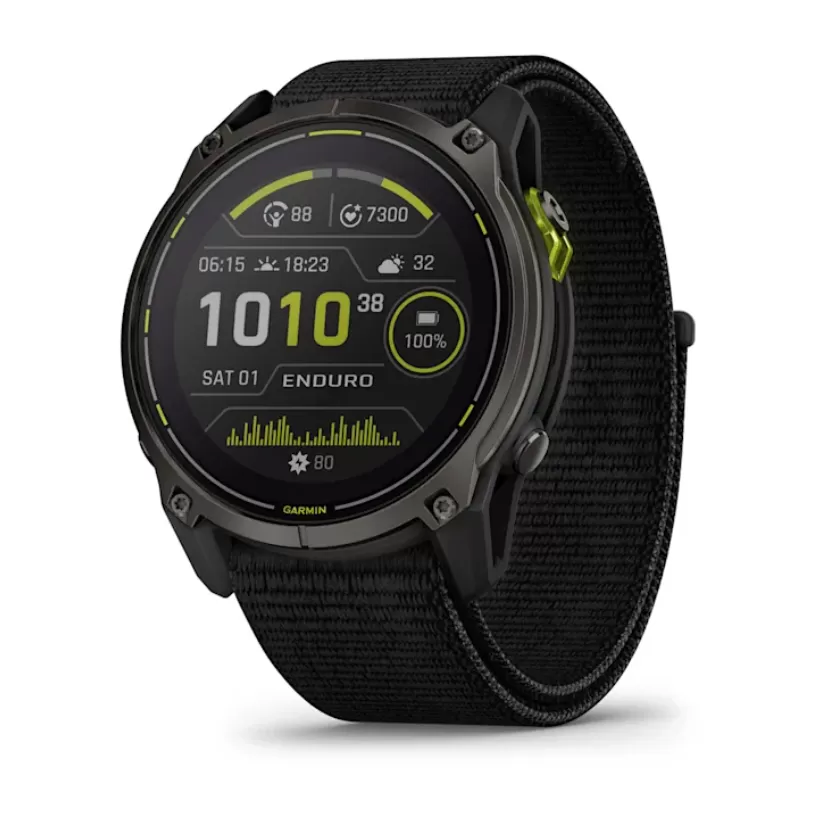 -7%
-7%