×

Cart

Subtotal:
НАМАЛЕНИ ЦЕНИ ЗА МАТУРАНТИ - Fenix 8, Forerunner, Venu 3, Vivoactive 6 - Погледнете повеќе  

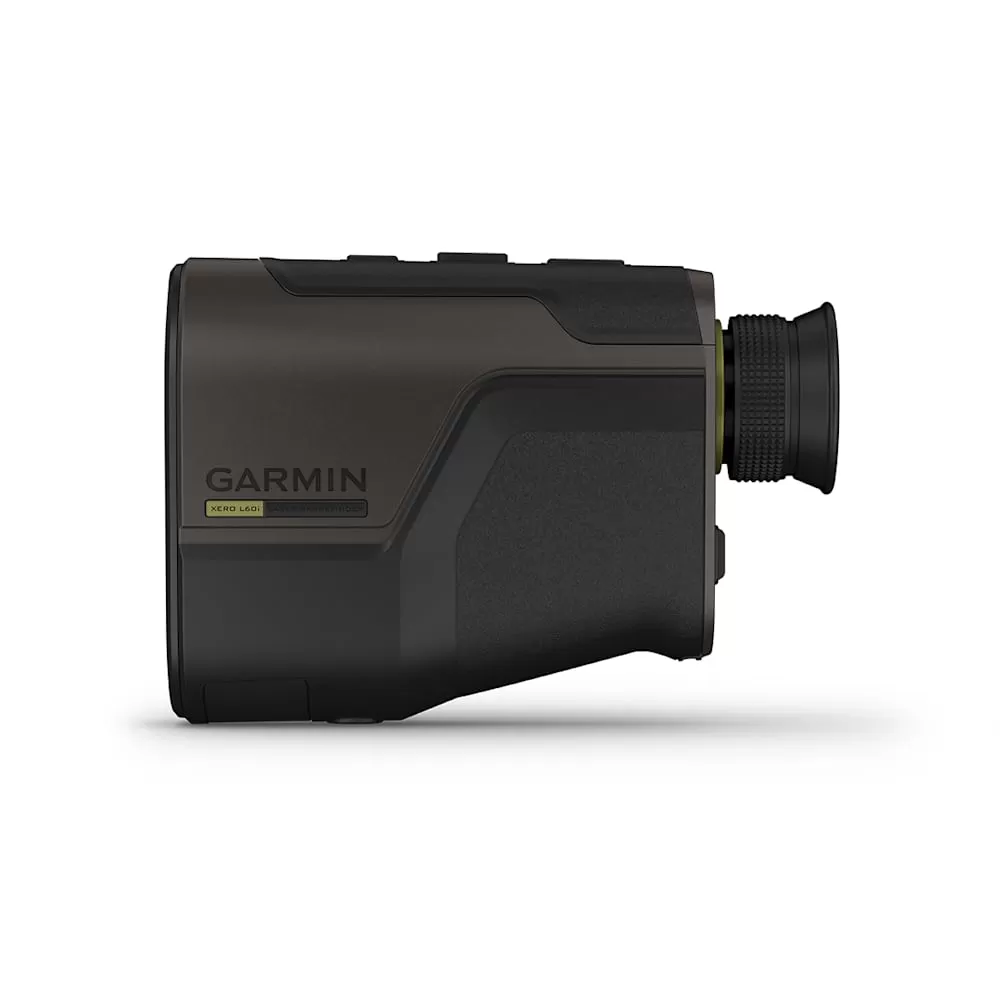
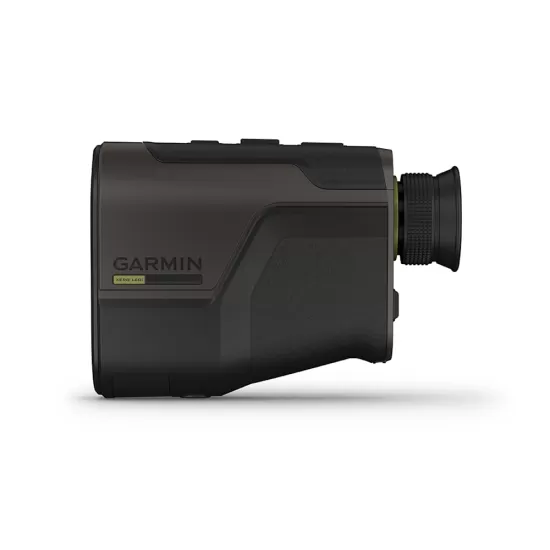
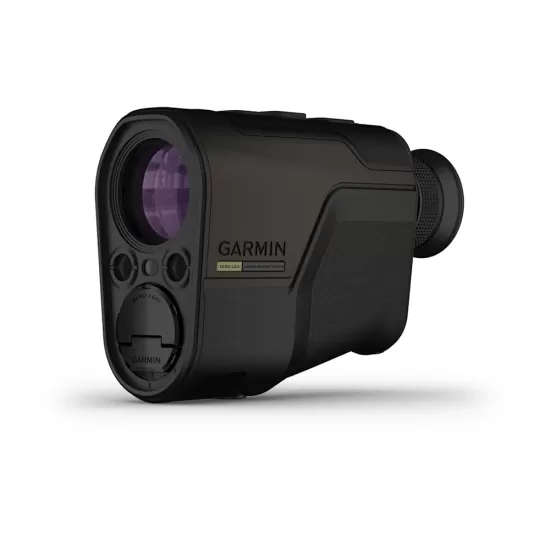
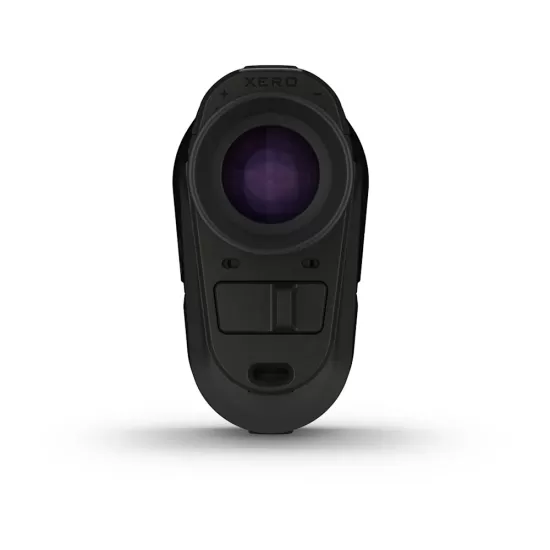
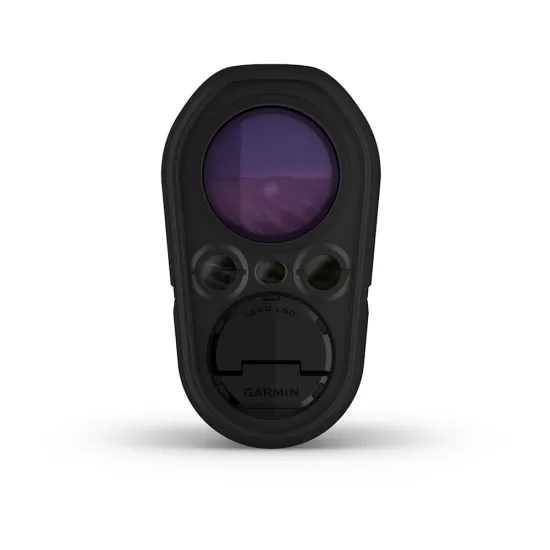
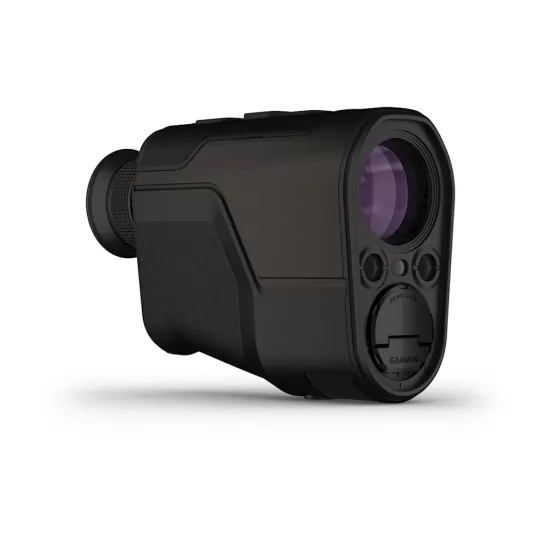
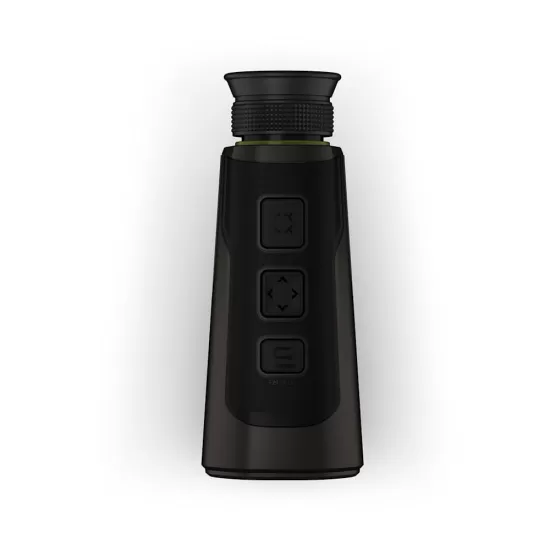
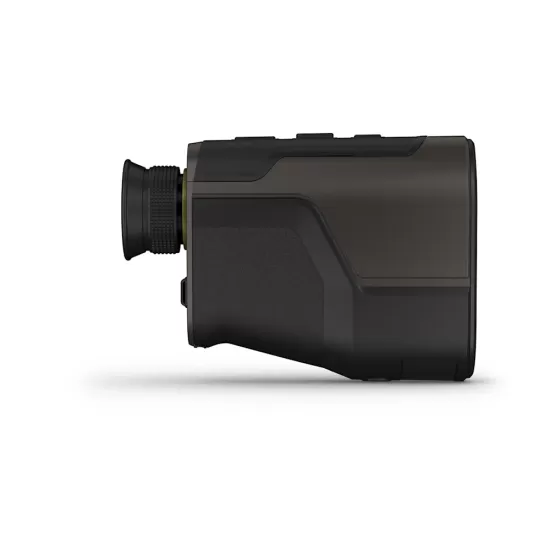
GARMIN Xero L60i Laser Rangefinder

СЛЕДЕТЕ ГИ РАСТОЈАНИЈАТА И МНОГУ ПОВЕЌЕ

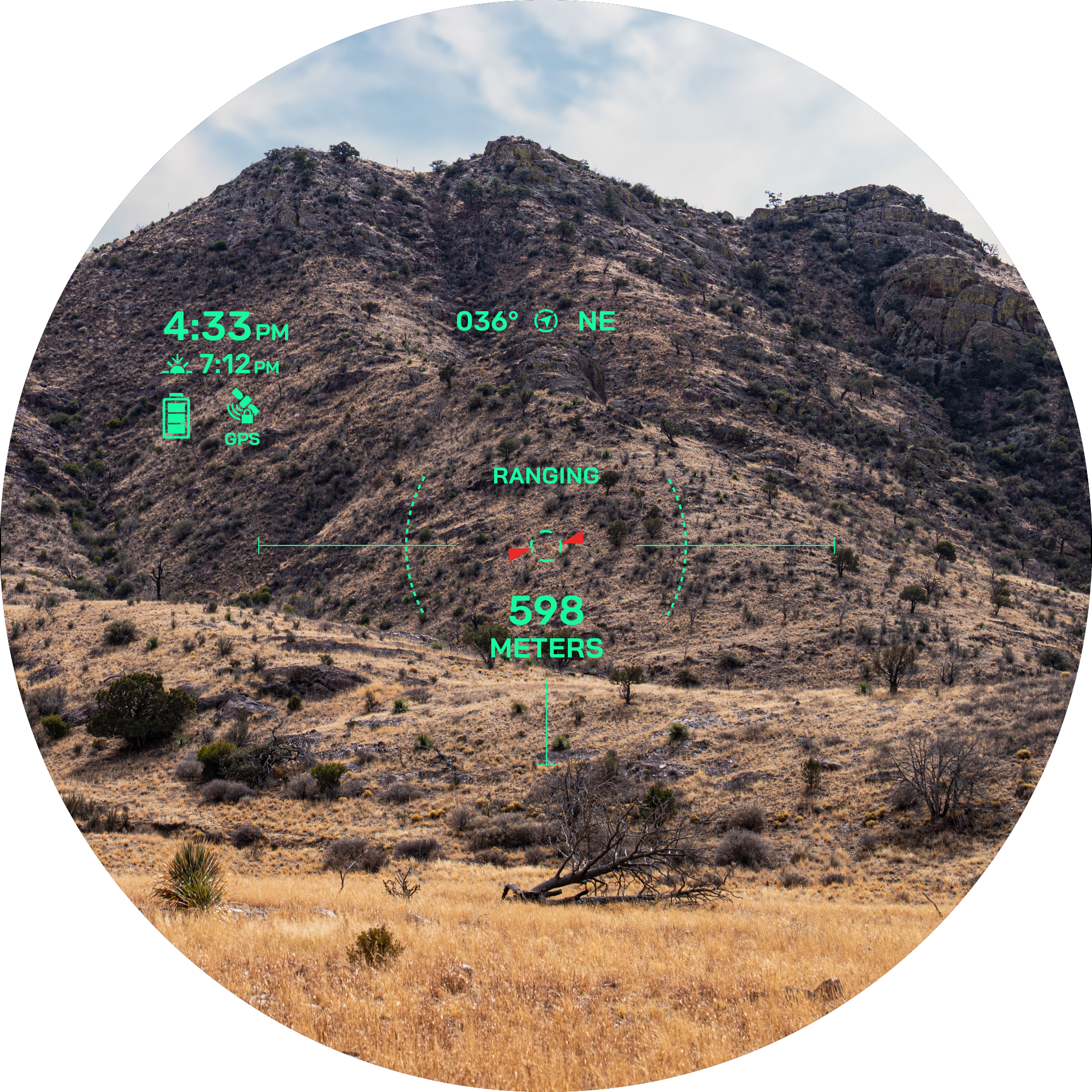
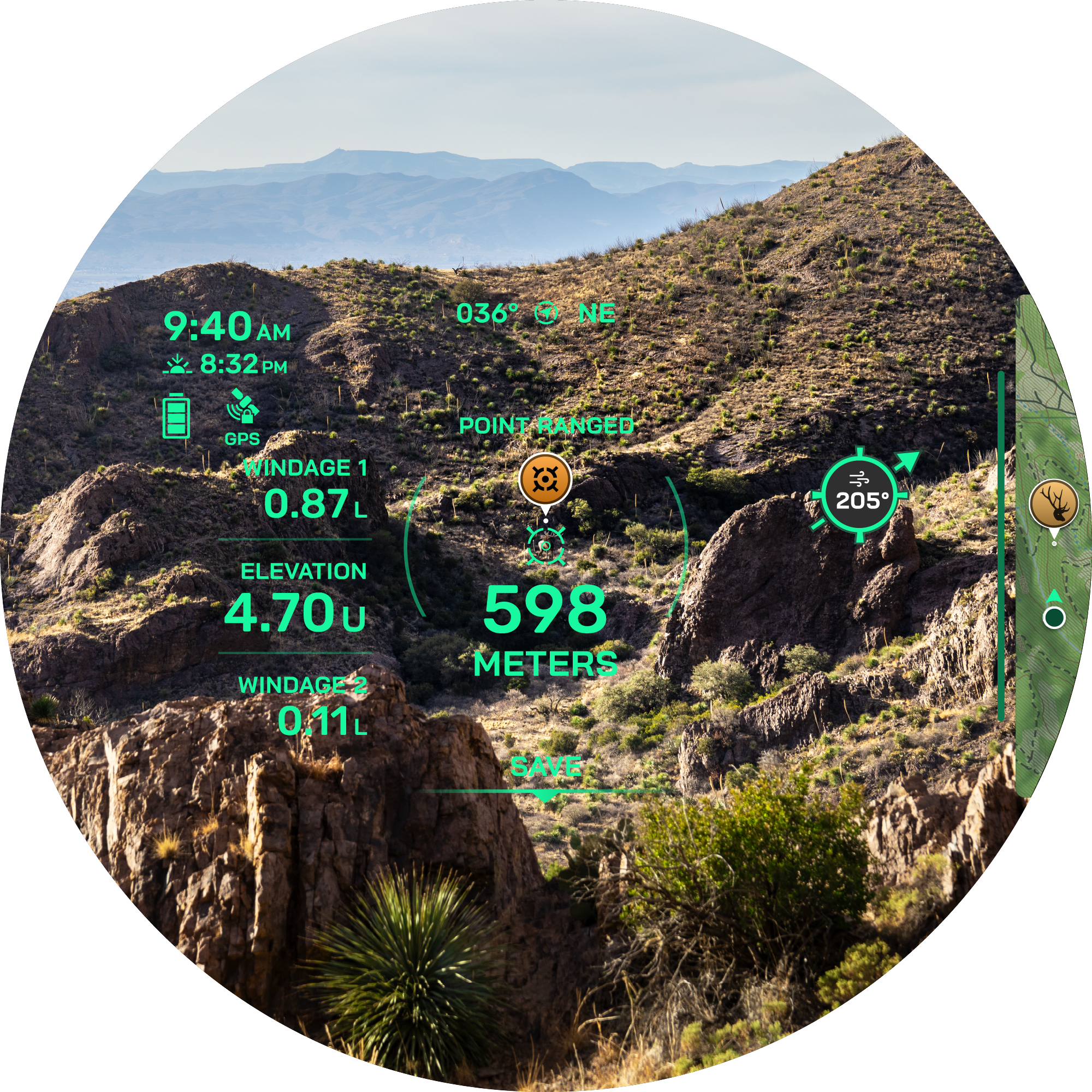
Моќниот ласерски должиномер Xero® L60i комбинира висококвалитетна оптика со напредна GPS технологија и модерни сензори за супериорно мерење на растојанија. Графичкиот преклоп во боја со висока резолуција ги прикажува растојанијата, мапите, навигацијата и многу повеќе со кристална јасност.

153.980 ден.
Достапност : Бесплатна достава во Македонија. Рок за испорака 10-15 работни дена.

HIGH-RESOLUTION, GRAPHIC OVERLAP IN COLOR

HIGH-QUALITY OPTICS WITH 7X MAGNIFICATION, 32MM LENS AND RIMLESS, CLEAR DISPLAY

Measure the distance to trees up to 1,800 meters and to animals up to 1,375 meters away – even further with the sensor location function.

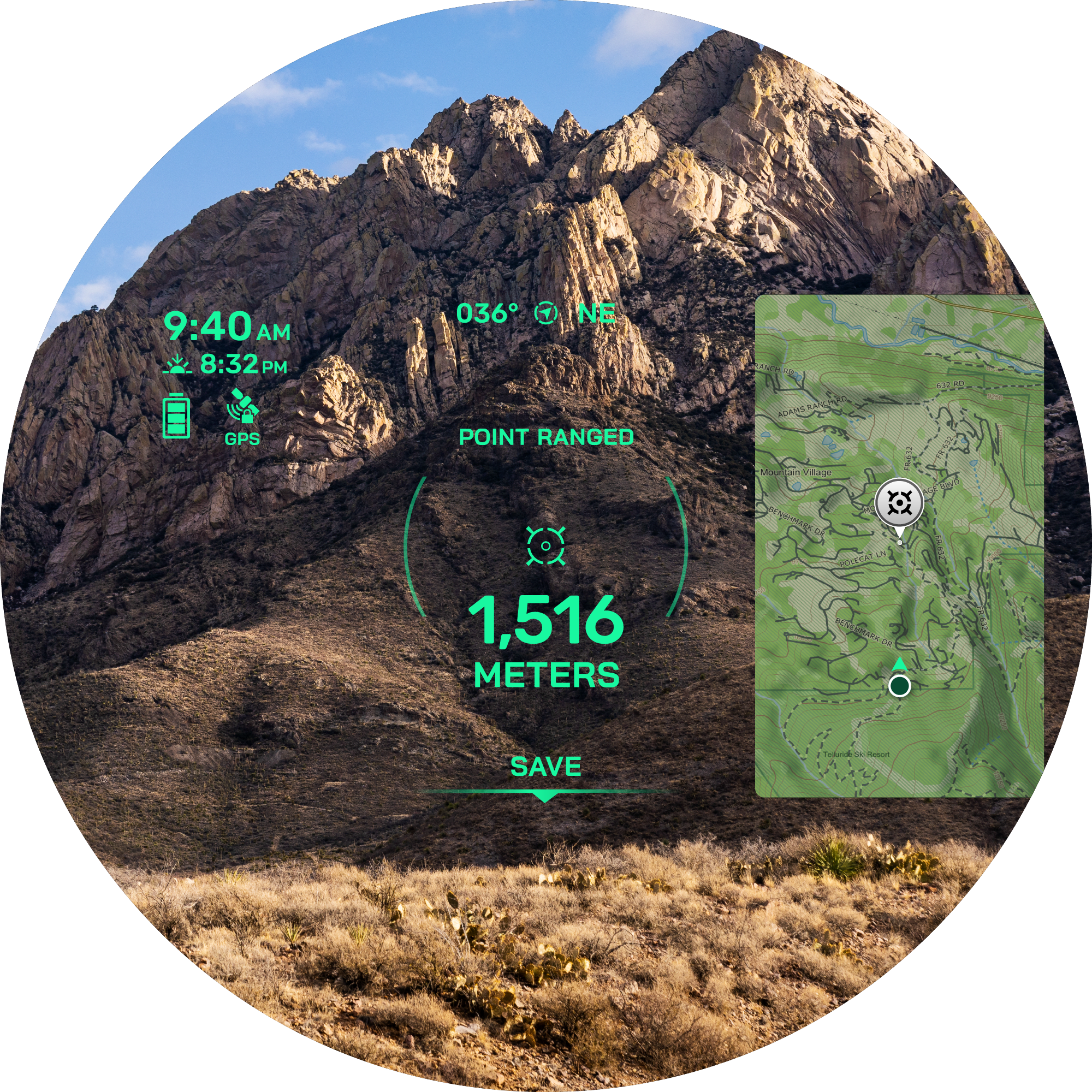
SET A GPS WAYPOINT ON MEASURED OBJECTS WITH LASER LOCATE™

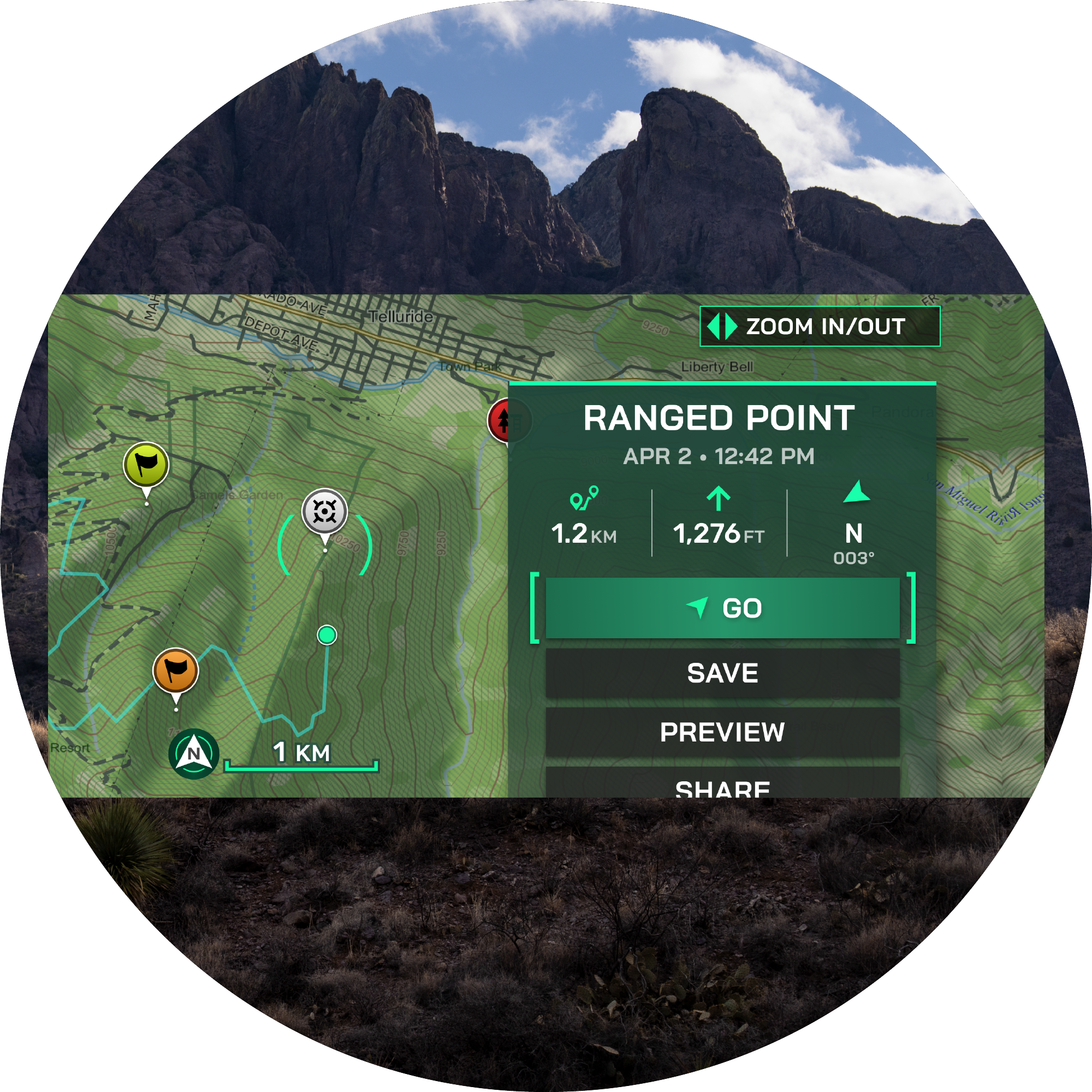
Use visual retrieval to find an object whose distance you have measured and navigate there using the map.

YOU WILL LOVE THIS

VERSATILE MEASUREMENT

Use the 7x magnification to measure the distance to trees up to 1,800 meters away and to animals up to 1,375 meters away. In optimal lighting conditions, you can even reach distances of up to 5,000 meters to retroreflective objects. Learn more

GRAPHIC OVERLAPSE

The high-resolution, color graphic overlay displays distance, position, maps, ballistics, navigation, and much more with crystal clarity. Learn more here

NAVIGATION FEATURES

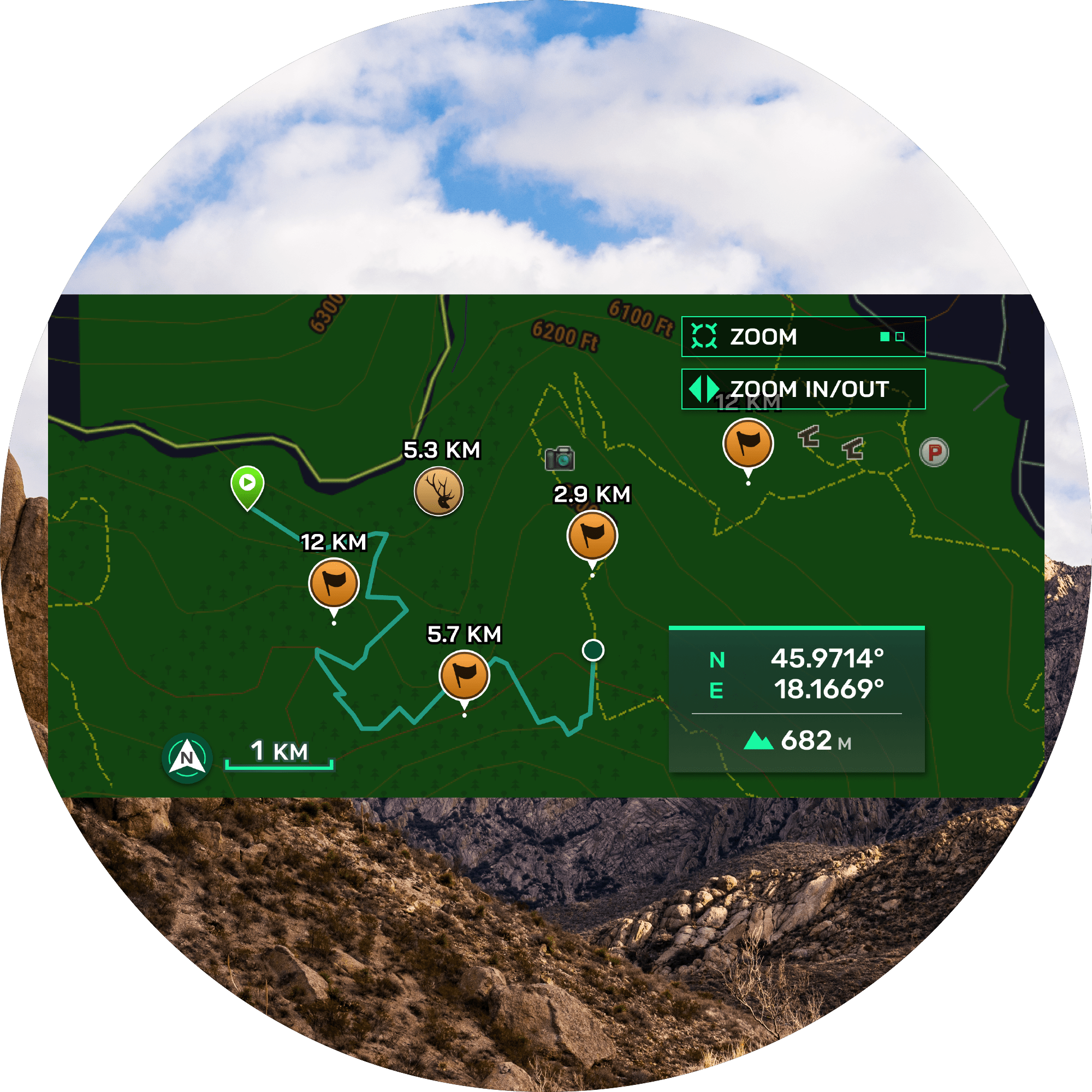
When viewing through the product, let the graphic overlay and integrated TopoActive maps guide you to waypoints you've set. Stay oriented with a 3-axis compass and view elevation profiles of your route. You can even see your position from above in the graphic overlay

ENHANCED WAYPOINTS

Use advanced GPS technology and modern sensors to place a waypoint on an object you've measured with the Laser Locate waypoint projection feature. With the Sensor Locate feature, you can even project a waypoint beyond measurable distances. If you lose sight of an object while walking towards it, the visual recall on the graphical overlay will guide you back to its position. Learn more here

INTEGRATED BALLISTICS

Access the integrated Applied Ballistics Ultralight calculator via the AB Quantum app. It provides the necessary data for a perfect shot. For archery, it also outputs ballistic data for the arrow, such as maximum arrow height, angle-corrected distance, and much more

NAVIGATION ECOSYSTEM

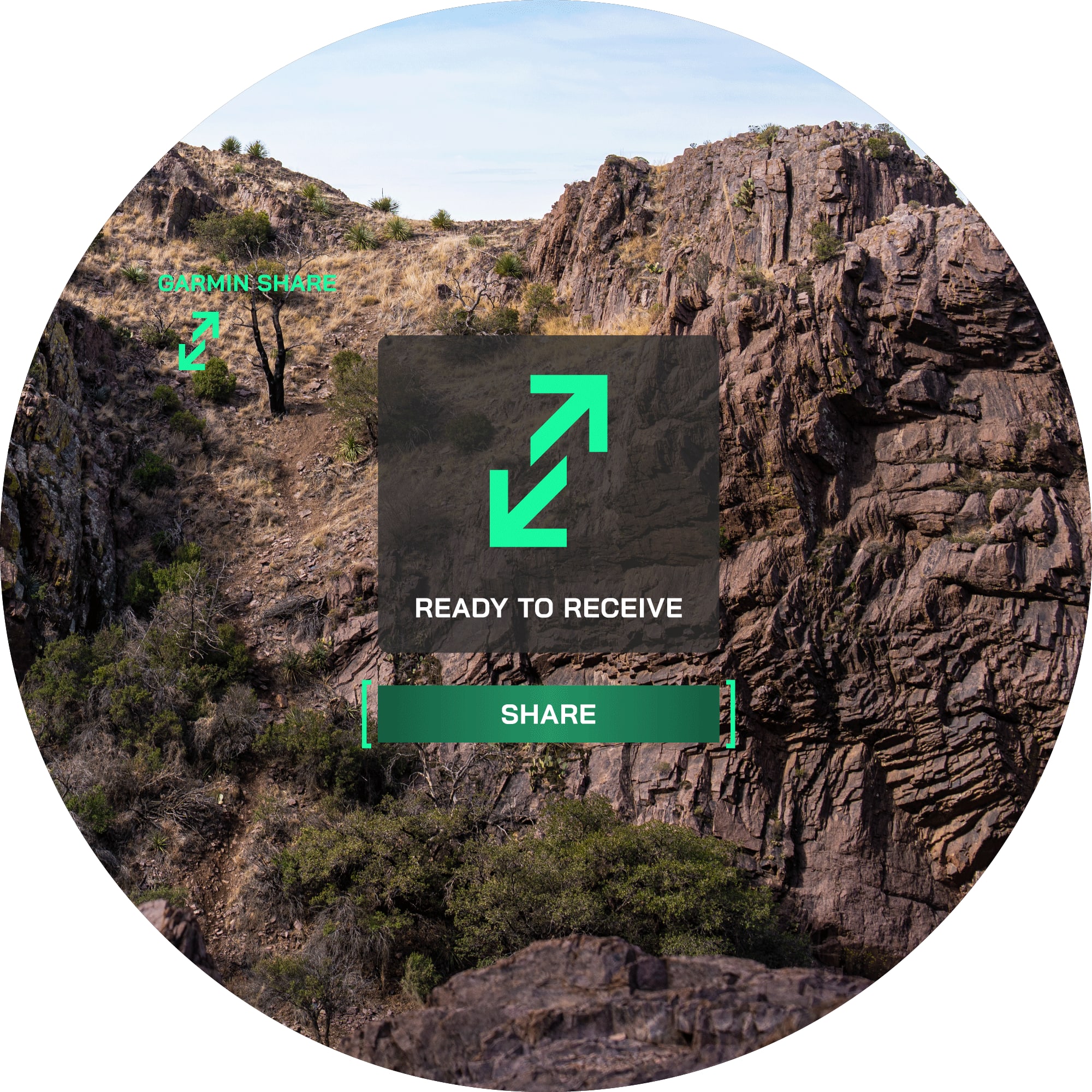
Send waypoints or data to your compatible smartphone and then share them with your compatible Garmin product. Now you can zoom in on the point without using the graphical overlay. Spotted something, but your companion can't find it? Share waypoints with their compatible products. Learn more here .

FIND THE GOAL. TRUST THE AD.

DISCOVER MORE


MAPS

Navigate with integrated TopoActive maps

TOP VIEW

View your position on the graphic overlay from a bird's-eye view

ELEVATION

Display the elevation profile to your destination on the graphic overlay.

SET WAYPOINTS

Use Laser Locate to set a waypoint on objects or positions to which you have measured the distance.

GREATER RANGE

Project a waypoint outside the laser range using Sensor Locate


TARGET ACCESS TECHNOLOGY

This function provides precise and accurate distances by validating signals from features

ROCK-SCORE GLASS

Experience precise color fidelity and excellent light transmission

DIMMED DISPLAY

Automatic controls for display brightness ensure optimal performance in low light

FINDING WAYPOINTS

The visual recall on the graphic overlay can guide you back to a previous waypoint if you wish to go there

VISUAL RECALL

Have you spotted something your group can't find? Use visual recall to share an animal's location from a distance


EXTRA DURABLE

This rangefinder withstands harsh outdoor conditions with an IPX7 water resistance rating


Technical improvements are constantly being made, which may not be reflected in the images, videos and information.

TestVar id: 165 userid: 17 name: GARMIN Fusion Apollo WB670 VIP: 0 cat: 50 subcat: 0 subsubcat: 0 manufacturer: model: status: 1 image1: 17_2024_61821714007485.webp image2: 17_2024_12661714007485.webp image3: image4: image5: image6: image7: image8: image9: image10: image11: image12: short_description: <h5 class="app__overview__intro__title light center" data-test="gc__heading"><strong>THE RESULT OF THE AUDIO INNOVATION - RELEASED</strong></h5> <div class="app__overview__intro__description gc__copy gc__copy--light gc__copy--center gc__copy--large" data-v-f2ba670e="" data-test="gc__copy"><span>The Apollo WB670 marine radio combines the most important audio innovations and the technological brilliance of the Apollo RA670 in a compact, smaller format that optimizes space in the cockpit.</span></div> description: <div> <div class="app__overview__intro" data-translate=""> <div class="app__layout-container app__layout-container--small app__layout-container--light"> <div class="app__overview__intro__icons app__column-layout app__column-layout__column--3"> <div class="app__feature__card" data-translate=""><iframe title="YouTube video player" src="https://www.youtube.com/embed/-VLd0nfITRs" frameborder="0" width="100%" height="415"></iframe></div> <div data-translate=""> <div> <div class="app__overview__intro" data-translate=""> <div class="app__layout-container app__layout-container--small app__layout-container--light"> <div class="app__overview__intro__icons app__column-layout app__column-layout__column--3"> <div class="app__feature__card" data-translate=""><img class="app__feature__card__image" src="https://static.garmincdn.com/en/products/010-01905-00/g/770_productpage_ICONS-01-bc4b8664-8062-4cdc-b672-b56513cf491a.svg" alt="" width="250" height="250" /> <p class="app__feature__card__description"><span>Create custom audio profiles for optimal sound quality in every single area on your boat.</span></p> </div> <div class="app__feature__card" data-translate=""><img class="app__feature__card__image" src="https://static.garmincdn.com/en/products/010-02138-00/g/670_product%20page_ICONS-02-598e3301-e056-4a88-adfa-2ddad9fcf8e8.svg" alt="" width="249" height="249" /> <p class="app__feature__card__description"><span>Thanks to a higher data transfer rate, audio streaming via WLAN technology ensures high-quality audio output&nbsp;</span><sup><span>1</span></sup><span>&nbsp;.</span></p> </div> <div class="app__feature__card" data-translate=""><img class="app__feature__card__image" src="https://static.garmincdn.com/en/products/010-01905-00/g/770_productpage_ICONS-03-142cb865-1612-4acc-a753-93d2a23e20fa.svg" alt="" width="251" height="251" /> <p class="app__feature__card__description"><span>Seamless, high-quality audio streaming from your music app via the AirPlay&nbsp;</span><sup><span>&reg;</span></sup><span>&nbsp;&nbsp;2 software feature&nbsp;</span><sup><span>1</span></sup><span>&nbsp;.</span></p> </div> <div class="app__feature__card" data-translate=""><img class="app__feature__card__image" src="https://static.garmincdn.com/en/products/010-01905-00/g/770_productpage_ICONS-04-a938bab2-b433-41ed-8505-5028edc0e625.svg" alt="" width="250" height="250" /> <p class="app__feature__card__description"><span>Enjoy free choice of audio sources with Fusion PartyBus &trade; network technology&nbsp;</span><sup><span>1</span></sup><span>&nbsp;.</span></p> </div> <div class="app__feature__card" data-translate=""><img class="app__feature__card__image" src="https://static.garmincdn.com/en/products/010-02138-00/g/670_product%20page_ICONS-05-e22b9350-a2ae-4a09-8c31-c8b77015468e.svg" alt="" width="251" height="251" /> <p class="app__feature__card__description"><span>Multi-Zone &trade; technology for controlling up to three dedicated audio zones.</span></p> </div> <div class="app__feature__card" data-translate=""><img class="app__feature__card__image" src="https://static.garmincdn.com/en/products/010-01905-00/g/770_productpage_ICONS-06-04993a7a-c472-4435-aac4-18878ab651b8.svg" alt="" width="251" height="251" /> <p class="app__feature__card__description"><span>Operate your entertainment system via compatible multifunction displays, smart devices or your Garmin smartwatch.</span></p> </div> </div> </div> </div> </div> <div> <div class="app__life-style app__life-style--dark" title="" data-translate=""> <div class="app__img-banner app__life-style__img-con"><img class="app__img-banner__img__desktop app__img-banner__img" src="https://static.garmincdn.com/en/products/010-02346-00/g/0-FAN-D-WB670_full_width_Group-shot_desktop-54d1efbf-9842-4ad1-8be6-24d932ec914b.jpg" alt="" /></div> <div class="app__life-style__text__con app__life-style__text__con--left app__life-style__text__con__mobile--left app__life-style__text__con__mobile--bottom">&nbsp;</div> </div> <div class="app__layout-container app__layout-container--small app__layout-container--light"> <div class="app__column-layout app__column-layout__column--3"> <div class="app__feature__card" data-translate=""> <h3 class="app__feature__card__title light left" data-v-5b9e0d04="" data-test="gc__heading"><span>DEVELOPED ACCORDING TO TRUE MARINE &trade; STANDARDS</span></h3> <p class="app__feature__card__description"><span>The Apollo WB670 radio builds on the True Marine design philosophy of Fusion&nbsp;</span><sup><span>&reg;</span></sup><span>&nbsp;and has been tested for a high level of protection from salt, fog, temperature, vibration and UV rays.</span></p> </div> <div class="app__feature__card" data-translate=""> <h3 class="app__feature__card__title light left" data-v-5b9e0d04="" data-test="gc__heading"><span>COMPACT DESIGN</span></h3> <p class="app__feature__card__description"><span>The Apollo WB670 optimizes the space at the helm and can be hidden in the cockpit or mounted in different places, for example in storage cabinets, in helm consoles or in other hidden compartments.</span></p> </div> </div> </div> <div class="app__life-style app__life-style--dark" title="" data-translate=""> <div class="app__img-banner app__life-style__img-con"><img class="app__img-banner__img__desktop app__img-banner__img" src="https://static.garmincdn.com/en/products/010-02346-00/g/1-D-WB670_full_width_01_DSP_desktop-9ee4f66f-f0e9-4a37-8062-e70cff89f002.jpg" alt="" /></div> <div class="app__life-style__text__con app__life-style__text__con--left app__life-style__text__con__mobile--center app__life-style__text__con__mobile--bottom"> <h2 class="app__life-style__text"><span>Great sound in any environment.</span></h2> </div> </div> <div class="app__life-style app__life-style--dark" title="" data-translate=""> <div class="app__img-banner app__life-style__img-con"><img class="app__img-banner__img__desktop app__img-banner__img" src="https://static.garmincdn.com/en/products/010-01905-00/g/RA770_full_width-desktop_2B_DSP-graphic-99c45454-83fd-476d-9640-93d6d3090e42.jpg" alt="" /></div> <div class="app__life-style__text__con app__life-style__text__con--left app__life-style__text__con__mobile--left app__life-style__text__con__mobile--bottom">&nbsp;</div> </div> <div class="app__layout-container app__layout-container--small app__layout-container--light"> <div class="app__column-layout app__column-layout__column--3"> <div class="app__feature__card" data-translate=""> <h3 class="app__feature__card__title light left" data-v-5b9e0d04="" data-test="gc__heading"><span>DIGITAL SIGNAL PROCESSING (DSP) FROM FUSION</span></h3> <p class="app__feature__card__description"><span>Fusion-DSP delivers a technically superior listening experience in a simple way.&nbsp;The audio signal transmitted to the Fusion system is optimized so that outstanding sound quality is guaranteed at all volume levels and in all listening environments.</span></p> </div> <div class="app__feature__card" data-translate=""> <h3 class="app__feature__card__title light left" data-v-5b9e0d04="" data-test="gc__heading"><span>USER FRIENDLY DSP PROFILES</span></h3> <p class="app__feature__card__description"><span>Easily set up the DSP profiles with just a few clicks on the compatible smartphone or tablet in the free Fusion-Link &trade; app.&nbsp;Select the preconfigured DSP profiles and enjoy the best quality sound that is optimally adapted to your requirements and the environment.</span></p> </div> </div> </div> <div class="app__life-style app__life-style--dark" title="" data-translate=""> <div class="app__img-banner app__life-style__img-con"><img class="app__img-banner__img__desktop app__img-banner__img" src="https://static.garmincdn.com/en/products/010-02346-00/g/2-D-WB670_full_width_02_ETHERNET_desktop-239a3318-d163-46a1-91b4-0e3eb65a5ca7.jpg" alt="" /></div> <div class="app__life-style__text__con app__life-style__text__con--left app__life-style__text__con__mobile--center app__life-style__text__con__mobile--bottom"> <h2 class="app__life-style__text"><span>Ethernet connection for the connection to the WLAN router.</span></h2> </div> </div> <div class="app__layout-container app__layout-container--small app__layout-container--light"> <div class="app__column-layout app__column-layout__column--3"> <div class="app__feature__card" data-translate=""><img class="app__feature__card__image" src="https://static.garmincdn.com/en/products/010-02346-00/g/Apollo_WB670_1_ETHERNET-5c8a53fd-8d58-4690-8a9b-7b7169b0d288.jpg" alt="" /> <h3 class="app__feature__card__title light left" data-v-5b9e0d04="" data-test="gc__heading"><span>WLAN FUNCTIONS</span></h3> <p class="app__feature__card__description"><span>Connect the Apollo WB670 via Ethernet to a WiFi network router, a Garmin MFD network or a network of the Apollo series radio and use WiFi audio streaming and OTA software updates&nbsp;</span><sup><span>1</span></sup><span>&nbsp;.</span></p> </div> <div class="app__feature__card" data-translate=""><img class="app__feature__card__image" src="https://static.garmincdn.com/en/products/010-02346-00/g/Apollo_WB670_2_Play-3da9f9c3-1a2c-4f41-9f18-325388e2f8e9.jpg" alt="" /> <h3 class="app__feature__card__title light left" data-v-5b9e0d04="" data-test="gc__heading"><span>AUDIOSTREAMING VIA WLAN</span></h3> <p class="app__feature__card__description"><span>Enjoy the clear sound and premium quality of streaming audio on one of the world's first marine radios using WiFi technology, including the convenience of AirPlay 2 from Apple&nbsp;</span><sup><span>&reg;</span></sup><span>&nbsp;and Universal Plug and Play (UPnP)&nbsp;</span><sup><span>1</span></sup><span>&nbsp;.</span></p> </div> <div class="app__feature__card" data-translate=""><img class="app__feature__card__image" src="https://static.garmincdn.com/en/products/010-02346-00/g/Apollo_WB670_3_Update-9f5bd967-23db-417f-8cec-8fae7d0488be.jpg" alt="" /> <h3 class="app__feature__card__title light left" data-v-5b9e0d04="" data-test="gc__heading"><span>SOFTWARE UPDATES WITH THE SMARTPHONE APP</span></h3> <p class="app__feature__card__description"><span>Updates are now available through the free Fusion-Link app on your compatible smartphone or tablet.&nbsp;It is easy and intuitive to update the Apollo series&nbsp;</span><sup><span>1</span></sup><span>&nbsp;.</span></p> </div> </div> </div> <div class="app__life-style app__life-style--dark" title="" data-translate=""> <div class="app__img-banner app__life-style__img-con"><img class="app__img-banner__img__desktop app__img-banner__img" src="https://static.garmincdn.com/en/products/010-02346-00/g/3-D-WB670_full_width_03_PartyBus_desktop-b53ad822-1346-4a48-98ce-b0150bf0a29c.jpg" alt="" /></div> <div class="app__life-style__text__con app__life-style__text__con--left app__life-style__text__con__mobile--center app__life-style__text__con__mobile--bottom"> <h2 class="app__life-style__text"><span>Free music selection, anytime and on the entire boat.</span></h2> </div> </div> <div class="app__layout-container app__layout-container--small app__layout-container--light"> <div class="app__column-layout app__column-layout__column--3"> <div class="app__feature__card" data-translate=""><img class="app__feature__card__image" src="https://static.garmincdn.com/en/products/010-02346-00/g/Apollo_WB670_4_Group-5da0d473-0fd4-4e86-bf3c-e39f639485f6.jpg" alt="" /> <h3 class="app__feature__card__title light left" data-v-5b9e0d04="" data-test="gc__heading"><span>GROUPING OF RADIOS</span></h3> <p class="app__feature__card__description"><span>Grouping allows you to link several Apollo series radios that are connected to the same network.&nbsp;So you can play the same audio source synchronized across all entertainment systems.</span></p> </div> <div class="app__feature__card" data-translate=""><img class="app__feature__card__image" src="https://static.garmincdn.com/en/products/010-02346-00/g/Apollo_WB670_5_Volume-8228887e-7927-4f13-8f75-e349ab924128.jpg" alt="" /> <h3 class="app__feature__card__title light left" data-v-5b9e0d04="" data-test="gc__heading"><span>VOLUME CONTROL</span></h3> <p class="app__feature__card__description"><span>Scroll through your zones available on board and control the volume of the zones independently of each other.&nbsp;Alternatively, you can adjust the overall volume for a radio group at the same time.</span></p> </div> <div class="app__feature__card" data-translate=""><img class="app__feature__card__image" src="https://static.garmincdn.com/en/products/010-02346-00/g/Apollo_WB670_6_Power-Options-001c2c0d-4942-42b4-9435-9ed63256308d.jpg" alt="" /> <h3 class="app__feature__card__title light left" data-v-5b9e0d04="" data-test="gc__heading"><span>POWER OPTIONS</span></h3> <p class="app__feature__card__description"><span>With the power option, you can switch any Apollo stereo system in the Fusion PartyBus network on or off remotely from another Apollo series stereo system.</span></p> </div> </div> <div class="app__column-layout app__column-layout__column--3"> <div class="app__feature__card" data-translate=""><img class="app__feature__card__image" src="https://static.garmincdn.com/en/products/010-02346-00/g/Apollo_WB670_7_Home-Zone-3afcd709-1b1d-48ab-b968-43a1a2fc3adb.jpg" alt="" /> <h3 class="app__feature__card__title light left" data-v-5b9e0d04="" data-test="gc__heading"><span>HOMEZONE</span></h3> <p class="app__feature__card__description"><span>The home zone is the spatial zone on board the boat in which the radio is installed.&nbsp;After you have adjusted the sound in another zone, the radio returns to operating the home zone after a short time.</span></p> </div> </div> </div> <div class="app__life-style app__life-style--dark" title="" data-translate=""> <div class="app__img-banner app__life-style__img-con"><img class="app__img-banner__img__desktop app__img-banner__img" src="https://static.garmincdn.com/en/products/010-02346-00/g/4-D-WB670_full_width_04_Sources_desktop-83d15fcf-a2bd-45ad-b466-9fd9c708c797.jpg" alt="" /></div> <div class="app__life-style__text__con app__life-style__text__con--left app__life-style__text__con__mobile--center app__life-style__text__con__mobile--bottom"> <h2 class="app__life-style__text"><span>Enjoy more audio source options than ever before</span></h2> </div> </div> <div class="app__layout-container app__layout-container--small app__layout-container--light"> <div class="app__column-layout app__column-layout__column--3"> <div class="app__feature__card" data-translate=""><img class="app__feature__card__image" src="https://static.garmincdn.com/en/products/010-02346-00/g/Apollo_WB670_8_Sources-aa842924-167a-4228-83e1-421dca1a60ae.jpg" alt="" /> <h3 class="app__feature__card__title light left" data-v-5b9e0d04="" data-test="gc__heading"><span>THE FREEDOM TO LISTEN TO WHAT YOU WANT</span></h3> <p class="app__feature__card__description"><span>Use the many resources available, including&nbsp;AirPlay 2 function&nbsp;</span><sup><span>1</span></sup><span>&nbsp;, Bluetooth&nbsp;</span><sup><span>&reg;</span></sup><span>&nbsp;technology, UPnP&nbsp;</span><sup><span>1</span></sup><span>&nbsp;, optical audio output, extended SiriusXM&nbsp;</span><sup><span>&reg;</span></sup><span>&nbsp;functions, DAB + radio, AM / FM radio, AUX and USB connections.</span></p> </div> <div class="app__feature__card" data-translate=""><img class="app__feature__card__image" src="https://static.garmincdn.com/en/products/010-02346-00/g/Apollo_WB670_9_SiriusXM-7a6b7d4f-9e9b-4dd1-9416-65a8b7a2b688.jpg" alt="" /> <h3 class="app__feature__card__title light left" data-v-5b9e0d04="" data-test="gc__heading"><span>EXTENDED SIRIUS XM FUNCTIONS AVAILABLE</span></h3> <p class="app__feature__card__description"><span>In addition to the new album covers shown on the display, a selection of advanced features is now available on Sirius XM</span></p> </div> <div class="app__feature__card" data-translate=""> <h3 class="app__feature__card__title light left" data-v-5b9e0d04="" data-test="gc__heading">&nbsp;</h3> <p class="app__feature__card__description">&nbsp;</p> </div> </div> </div> <div class="app__life-style app__life-style--dark" title="" data-translate=""> <div class="app__img-banner app__life-style__img-con"><img class="app__img-banner__img__desktop app__img-banner__img" src="https://static.garmincdn.com/en/products/010-02346-00/g/5-D-WB670_full_width_05_More-control_desktop-08a245fa-d6ff-4d28-b8b9-e028d2f4f126.jpg" alt="" /></div> <div class="app__life-style__text__con app__life-style__text__con--left app__life-style__text__con__mobile--center app__life-style__text__con__mobile--bottom"> <h2 class="app__life-style__text"><span>Enjoy seamless and easy operation of the Apollo WB670.</span></h2> </div> </div> <div class="app__layout-container app__layout-container--small app__layout-container--light"> <div class="app__column-layout app__column-layout__column--3"> <div class="app__feature__card" data-translate=""><img class="app__feature__card__image" src="https://static.garmincdn.com/en/products/010-02346-00/g/Apollo_WB670_10_Control-ERX400-7d5899b2-61f1-4e94-91d4-eb959612bd7b.jpg" alt="" /> <h3 class="app__feature__card__title light left" data-v-5b9e0d04="" data-test="gc__heading"><span>COMPLETE OPERATION VIA THE APOLLO ERX400 REMOTE CONTROL</span></h3> <p class="app__feature__card__description"><span>Operate the Apollo WB670 radio using an Apollo ERX400 remote control connected via Ethernet.&nbsp;Then enjoy the full Apollo user experience, including the PartyBus &trade; network functions.</span></p> </div> <div class="app__feature__card" data-translate=""><img class="app__feature__card__image" src="https://static.garmincdn.com/en/products/010-02346-00/g/Apollo_WB670_11_Control-MFD-b6660d61-1f65-4d92-b907-95bf74e28102.jpg" alt="" /> <h3 class="app__feature__card__title light left" data-v-5b9e0d04="" data-test="gc__heading"><span>OPERATION VIA A COMPATIBLE MULTIFUNCTIONAL DISPLAY</span></h3> <p class="app__feature__card__description"><span>Are you looking for a more optimized system?&nbsp;Connect the Apollo WB670 via Ethernet or a NMEA 2000&nbsp;</span><sup><span>&reg;</span></sup><span>&nbsp;network to a compatible multifunction display and&nbsp;do&nbsp;without an additional remote control&nbsp;</span><sup><span>1</span></sup><span>&nbsp;.</span></p> </div> <div class="app__feature__card" data-translate=""><img class="app__feature__card__image" src="https://static.garmincdn.com/en/products/010-02346-00/g/Apollo_WB670_12_Control-More-Sources-797d013b-3574-4357-8812-3589276f8431.jpg" alt="" /> <h3 class="app__feature__card__title light left" data-v-5b9e0d04="" data-test="gc__heading"><span>OPERATING A LARGER NUMBER OF AUDIO ZONES</span></h3> <p class="app__feature__card__description"><span>Operate up to six independent audio zones by connecting two Apollo WB670 radios via Ethernet to a router or Ethernet switch.&nbsp;Then you can operate both Apollo WB670 radios with a single Apollo ERX400 wired remote control.</span></p> </div> </div> </div> <div class="app__img-banner app__life-style__img-con"><img class="app__img-banner__img__desktop app__img-banner__img" src="https://static.garmincdn.com/en/products/010-02138-00/g/670_full_width_05_Fusion-Link-phone_desktop-895ae166-5ce3-47eb-a3ce-be5722266855.jpg" alt="" /></div> <div class="app__life-style__text__con app__life-style__text__con--left app__life-style__text__con__mobile--center app__life-style__text__con__mobile--bottom"> <h2 class="app__life-style__text"><span>Easily operate entertainment functions via the free Fusion-Link &trade; app.</span></h2> <p class="app__life-style__text__button"><span>FIND OUT MORE NOW!</span></p> </div> <div class="app__layout-container app__layout-container--medium app__layout-container--neutral"> <div class="app__column-layout app__column-layout__column--2"> <div class="app__learn-more app__learn-more--dark" data-translate=""> <div class="app__learn-more__link"> <div class="app__img-banner"><img class="app__img-banner__img__desktop app__img-banner__img" src="https://static.garmincdn.com/en/products/010-01905-00/g/Feature-card_Fusion-Link-MFD-dc0ea8d3-a04a-4d26-b2d6-618a8a95b758.jpg" alt="" /></div> <div class="app__learn-more__container__text app__learn-more__container"> <div class="app__learn-more__container__inner--center"> <h2 class="dark center app__learn-more__container__text__title app__learn-more__container__text__title--center" data-v-5b9e0d04="" data-test="gc__heading"><span>Control your radio directly via a multifunction display, thanks to Fusion-Link technology via NMEA or Ethernet.</span></h2> </div> <div class="app__learn-more__container__text__button__container">&nbsp;</div> </div> </div> </div> <div class="app__learn-more app__learn-more--dark" data-translate=""> <div class="app__img-banner"><img class="app__img-banner__img__desktop app__img-banner__img" src="https://static.garmincdn.com/en/products/010-02138-00/g/feature-card-horizontal_Fusion-link-watch-b790de8e-13bd-4324-b606-c50d80346d32.jpg" alt="" /></div> <div class="app__learn-more__container__text app__learn-more__container"> <div class="app__learn-more__container__inner--center"> <h2 class="dark center app__learn-more__container__text__title app__learn-more__container__text__title--center" data-v-5b9e0d04="" data-test="gc__heading"><span>Control your radio directly from a compatible Garmin smartwatch, thanks to the Fusion-Link Lite app.</span></h2> </div> <div class="app__learn-more__container__text__button__container"> <p class="app__learn-more__container__text__button"><span>FIND OUT MORE NOW!</span></p> </div> </div> </div> </div> </div> <div class="app__layout-container app__layout-container--small app__layout-container--neutral"> <div class="app__disclaimer__block"> <div class="app__disclaimer__item" data-translate=""><sup><span>1&nbsp;</span></sup><span>Available when connected to a WiFi network router, Garmin multifunction display, or Apollo series radio network that is enabled with WiFi technology.</span></div> </div> <div class="app__disclaimer__block"> <div class="app__disclaimer__item" data-translate=""><span>AirPlay and Apple are trademarks of Apple Inc. and are registered in the US and other countries.&nbsp;Wi-Fi&reg; is a registered trademark of the Wi-Fi Alliance.&nbsp;The Bluetooth word mark and logos are registered trademarks owned by Bluetooth SIG, Inc. and any use of such marks by Garmin is under license.&nbsp;Sirius, XM and all related marks and logos are trademarks of Sirius XM Radio Inc.</span></div> </div> <div class="app__disclaimer__block"> <div class="app__disclaimer__icon" title="" data-translate=""><img src="https://buy.garmin.com/de-DE/DE/p/690864/pn/010-02346-00" alt="" /></div> </div> </div> </div> </div> </div> </div> </div> </div> characteristics: meta_title: meta_keywords: meta_description: url: measure: order_by: 0 date_created: 2024-10-14 15:55:14 width: profile: diameter: fuel_efficiency: wet_grip: noise: supplier: delivery_days: 0 product_json_data: system_tags: alternate_id: image: 17_2024_61821714007485.webp price: 34480.00 price2: 0.00 item_id: 163 stickers: #0

Слични продукти